# AgenaScript - Let's start
### Welcome to the official AgenaScript documentation!
Want to learn more about the AgenaTrader scripting language? We've got the resources to help you get started. Start by browsing the documentation on the list below.
# Introductory Words
AgenaScript is AgenaTrader’s integrated programming language. The syntax is derived from C# and thus closely resembles it.
Because AgenaScript is part of AgenaTrader
The C# programming language is under constant improvement and development. Every year a new C# version will be relased by Microsoft. AgenaScript is based on the language version C# 7.3, so code words, functions and structures from C# 8 onwards are not yet possible.
AgenaScript allows you to execute any ideas/methods that are too complex for the ConditionEscort. From simple indicators to entire applications where AgenaTrader is only required to run in the background, anything that can be written in .NET can be implemented.
Information contained in this help document:
### [Drawing objects](/drawingobjects)
All drawing objects that can be used within the chart can also be accessed using AgenaScript. In this way, you can turn on/off certain lines, arrows, rectangles and other objects with specified conditions.
### [Events](/events)
AgenaScript is event-based and -driven. When (for example) a candle closes or a new candle opens, then an event has occurred. When a new price value is delivered by your data provider or a new order is executed by your broker, then these too are considered events. AgenaScript allows you to react to these events. You can read about the exact methodology in this and the following chapters.
### [Handling bars and instruments](/handling-bars-and-instruments)
You will find a detailed explanation of how AgenaScript reacts and interacts with individual bars or candles as well as various trading instruments.
### [Hints and advice](/hints-and-advice)
This section provides solutions to problems of an unusual nature. To solve such problems, you need to be able to trace and understand source code and programming. More advanced programmers and users may find solutions and suggestions that could help them in their own programming.
### [Keywords](/keywords)
Like every other programming language, AgenaTrader has a set of commands that can be converted and used via Scripts. You should be relatively well versed in these if you wish to create your own indicators or trading systems.
### [Strategy programming](/strategy-programming)
AgenaScript allows you to create your own trading strategies and execute them live within the market. Information pertaining to prerequisites and how orders are sent to the broker and managed internally can be found here.
# Handling bars and instruments
Data is understood as information that is retrieved externally and uploaded to AgenaTrader, or as data series that are created by AgenaScripts.
Further detailed information can be found using the appropriate shortcuts:
[Bars](/handling-bars-and-instruments/bars)
[Collections](/handling-bars-and-instruments/collections)
[Data series](/handling-bars-and-instruments/data-series)
[Instruments](/handling-bars-and-instruments/instruments)
[Multibars](/handling-bars-and-instruments/multibars)
# Bars
## Functionality
A classical indicator calculates one or multiple values using an existing data series.
Data series can be anything from closing prices to daily lows or values of an hourly period etc.
Every period (meaning all candles of one day, one hour etc.) is assigned one or more indicator values. The following example is based on an indicator value, such as with a moving average, for example. To calculate a smoothed moving average, AgenaTrader needs a data series. In this example we will use the closing prices. All closing prices of a bar (candle) that are represented in the chart will be saved in a list and indexed.
The current closing price, meaning the closing price of the bar that is on the right-hand side of the chart, will be assigned an index of 0. The bar to the left of that will have an index of 1 and so on. The oldest bar displayed will have an index value of 500.
Whenever a new bar is added within a session it will become the new index 0; the bar to the left of it, which previously had an index of 0, will become index 1 and so on. The oldest bar will become index 501. Within a script (a self-created program/algorithm) the [*Close*](/handling-bars-and-instruments/data-series#close) will be representative for the array (list) of all closing prices. The last closing price is thus *Close \[0]*; the closing price previous to this will become *Close \[1]*, the value before that will become *Close \[2]* and the oldest bar will be *Close \[501]*. The number within the squared brackets represents the index. AgenaTrader allows you to use the „bars ago" expression for this in general cases.
Obviously, every bar will not only have a closing value but also a [*High*](/handling-bars-and-instruments/data-series#high), [*Low*](/handling-bars-and-instruments/data-series#low), [*Open*](/handling-bars-and-instruments/data-series#open), [*Median*](/handling-bars-and-instruments/data-series#median), [*Typical*](/handling-bars-and-instruments/data-series#typical), [*Weighted*](/handling-bars-and-instruments/data-series#weighted), [*Time*](/handling-bars-and-instruments/data-series#time) and [*Volume*](/handling-bars-and-instruments/data-series#volume). Thus, the high of the candle that occurred 10 days ago will be *High \[10]*, yesterday’s low *Low \[1]*...
**Important tip:**
The previous examples all assume that the calculations will occur at the end of a period. The value of the currently running index is not being taken into consideration.
If you wish to use the values of the currently forming candle then you will need to set the value of
*CalculateOnClosedBar* to „false".
In this case the currently running bar will have the value 0, the bar next to the current bar will have the value 1 and so on. The oldest bar (as in the example above) would now have the value 502.
With close \[0] you would receive the most recent value of the last price that your data provider transmitted to AgenaTrader. All values of the bar (high \[0], low \[0]…) may still change as long as the bar is not yet finished/closed and a new bar has not yet started. Only the open \[0] value will not change.
## Properties
#### Properties of Bars
"Bars" represents a list of all bars (candles) within a chart (see [*Functionality*](#functionality), [*Bars*](/handling-bars-and-instruments/bars)).
Bars (**public** IBars Bars) can be used directly in a script and equates to BarsArray \[0] (see Bars.GetNextSessionTimeSpan for more information).
The list of bars itself has many properties that can be used in AgenaScript. Properties are always indicated by a dot before the objects (in this case bars, list of candles).
[*Bars.Count*](#bars.count)
[*Bars.CurrentSessionBeginTime*](#bars.currentsessionbegintime)
[*Bars.CurrentSessionEndTime*](#bars.currentsessionendtime)
[*Bars.GetBar*](#barsgetbar)
[*Bars.GetBarIndex*](#barsgetbarindex)
[*Bars.GetBarsAgo*](#barsgetbarsago)
[*Bars.GetByIndex*](#barsgetbyindex)
[*Bars.GetClose*](#barsgetclose)
[*Bars.GetHigh*](#barsgethigh)
[*Bars.GetLow*](#barsgetlow)
[*Bars.GetNextSessionTimeSpan*](#barsgetnextsessiontimespan)
[*Bars.GetOpen*](#barsgetopen)
[*Bars.GetSessionBegin*](#barsgetsessionbegin)
[*Bars.GetTime*](#barsgettime)
[*Bars.GetVolume*](#barsgetvolume)
[*Bars.Instrument*](#barsinstrument)
[*Bars.IsEod*](#barsiseod)
[*Bars.IsFalling*](#barsisfalling)
[*Bars.IsFirstBarInSession*](#barsisfirstbarinsession)
[*Bars.IsGrowing*](#barsisgrowing)
[*Bars.IsIntraday*](#barsisintraday)
[*Bars.IsNtb*](#barsisntb)
[*Bars.SessionBreak*](#barsissessionbreak)
[*Bars.LastBarCompleteness*](#barslastbarcompleteness)
[*Bars.NextSessionBeginTime*](#barsnextsessionbegintime)
[*Bars.NextSessionEndTime*](#barsnextsessionendtime)
[*Bars.TailBottom*](#barstailbottom)
[*Bars.TailTop*](#barstailtop)
[*Bars.TicksCountForLastBar*](#barstickscountforlastbar)
[*Bars.TicksCountInTotal*](#barstickscountintotal)
[*Bars.TimeFrame*](#barstimeframe)
[*BarsCountForSession*](#barscountforsession)
[*IsProcessingBarIndexLast*](#processingbarindexlast)
With the **OnCalculate()** method you can use any properties you want without having to test for a null reference. As soon as the function **OnCalculate()** is called up by AgenaScript, it is assumed that an object is also available. If you wish to use these properties outside of **OnCalculate()** then you should first perform a test for null references using **if** (Bars != **null**).
## Bars.Count
#### Description
Bars.Count gives you the amount of bars in a data series.
See [*Properties*](#properties) for additional information.
#### Return Value
Type int Amount of Bars
#### Usage
Bars.Count
#### More Information
The value of *ProcessingBarIndex* can only be lesser than or equal to Bars.Count - 1
When you specify how many bars are to be loaded within AgenaTrader, then the value of Bars.Count is equal to this setting. In the following example, Bars.Count would give back a value of 500.

#### Example
```csharp
Print ("There are a total of" + Bars.Count + "bars available.");
```
## Bars.CurrentSessionBeginTime
#### Description
Bars.CurrentSessionBeginTime outputs the date and time for the beginning of the current trading session.
Date and time for the beginning of the current trading session will be displayed correctly when the function is used on a bar that has occurred in the past.
#### Parameter
None
#### Return Value
Type DateTime
#### Usage
Bars.GetSessionBegin
#### More Information
The time for the returned value will equal the starting time defined in the Market Escort for the specified exchange. The value itself is set within the Instrument Escort and can be called up in AgenaScript using the function [*Instrument.Exchange*](/handling-bars-and-instruments/instruments#instrumentexchange) .

#### Exchange:
```csharp
Print("The currently running trading session started at " + Bars.CurrentSessionBeginTime );
```
## Bars.CurrentSessionEndTime
#### Description
Bars.CurrentSessionEndTime outputs the time for the end of the currently running trading session. Date and time for the end of the current trading session will, in this case, also be outputted correctly when the function is used on a previous bar.
#### Parameter
None
#### Return Value
Type DateTime
#### Usage
Bars.GetSessionEnd
#### More Information
The time for the returned value will correlate with the end time of the trading session defined in the Market Escort for the exchange. The value itself can be set within the Instrument Escort and can be called up with AgenaScript using the [*Instrument.Exchange*](/handling-bars-and-instruments/instruments#instrumentexchange) function.

#### Example
```csharp
Print("The currently running trading session started at " + Bars.CurrentSessionBeginTime );
```
## Bars.GetBar
#### Description
Bars.GetBar outputs the first bars (from oldest to newest) that correspond to the specified date/time.
See [*Bars.GetBarsAgo*](#barsgetbarsago), [*Bars.GetByIndex*](#barsgetbyindex), [*Bars.GetBarIndex*](#barsgetbarindex).
#### Parameter
Type DateTime
#### Return Value
Type IBar Bar Object, for the bars corresponding to the timestamp
For a timestamp older than the oldest bar: 0 (null) For a timestamp younger than the newest bar: index of the last bar
#### Usage
```csharp
Bars.GetBar(DateTime time)
```
#### More Information
For the indexing of bars please see [*Functionality*](#functionality), [*Bars*](/handling-bars-and-instruments/bars)
For more information about using DateTime see
#### Example
```csharp
Print ("The closing price for 01.03.2012 at 18:00:00 was " + Bars.GetBar(new DateTime(2012, 01, 03, 18, 0, 0)).Close);
```
## Bars.GetBarIndex
#### Description
Bars.GetBarIndex outputs the index of a bar – you can input either a bar object or a date-time object using this method.
See [*Bars.GetBar*](#barsgetbar), [*Bars.GetBarsAgo*](#barsgetbarsago), [*Bars.GetByIndex*](#barsgetbyindex).
#### Parameter
Type IBar bar or Type DateTime
#### Return Value
Type int The bar index of the specified bar object or DateTime object
#### Usage
```csharp
Bars.GetBarIndex (IBar bar)
Bars.GetBarIndex (DateTime dt)
```
#### More Information
For more information about indexing see [*Functionality*](#functionality), [*Bars*](/handling-bars-and-instruments/bars)
#### Example
```csharp
int barsAgo = 5;
IBar bar = Bars.GetBar(Time[barsAgo]);
Print(barsAgo + " and " + Bars.GetBarIndex(bar) + " are equal in this example.");
```
## Bars.GetBarsAgo
#### Description
Bars.GetBarsAgo outputs the index of the first bars (from oldest to newest) that correspond to the specified date/time.
See: [*Bars.GetBar*](#barsgetbar), [*Bars.GetBarsAgo*](#barsgetbarsago), [*Bars.GetByIndex*](#barsgetbyindex).
#### Parameter
Type DateTime
#### Return Value
Type int Index of the bar that corresponds to the timestamp
With a timestamp older than the oldest bar: 0 (null) With a timestamp newer than the youngest bar: index of the last bar
#### Usage
```csharp
Bars.GetBarsAgo(DateTime time)
```
#### More Information
For more information about indexing please see [*Functionality*](#functionality), [*Bars*](/handling-bars-and-instruments/bars)
For more information about using DateTime see
#### Example
```csharp
Print("The bar for 01.03.2012 at 18:00:00 O’clock has an index of " + Bars.GetBarsAgo(new DateTime(2012, 01, 03, 18, 0, 0)));
```
## Bars.GetByIndex
#### Description
Bars.GetByIndex outputs the index for the specified bar object
See [*Bars.GetBar*](#barsgetbar), [*Bars.GetBarsAgo*](#barsgetbarsago), [*Bars.GetByIndex*](#barsgetbyindex).
#### Parameter
Type int Index
#### Return Value
Type IBar Bar object for the specified index
#### Usage
```csharp
Bars.GetByIndex (int Index)
```
#### More Information
For indexing of bars see [*Functionality*](#functionality), [*Bars*](/handling-bars-and-instruments/bars)
#### Example
```csharp
Print(Close[0] + " and " + Bars.GetByIndex(ProcessingBarIndex).Close + " are equal in this example.");
```
## Bars.GetClose
Bars.GetClose(int index) – see [*Bars.GetOpen*](#barsgetopen).
## Bars.GetHigh
Bars.GetHigh(int index) – see [*Bars.GetOpen*](#barsgetopen).
## Bars.GetLow
Bars.GetLow(int index) – see [*Bars.GetOpen*](#barsgetopen).
## Bars.GetNextSessionTimeSpan
#### Description
Bars.GetNextSessionTimeSpan outputs the date and time for the beginning and end of a trading session.
See [*Bars.CurrentSessionBeginTime*](#bars.currentsessionbegintime), [*Bars.CurrentSessionEndTime*](#bars.currentsessionendtime), [*Bars.NextSessionBeginTime*](#barsnextsessionbegintime), [*Bars.NextSessionEndTime*](#barsnextsessionendtime).
#### Parameter
| | | |
| -------- | ------- | ------------------------------------------------------------------------------------------ |
| DateTime | time | Date or time for which the data of the following trading session will be scanned/searched. |
| iBars | bars | Bar object for which the data will be scanned/searched. |
| int | barsago | Number of days in the past for which the data will be searched/scanned. |
#### Return Value
DateTime session begin DateTime session end
**Note:** The date for the beginning and the end of a trading session are connected components. If the specified date corresponds to the end date of the current trading session then the returned value for the beginning of a trading session may already be in the past. In this case the date for the following trading session cannot be returned.
#### Usage
```csharp
Bars.GetNextSessionTimeSpan(Bars bars, int barsAgo, out DateTime sessionBegin, out DateTime sessionEnd)
Bars.GetNextSessionTimeSpan(DateTime time, out DateTime sessionBegin, out DateTime sessionEnd)
```
#### More Information
The two signatures will not necessarily output the same result. When using the bar signature, the supplied bar will be inspected for its session template association. The beginning and end of the next session will be taken from this template.
When using the time signature, the date and time of the supplied bar will be used to calculate the data for the current and the following sessions.
When using the time signature, a timestamp is transmitted that corresponds exactly to the beginning or the end time of a session.
More information can be found here [*http://msdn.microsoft.com/de-de/library/system.datetime.aspx*](http://msdn.microsoft.com/de-de/library/system.datetime.aspx)
#### Example
```csharp
DateTime sessionBegin;
DateTime sessionEnd;
protected override void OnCalculate()
{
Bars.GetNextSessionTimeSpan(Bars, 0, out sessionBegin, out sessionEnd);
Print("Session Start: " + sessionBegin + " Session End: " + sessionEnd);
}
```
## Bars.GetOpen
#### Description
For reasons of compatibility, the following methods are available.
* Bars.GetOpen(int index) outputs the open for the bars referenced with \.
* Bars.GetHigh(int index) outputs the high for the bars referenced with \.
* Bars.GetLow(int index) outputs the low for the bars referenced with \.
* Bars.GetClose(int index) outputs the close for the bars referenced with \.
* Bars.GetTime(int index) outputs the timestamp for the bars referenced with \.
* Bars.GetVolume(int index) outputs the volume for the bars referenced with \.
**Caution**: The indexing will deviate from the Indexing, *Bars* normally used. Here, the indexing will begin with 0 for the oldest bar (on the left of the chart) and end with the newest bar on the right of the chart (=Bars.Count-1).
The indexing can easily be recalculated:
```csharp
private int Convert(int idx)
{
return Math.Max(0,Bars.Count-idx-1-(CalculateOnClosedBar?1:0));
}
```
#### Parameter
int index (0 .. Bars.Count-1)
#### Return Value
Type double for GetOpen, GetHigh, GetLow, GetClose and GetVolume
Type DateTime for GetTime
## Bars.GetSessionBegin
#### Description
Bars.GetSessionBegin provides the date and time of the particular session start. The date and time for the start of the current trading session are also correctly indicated when the function is called from a bar in the past. See also other [*Properties*](#properties) of bars.
#### Parameter
None
#### Return value
Type DateTime
#### Usage
Bars.GetSessionBegin(DateTime dt)
#### Further Information
The time of the returned value corresponds to the start time of the trading session. The relevant trading center which is specified in the MarketEscort. The trading place used for the value is set in the Instrumet Escort and can be determined in AgenaSript with the Instrument.Exchange function.

#### Example
```csharp
Print("Die Handelssitzung am 25.03.2015 hat um "+ Bars.GetSessionBegin(new DateTime(2015, 03, 25)) + " begonnen.");
}
```
## Bars.GetTime
Bars.GetTime(int index) – see [*Bars.GetOpen*](#barsgetopen).
## Bars.GetVolume
Bars.GetVolume(int index) – see [*Bars.GetOpen*](#barsgetopen).
## Bars.Instrument
#### Description
Bars.Instrument outputs an instrument object for the trading instrument displayed within the chart.
See [*Properties*](#properties) for more information.
#### Parameter
None
#### Return Value
Type Instrument
#### Usage
Bars.Instrument
#### More Information
For more information regarding the trading instruments please see [*Instruments*](/handling-bars-and-instruments/instruments).
#### Example
```csharp
// both outputs will provide the same result
Print("The currently displayed trading instrument has the symbol: " + Bars.Instrument);
Instrument i = Bars.Instrument;
Print("The currently displayed trading instrument has the symbol " + i.Symbol);
```
## Bars.IsEod
#### Description
Bars.IsEod can be used to check whether they are end-of-day bars.
See [*Properties*](#properties) for more information.
#### Parameter
None
#### Return Value
Type bool
#### Usage
Bars.IsEod
#### More Information
Within [*OnCalculate()*](/events#oncalculate), this property can be used without having to test for null reference. As soon as the method OnCalculate () is called by AgenaScript, there is always a bar object.
If this property used outside of OnCalculate (), then a corresponding test should be set to zero reference, e.g. With if (bars! = Null).
#### Example
```csharp
Print("The bars are EOD: " + Bars.IsEod);
```
## Bars.IsFalling
#### Description
Bar properties used when Bar is falling down.
#### Parameter
None
#### Return Value
None
#### Usage
```csharp
Bars[0].IsFalling;
```
## Bars.IsFirstBarInSession
#### Description
With Bars.IsFirstBarInSession you can determine whether the current bar is the first bar of the trading session.
See [*Properties*](#properties) of bars for more information.
#### Return Value
Type bool
**true**: The bar is the first bar of the current trading session **false**: The bar is not the first bar of the current trading session
#### Usage
Bars.IsFirstBarInSession
#### More Information
With [*OnCalculate()*](/events#oncalculate) this property can be used without having to test for a null reference. As soon as the OnCalculate() method is called up, an object will become available. If this property is called up outside of OnCalculate() you should test for a null reference using if (Bars != null).
#### Example
```csharp
if (Bars.IsFirstBarInSession)
Print ("The current trading session started at" + Time [0]);
```
## Bars.isGrowing
#### Description
Bar properties used when Bar is growing up.
#### Parameter
None
#### Return Value
None
#### Usage
```csharp
Bars[0].isGrowing;
```
## Bars.IsIntraday
#### Description
Bars.IsIntraday returns a boolean which indicates if the TimeFrame is intra-day.
#### Return Value
**bool**
It returns "true" if TimeFrame is intra-day (e.g. 1 min, 15 min, 1 hour, etc.) and "false" in other cases.
#### Usage
```csharp
Bars.IsIntraday
```
#### Example
```csharp
if(Bars.IsIntraday) {
Print("TimeFrame is Intraday.");
} else {
Print("TimeFrame is not Intraday.");
}
```
## Bars.IsNtb
#### Description
With Bars.IsNtb it can be checked whether it is not-time-based bars. For example Ntb bars are Point & Figure or Renko Charts.
See [*Properties*](#properties) for more information.
#### Parameter
None
#### Return Value
Type bool
#### Usage
Bars.IsNtb
#### More Information
[*OnCalculate()*](/events#oncalculate) property can be used without having to test for null reference first. As soon as the method OnCalculate() is called by AgenaScript, there is always a bar object. If this property is used outside of OnCalculate(), then a corresponding test should be set to zero reference, e.g. With if (bars! = Null).
#### Example
```csharp
Print("The bars are Ntb: " + Bars.IsNtb);
```
### Bars.IsSessionBreak
#### Description
Bars.IsSessionBreak can be used to determine whether the bars are within the commercial trading session in the commercial breaks defined in the marketplace escort.
See [*Properties*](#properties) for more information.
#### Parameter
None
#### Return Value
Type bool
#### Usage
Bars.IsSessionBreak
#### More Information

#### Example
```csharp
if (Bars.IsSessionBreak)
{
Print("The stock exchange Xetra has just a trade pause.");
}
```
## Bars.LastBarCompleteness
#### Description
Bars.LastBarCompleteness outputs the value that displays what percentage a bar has already completed. A bar with a period of 10 minutes has completed 50% after 5 minutes.
For non-time-based charts (Kagi, LineBreak, Renko, Range, P\&F etc.) this will output 0 during backtesting.
#### Return Value
**double**
A percentage value; 30% will be outputted as 0.3
#### Usage
Bars.LastBarCompleteness
#### More Information
With [*OnCalculate()*](/events#oncalculate) this property can be used without having to test for a null reference. As soon as the OnCalculate() method is called up by AgenaScript, the object will become available.
If this property is used outside of OnCalculate() you should test for a null reference before executing it. You can test using *if* (Bars != *null*)
#### Example
```csharp
// A 60 minute chart is looked at from an intraday perspective
// every 5 minutes before the current bar closes
// an acoustic signal shall be played
// 55 min. equals 92%
bool remind = false;
protected override void OnCalculate()
{
if (FirstTickOfBar) remind = true;
if (remind && Bars.LastBarCompleteness >= 0.92)
{
remind = false;
PlaySound("Alert1");
}
}
```
## Bars.NextSessionBeginTime
#### Description
Bars.NextSessionBeginTime outputs the date and time for the start of the next trading session. Date and time for the next session will be correctly outputted when the function is used on a bar in the past.
#### Parameter
None
#### Return Value
Type DateTime
#### Usage
Bars.GetSessionNextBegin
#### More Information
The time for the returned value will correlate to the value displayed in the MarketEscort. The value can be set within the Instrument Escort and can be called up using the [*Instrument.Exchange*](/handling-bars-and-instruments/instruments#instrumentexchange) function.

#### Example
```csharp
Print("The next trading session starts at " + Bars.NextSessionBeginTime);
```
## Bars.NextSessionEndTime
#### Description
Bars.NextSessionEndTime outputs the date and time for the end of the next session. See [*Properties*](#properties) for more information.
#### Parameter
None
#### Return Value
Type DateTime
#### Usage
Bars.GetSessionNextEnd
#### More Information
The time for the returned value will correlate with the value specified within the MarketEscort. The value itself can be set within the Instrument Escort and can be called up with AgenaScript using the [*Instrument.Exchange*](/handling-bars-and-instruments/instruments#instrumentexchange) function.

#### Example
```csharp
Print("The next trading session ends at " + Bars.NextSessionEndTime);
```
## Bars.TailBottom
#### Description
With this property you are able to get the height of the bottom candle tail.
#### Parameter
None
#### Return Value
None
#### Usage
```csharp
Bars[0].TailBottom;
```
#### Example
```csharp
Print("The height of the bottom candle tail is: " + Bars.TailBottom);
```
## Bars.TailTop
#### Description
With this property you are able to get the height of the top candle tail.
#### Parameter
None
#### Return Value
None
#### Usage
```csharp
Bars[0].TailTop;
```
#### Example
```csharp
Print("The height of the top candle tail is: " + Bars.TailTop);
```
## Bars.TicksCountForLastBar
#### Description
Bars.TicksCountForLastBar outputs the total numbers of ticks contained within a bar.
More information can be found in [*Properties*](#properties) of bars.
#### Parameter
None
#### Return Value
Type int
#### Usage
Bars.TicksCountForLastBar
#### More Information
With [*OnCalculate()*](/events#oncalculate) this property can be used without having to test for a null reference. As soon as the OnCalculate() method is called up by AgenaScript, the object will become available.
If this property is used outside of OnCalculate(), you should test for a null reference before executing it. You can test using *if* (Bars != *null*)
#### Example
```csharp
Print("The current bar consists of " + Bars.TicksCountForLastBar + " Ticks.");
```
## Bars.TicksCountInTotal
#### Description
Bars.TicksCountInTotal outputs the total number of ticks from the moment the function is called up.
More information can be found here: [*Properties*](#properties).
#### Parameter
None
#### Return Value
Type int
#### Usage
Bars.TicksCountInTotal
#### More Information
The data type int has a positive value range of 2147483647. When you assume 10 ticks per second, there will be no overlaps within 2 trading months with a daily runtime of 24 hours.
With [*OnCalculate()*](/events#oncalculate) this property can be used without having to test for a null reference. As soon as the OnCalculate() method is called up by AgenaScript, the object will become available.
If this property is used outside of OnCalculate(), you should test for a null reference before executing it. You can test using *if* (Bars != *null*)
#### Example
```csharp
Print("The total amount of ticks is " + Bars.TicksCountInTotal);
```
## Bars.TimeFrame
#### Description
Bars.TimeFrame outputs the timeframe object containing information regarding the currently used timeframe.
More information can be found here: [*Properties*](#properties)
#### Parameter
None
#### Return Value
Type ITimeFrame
#### Usage
Bars.TimeFrame
#### More Information
For more information about timeframe objects please see [*TimeFrame*](/handling-bars-and-instruments/data-series#timeframe).
With [*OnCalculate()*](/events#oncalculate) this property can be used without having to test for a null reference. As soon as the OnCalculate() method is called up by AgenaScript, the object will become available.
If this property is used outside of OnCalculate(),you should test for a null reference before executing it. You can test using *if* (Bars != *null*)
#### Example
```csharp
//Usage within a 30 minute chart
TimeFrame tf = (TimeFrame) Bars.TimeFrame;
Print(Bars.TimeFrame); // outputs "30 Min"
Print(tf.Periodicity); // outputs "Minute"
Print(tf.PeriodicityValue); // outputs "30"
```
## BarsCountForSession
#### Description
Bars.BarsCountForSession outputs the amount of bars that have occurred since the beginning of the current trading session.
See further [*Properties*](#properties) of bars.
#### Return Value
Type int Amount of Bars
A value of -1 indicates a problem with referencing the correct session beginning.
#### Usage
Bars.BarsCountForSession
#### Further Information
Within *OnCalculate()* this property can be used without having to test for a null reference. As soon as the OnCalculate() method is called up by AgenaScript, the object will become available.
If this property is used outside of OnCalculate() then you should test for a null reference before executing it. You can test using *if* (Bars!= *null*) .
#### Example
```csharp
Print("Since the start of the last trading session there have been" + Bars.BarsCountForSession + "bars.");
```
## ProcessingBarIndexLast
#### Description
Indicates if current bar is last in calculation.
#### Parameter
none
#### Return value
Type bool
#### Usage
ProcessingBarIndexLast
#### More Information
used for complicated calculation on a last bar
#### Example
```csharp
protected override void OnCalculate()
{
base.OnCalculate();
if (!IsProcessingBarIndexLast)
return;
bool isUpdated;
}
```
# Collections
## ChartDrawings
#### Description
ChartDrawings is a collection containing all drawing objects within the chart. The property hold all drawings which were generated by the script. The index for ChartDrawings is the explicit name for the drawing object (string tag).
#### Usage
ChartDrawings \[string tag]
#### Example
**Note:** To be able to use the interface definitions you must use the using method.
```csharp
using AgenaTrader.Plugins;
// Output number of drawing objects within the chart and their tags
Print("The chart contains " + ChartDrawings.Count + " drawing objects.");
foreach (IDrawObject draw in ChartDrawings) Print(draw.Tag);
//Draw a black trend line...
AddChartLine("MyLine", true, 10, Close[10], 0, Close[0], Color.Black, DashStyle.Solid, 3);
// ... and change the color to red
ITrendLine line = (ITrendLine) ChartDrawings["MyLine"];
if (line != null) line.Pen.Color = Color.Red;
// Set all lines within the chart to a line strength of 3,
// and lock it so that it cannot be edited or moved
foreach (IDrawObject draw in ChartDrawings)
if (draw is IVerticalLine)
{
IVerticalLine vline = (IVerticalLine) draw;
vline.IsLocked = true;
vline.Editable = false;
vline.Pen.Width = 3;
}
```
## InSeries
#### Description
InSeries is a [*DataSeries*](/handling-bars-and-instruments/data-series) object in which the input data for an indicator or strategy is stored.
If the indicator is used without any explicit instructions for the input data, then the closing price for the current market prices will be used.
When calling up the SMA(20) the smoothing average is calculated on the basis of the closing prices for the current chart price data (this is equivalent to SMA(close,20).
InSeries\[0] = Close\[0].
When calling up the SMA(high, 20) the high price values are loaded and used for the calculation of the smoothing average.
InSeries\[0] = High\[0].
This way you can select which data series should be used for the calculation of the indicator.
**double** d = **RSI**(**SMA**(20), 14, 3)\[0]; calculates the 14 period RSI using the SMA(20) as the input data series. InSeries\[0] = SMA(20)\[0].
#### Usage
```csharp
InSeries
InSeries[int barsAgo]
```
#### Example
```csharp
Print("The input data for the indicators are " + Input[0]);
```
## Lines
#### Description
Lines is a collection that contains all LevelLine objects of an indicator.
When a line object is added to the indicator using the [*Add()*](/keywords#addline) method, this line is automatically added to the "lines" collection.
The order of the add commands determines how these lines are sorted. The first information request of Add() will create Lines\[0], the next information request will be Lines\[1] etc.
See [*OutputDescriptor*](#outputdescriptor).
#### Usage
```csharp
Lines[int index]
```
#### Example
```csharp
// Add "using System.Drawing.Drawing2D;" for DashStyle
protected override void OnInit()
{
Add(new LevelLine(Color.Blue, 70, "Upper")); // saves into Lines[0]
Add(new LevelLine(Color.Blue, 30, "Lower")); // saves into Lines[1]
}
protected override void OnCalculate()
{
// When the RSI is above 70, properties of the lines will be changed
if (RSI(14 ,3)[0] >= 70)
{
Lines[0].Width = 3;
Lines[0].Color = Color.Red;
Lines[0].DashStyle = DashStyle.Dot;
}
else
{
Lines[0].Width = 1;
Lines[0].Color = Color.Blue;
Lines[0].DashStyle = DashStyle.Solid;
}
}
```
## PlotColors
#### Description
PlotColors is a collection that contains all color series of all plot objects.
When a plot is added using the [*Add()*](/keywords#addline) method it automatically creates a color series object and is added to the PlotColors collection.
The order of the add commands determines how the plot colors are sorted. The first information request of Add() will create PlotColors\[0], the following information request will create PlotColors\[1] etc.
#### Usage
```csharp
PlotColors[int PlotIndex][int barsAgo]
```
#### More Information
More information regarding the collection class: [*http://msdn.microsoft.com/en-us/library/ybcx56wz%28v=vs.80%29.aspx*](http://msdn.microsoft.com/en-us/library/ybcx56wz%28v=vs.80%29.aspx)
#### Example
```csharp
using System;
using System.Collections.Generic;
using System.ComponentModel;
using System.Drawing;
using AgenaTrader.API;
namespace AgenaTrader.UserCode
{
[Description("PlotColor Demo")]
public class PlotColorsDemo : UserIndicator
{
public DataSeries SMA20 { get {return Outputs[0];} }
public DataSeries SMA50 { get {return Outputs[1];} }
public DataSeries SMA100 { get {return Outputs[2];} }
private Pen pen;
protected override void OnInit()
{
// Set line strength (width) to 4
pen = new Pen(Color.Empty, 4);
// Add three plots with the defined line strength to the chart
Add(new OutputDescriptor(pen, OutputSeriesDisplayStyle.LevelLine, "SMA20" )); //attached to PlotColors[0]
Add(new OutputDescriptor(pen, OutputSeriesDisplayStyle.LevelLine, "SMA50" )); //attached to PlotColors[1]
Add(new OutputDescriptor(pen, OutputSeriesDisplayStyle.LevelLine, "SMA100")); //attached to PlotColors[2]
IsOverlay = true;
}
protected override void OnCalculate()
{
// Add values to the three plots
SMA20.Set (SMA(20) [0]);
SMA50.Set (SMA(50) [0]);
SMA100.Set(SMA(100)[0]);
// Change colors depending on the trend
if (IsSerieRising(Close))
{
PlotColors[0][0] = Color.LightGreen;
PlotColors[1][0] = Color.Green;
PlotColors[2][0] = Color.DarkGreen;
}
else if (IsSerieFalling(Close))
{
PlotColors[0][0] = Color.LightSalmon;
PlotColors[1][0] = Color.Red;
PlotColors[2][0] = Color.DarkRed;
}
else
{
PlotColors[0][0] = Color.LightGray;
PlotColors[1][0] = Color.Gray;
PlotColors[2][0] = Color.DarkGray;
}
}
}
}
```
## OutputDescriptor
#### Description
OutputDescriptor is a collection that contains the plot objects of an indicator.
When a plot object is added to an indicator using the Add() method, it is also automatically added to the "plots" collection.
The order of the add commands determines how the plots are sorted. The first Add() information request will create Plots\[0], the following information request will create OutputDescriptor\[1] etc.
See [*Lines*](#lines).
#### Usage
```csharp
OutputDescriptor[int index]
```
#### Example
```csharp
protected override void OnInit()
{
Add(new OutputDescriptor(Color.FromKnownColor(KnownColor.Blue), "MySMA 20")); // saved to OutputDescriptor[0]
}
protected override void OnCalculate()
{
Value.Set(SMA(20)[0]);
// If the market price is above the SMA colorize it green, otherwise red
if (Close[0] > SMA(20)[0])
OutputDescriptor[0].PlotColor = Color.Green;
else
OutputDescriptor[0].PlotColor = Color.Red;
}
```
## Values
#### Description
Values are a collection that contains the data series objects of an indicator.
When a plot is added to an indicator using the Add() method, a value object is automatically created and added to the "values" collection.
The order of the add commands determines how the values are sorted. The first information request will create Values\[0], the next information request will create Values\[1], etc.
**Value** is always identical to Values\[0].
#### Usage
```csharp
Outputs[int index]
Outputs[int index][int barsAgo]
```
#### More Information
The methods known for a collection, Set() Reset() and Count(), are applicable for values.
Information on the class collection: [*http://msdn.microsoft.com/en-us/library/ybcx56wz%28v=vs.80%29.aspx*](http://msdn.microsoft.com/en-us/library/ybcx56wz%28v=vs.80%29.aspx)
#### Example
```csharp
// Check the second indicator value of one bar ago and set the value of the current indicator value based on it.
if (Instrument.Compare(Outputs[1][1], High[0] - Low[0]) < 0)
Value.Set(High[0] - Low[0]);
else
Value.Set(High[0] - Close[0]);
```
# Data Series
Data series are interpreted as freely usable data storage containers for your programs. Additionally, they an integrated component of AgenaTrader that saves the price changes for individual bars. We will be focusing on the latter function here. In the following section, the concept of data series will be explained in detail and understandably. All price data for the individual bars are organized and saved within data series. The following are available:
[*Open*](#open)
[*High*](#high)
[*Low*](#low)
[*Close*](#close)
[*Median*](#median)
[*Typical*](#typical)
[*Weighted*](#weighted)
[*Time*](#time)
[*TimeFrame*](#timeframe)
[*Volume*](#volume)
## Open
#### Description
Open is a [*DataSeries*](/handling-bars-and-instruments/data-series) of the type [*DataSeries*](/handling-bars-and-instruments/data-series), in which the historical opening prices are saved.
#### Parameter
BarsAgo Index Value (see [*Bars*](/handling-bars-and-instruments/bars))
#### Usage
```csharp
Open
Open[int barsAgo]
```
#### More Information
The returned value is dependent upon the property of [*CalculateOnClosedBar*](/keywords#calculateonclosedbar).
#### Example
```csharp
// Opening price for the current period
Print(Time[0] + " " + Open[0]);
// Opening price for the bars of 5 periods ago
Print(Time[5] + " " + Open[5]);
// Current value for the SMA 14 that is based on the opening prices (rounded)
Print("SMA(14) calculated using the opening prices: " + Instrument.Round2TickSize(SMA(Open, 14)[0]));
```
## Opens
#### Description
Opens is an array of data series that contains all open data series.
This array is only useful or meaningful for indicators or strategies that use multiple data from multiple timeframes. A new entry is entered into the array whenever a new timeframe is added to an indicator or strategy.
With **\[TimeFrameRequirements(("1 Day"), ("1 Week"))]** the array will contain 3 entries:
Opens\[0] The open data series of the chart timeframe Opens\[1] The open data series of all bars in a daily timeframe Opens\[2] The open data series of all bars in a weekly timeframe
Opens\[0]\[0] is equivalent to Open\[0].
In addition, please see [*MultiBars*](/handling-bars-and-instruments/multibars) for more information.
#### Parameter
barsAgo Index value for the individual bars within the data series (see [*Bars*](/handling-bars-and-instruments/bars)) barSeriesIndex Index value for the various timeframes
#### Usage
```csharp
Opens[int barSeriesIndex]
Opens[int barSeriesIndex][int barsAgo]
```
#### More Information
The returned value is dependent upon the property of [*CalculateOnClosedBar*](/keywords#calculateonclosedbar).
#### Example
See example: [*Multibars*](/handling-bars-and-instruments/multibars).
## High
#### Description
High is a [*Data Series*](/handling-bars-and-instruments/data-series) of the type [*Data Series*](/handling-bars-and-instruments/data-series), in which the historical high prices are saved.
#### Parameter
barsAgo IndexValue (see [*Bars*](/handling-bars-and-instruments/bars))
#### Usage
```csharp
High
High[int barsAgo]
```
#### More Information
The returned value is dependent upon the property of [*CalculateOnClosedBar*](/keywords#calculateonclosedbar).
#### Example
```csharp
// High values of the current period
Print(Time[0] + " " + High[0]);
// High values of the bar from 5 periods ago
Print(Time[5] + " " + High[5]);
// the current value for the SMA 14 calculated on the basis of the high prices
Print("SMA(14) Calculated using the high prices: " + Instrument.Round2TickSize(SMA(High, 14)[0]));
```
## Highs
#### Description
Highs is an array of \[*DataSeries*]\[1] that contains all high data series.
This array is only of value for indicators or strategies that use data from multiple timeframes.
A new entry is added to the array whenever a new time unit is added to an indicator or strategy.
With **\[TimeFrameRequirements(("1 Day"), ("1 Week"))]** the array will contain 3 entries:
Highs\[0] the high data series of the chart timeframe Highs\[1] the high data series of all bars in a daily timeframe Highs\[2] the high data series of all bars in a weekly timeframe
Highs\[0]\[0] is equivalent to High\[0].
See [*MultiBars*](/handling-bars-and-instruments/multibars).
#### Parameter
barsAgo Index value for the individual bars within the data series (see [*Bars*](/handling-bars-and-instruments/bars)) barSeriesIndex Index value for the various timeframes
#### Usage
```csharp
Highs[int barSeriesIndex]
Highs[int barSeriesIndex][int barsAgo]
```
#### More Information
The returned value is dependent upon the property of [*CalculateOnClosedBar*](/keywords#calculateonclosedbar).
#### Example
Please see examples under [*Multibars*](/handling-bars-and-instruments/multibars).
## Low
#### Description
Low is a [*DataSeries*](/handling-bars-and-instruments/data-series) of the type [*DataSeries*](/handling-bars-and-instruments/data-series), in which the historical low prices are saved.
#### Parameter
barsAgo IndexValue (see [*Bars*](/handling-bars-and-instruments/bars))
#### Usage
```csharp
Low
Low[int barsAgo]
```
#### More Information
The returned value is dependent upon the property of [*CalculateOnClosedBar*](/keywords#calculateonclosedbar).
#### Example
```csharp
// Lowest value of the current period
Print(Time[0] + " " + Low[0]);
// Lowest value of the bar from 5 periods ago
Print(Time[5] + " " + Low[5]);
// The current value for the SMA 14 calculated on the basis of the low prices (smoothed)
Print("SMA(14) calculated using the high prices: " + Instrument.Round2TickSize(SMA(Low, 14)[0]));
```
## Lows
#### Description
Lows is an array of \[*DataSeries*]\[1] that contains all [*Low*](#low) data series.
This array is only of value to indicators or strategies that use data from multiple time units.
A new entry is added whenever a new time unit is added to an indicator or strategy.
With **\[TimeFrameRequirements(("1 Day"), ("1 Week"))]** the array will contain 3 entries:
Lows\[0] the low data series for the chart timeframe Lows\[1] the low data series for all bars in a daily timeframe Lows\[2] the low data series for all bars in a weekly timeframe
Lows\[0]\[0] is equivalent to Low\[0].
See [*MultiBars*](/handling-bars-and-instruments/multibars).
#### Parameter
barsAgo Index value for the individual bars within the data series barSeriesIndex Index value for the various timeframes
#### Usage
```csharp
Lows[int barSeriesIndex]
Lows[int barSeriesIndex][int barsAgo]
```
#### More Information
The returned value is dependent upon the property [*CalculateOnClosedBar*](/keywords#calculateonclosedbar).
#### Example
See example [*Multibars*](/handling-bars-and-instruments/multibars).
## Close
#### Description
Close is a [*DataSeries*](/handling-bars-and-instruments/data-series) of the type [*DataSeries*](/handling-bars-and-instruments/data-series), in which the historical closing prices are saved.
#### Parameter
barsAgo Index value (see [*Bars*](/handling-bars-and-instruments/bars))
#### Usage
```csharp
Close
Close[int barsAgo]
```
#### More Information
The returned value is dependent upon the property [*CalculateOnClosedBar*](/keywords#calculateonclosedbar).
Indicators are usually calculated using the closing prices.
#### Example
```csharp
// Closing price of the current period
Print(Time[0] + " " + Close[0]);
// Closing price of the bar from 5 periods ago
Print(Time[5] + " " + Close[5]);
// Current value for the SMA 14 based on the closing prices
Print("SMA(14) calculated using the closing prices: " + Instrument.Round2TickSize(SMA(Close, 14)[0]));
// Close does not need to be mentioned since it is used by default
Print("SMA(14) calculated using the closing prices: " + Instrument.Round2TickSize(SMA(14)[0]));
```
## Closes
#### Description
Closes is an array of \[*DataSeries*]\[1] that contains all [*Low*](#low) data series.
This array is only of importance to indicators or strategies that use data from multiple time units.
A new entry is added to the array whenever a timeframe is added to an indicator or strategy.
With **\[TimeFrameRequirements(("1 Day"), ("1 Week"))]** the array will contain 3 entries:
Closes\[0] the close data series of the chart timeframe Closes\[1] the close data series of all bars in a daily timeframe Closes\[2] the close data series of all bars in a weekly timeframe
Closes\[0]\[0] is equivalent to Close\[0].
See [*MultiBars*](/handling-bars-and-instruments/multibars).
#### Parameter
barsAgo Index value of the individual bars within the data series barSeriesIndex Index value for the various timeframes
#### Usage
```csharp
Closes[int barSeriesIndex]
Closes[int barSeriesIndex][int barsAgo]
```
#### More Information
The returned value is dependent upon the property [*CalculateOnClosedBar*](/keywords#calculateonclosedbar).
#### Example
See example [*Multibars*](/handling-bars-and-instruments/multibars).
## Median
#### Description
Median is a [*DataSeries*](/handling-bars-and-instruments/data-series) of the type [*DataSeries*](/handling-bars-and-instruments/data-series), in which the historical median values are saved.
The median price of a bar is calculated using (high + low) / 2
See [*Typical*](#typical) & [*Weighted*](#weighted).
#### Parameter
barsAgo Index value (see [*Bars*](/handling-bars-and-instruments/bars))
#### Usage
```csharp
Median
Median[int barsAgo]
```
#### More Information
The returned value is dependent upon the property [*CalculateOnClosedBar*](/keywords#calculateonclosedbar).
Further information about median, typical und weighted: [*http://blog.nobletrading.com/2009/12/median-price-typical-price-weighted.html*](http://blog.nobletrading.com/2009/12/median-price-typical-price-weighted.html)
#### Example
```csharp
// Median price for the current period
Print(Time[0] + " " + Median[0]);
// Median price of the bar from 5 periods ago
Print(Time[5] + " " + Median[5]);
// Current value for the SMA 14 calculated using the median prices
Print("SMA(14) calculated using the median prices: " + Instrument.Round2TickSize(SMA(Median, 14)[0]));
```
## Medians
#### Description
Medians is an array of \[*DataSeries*]\[1] that contains all [*Median*](#median) data series.
This array is only of value to indicators or strategies that use data from multiple timeframes.
A new entry is added to the array whenever a new time frame is added to an indicator or strategy.
With **\[TimeFrameRequirements(("1 Day"), ("1 Week"))]** the array will contain 3 entries:
Medians\[0] the median data series of the chart timeframe Medians\[1] the median data series of all bars in a daily timeframe Medians\[2] the median data series of all bars in a weekly timeframe
Medians\[0]\[0] is equivalent to Medians\[0].
See [*MultiBars*](/handling-bars-and-instruments/multibars).
#### Parameter
barsAgo Index value for the individual bars within a data series barSeriesIndex Index value for the various timeframes
#### Usage
```csharp
Medians[int barSeriesIndex]
Medians[int barSeriesIndex][int barsAgo]
```
#### More Information
The returned value is dependent upon the property [*CalculateOnClosedBar*](/keywords#calculateonclosedbar).
Further information on median:
#### Example
See example in [*Multibars*](/handling-bars-and-instruments/multibars).
## Typical
#### Description
Typical is a [*DataSeries*](/handling-bars-and-instruments/data-series) of the type [*DataSeries*](/handling-bars-and-instruments/data-series), in which the historical typical values are saved.
The typical price of a bar is calculated using (high + low + close) / 3.
See [*Median*](#median) and [*Weighted*](#weighted).
#### Parameter
barsAgo Index value (see [*Bars*](/handling-bars-and-instruments/bars))
#### Usage
```csharp
Typical
Typical[int barsAgo]
```
#### More Information
The returned value is dependent upon the property [*CalculateOnClosedBar*](/keywords#calculateonclosedbar).
Further information on typical: [*https://technicianapp.com/resources/typical-price/*](https://technicianapp.com/resources/typical-price/)
#### Example
```csharp
// Typical price for the current period
Print(Time[0] + " " + Typical[0]);
// Typical price of the bar from 5 periods ago
Print(Time[5] + " " + Typical[5]);
// Current value for the SMA 14 calculated using the typical price
Print("SMA(14) calculated using the typical price: " + Instrument.Round2TickSize(SMA(Typical, 14)[0]));
```
## Typicals
#### Description
Typicals is an array of *DataSeries* that contains all [*Typical*](#typical) data series.
This array is only of value to indicators and strategies that make use of multiple timeframes.
A new entry is added to the array whenever a new timeframe is added to an indicator or strategy.
With **\[TimeFrameRequirements(("1 Day"), ("1 Week"))]** the array will contain 3 entries:
Typicals\[0] the typical data series of the chart timeframe Typicals\[1] the typical data series of all bars in a daily timeframe Typicals\[2] the typical data series of all bars in a weekly timeframe
Typicals\[0]\[0] is equivalent to Typicals\[0].
See [*MultiBars*](/handling-bars-and-instruments/multibars).
#### Parameter
barsAgo Index value of the individual bars within a data series barSeriesIndex Index value of the various timeframes
#### Usage
```csharp
Typicals[int barSeriesIndex]
Typicals[int barSeriesIndex][int barsAgo]
```
#### More Information
The returned value is dependent upon the property [*CalculateOnClosedBar*](/keywords#calculateonclosedbar).
#### Example
See example [*Multibars*](/handling-bars-and-instruments/multibars).
## Weighted
#### Description
Weighted is a [*DataSeries*](/handling-bars-and-instruments/data-series) of the type [*DataSeries*](/handling-bars-and-instruments/data-series), in which the historical weighted values are saved.
The weighted price of a bar is calculated using the formula (high + low + 2\*close) / 4 and then weighted on the closing price.
See also [*Median*](#median) and [*Typical*](#typical).
#### Parameter
barsAgo Index value (see [*Bars*](/handling-bars-and-instruments/bars))
#### Usage
## Weighted
```csharp
Weighted[int barsAgo]
```
#### More Information
The returned value is dependent upon the property [*CalculateOnClosedBar*](/keywords#calculateonclosedbar).
Information regarding weighted: [*http://www.stock-trading-infocentre.com/pivot-points.html*](http://www.stock-trading-infocentre.com/pivot-points.html)
#### Example
```csharp
// Weighted price for the current period
Print(Time[0] + " " + Weighted[0]);
// Weighted price of the bar from 5 periods ago
Print(Time[5] + " " + Weighted[5]);
// Current value for the SMA 14 using the weighted price
Print("SMA(14) calculated using the weighted price: " + Instrument.Round2TickSize(SMA(Weighted, 14)[0]));
```
## Weighteds
#### Description
Weighteds is an array of \[*DataSeries*]\[1] that contains all [*Weighted*](#weighted) data series.
The array is only of value for indicators and strategies that use data from multiple timeframes.
A new entry is added to the array whenever a new timeframe is added to an indicator or strategy.
With **\[TimeFrameRequirements(("1 Day"), ("1 Week"))]** the array will contain 3 entries:
Weighteds\[0] the weighted data series of the chart timeframe Weighteds\[1] the weighted data series of all bars in a daily timeframe Weighteds\[2] the weighted data series of all bars in a weekly timeframe
Weighteds\[0]\[0] is equivalent to Weighteds\[0].
See [*MultiBars*](/handling-bars-and-instruments/multibars).
#### Parameter
barsAgo Index value of the individual bars within a data series barSeriesIndex Index value for the various timeframes
#### Usage
```csharp
Weighteds[int barSeriesIndex]
Weighteds[int barSeriesIndex][int barsAgo]
```
#### More Information
The returned value is dependent upon the property [*CalculateOnClosedBar*](/keywords#calculateonclosedbar).
#### Example
See example under [*Multibars*](/handling-bars-and-instruments/multibars).
## Time
#### Description
Time is a [*DataSeries*](/handling-bars-and-instruments/data-series) of the type [*DateTimeSeries*](/keywords#datetimeseries), in which the timestamps of the individual bars are saved.
#### Parameter
barsAgo Index value (see [*Bars*](/handling-bars-and-instruments/bars))
#### Usage
```csharp
Time
Time[int barsAgo]
```
#### More Information
The returned value is dependent upon the property [*CalculateOnClosedBar*](/keywords#calculateonclosedbar).
#### Example
```csharp
// Timestamp of the current period
Print(Time[0]);
// Timestamp of the bar from 5 periods ago
Print(Time[5]);
```
## Times
#### Description
Times is an array of [*DataSeries*](/handling-bars-and-instruments/data-series) that contains all [*Time*](#time) data series.
This array is only of value to indicators and strategies that make use of multiple timeframes. A new entry is added to the array whenever a new timeframe is added to an indicator or strategy.
With **\[TimeFrameRequirements(("1 Day"), ("1 Week"))]** the array will contain 3 entries:
Times\[0] the time data series of the chart timeframe Times\[1] the time data series of all bars in a daily timeframe Times\[2] the time data series of all bars in a weekly timeframe
Times\[0]\[0] is equivalent to Times\[0].
See [*MultiBars*](/handling-bars-and-instruments/multibars).
#### Parameter
barsAgo Index value for the individual bars within a data series barSeriesIndex Index value for the various timeframes
#### Usage
```csharp
Times[int barSeriesIndex]
Times[int barSeriesIndex][int barsAgo]
```
#### More Information
The returned value is dependent upon the property [*CalculateOnClosedBar*](/keywords#calculateonclosedbar).
#### Example
See example [*Multibars*](/handling-bars-and-instruments/multibars).
## Volume
#### Description
Volume is a [*DataSeries*](/handling-bars-and-instruments/data-series) of the type [*DataSeries*](/handling-bars-and-instruments/data-series), in which the historical volume information is saved.
#### Parameter
barsAgo Index value (see [*Bars*](/handling-bars-and-instruments/bars))
#### Usage
Volume
Volume\[**int** barsAgo]
#### More Information
The returned value is dependent upon the property [*CalculateOnClosedBar*](/keywords).
The value returned by the *VOL()* indicator is identical with the volume described here; for example, Vol()\[3] will have the same value as Volume\[3].
#### Example
```csharp
// Volume for the current period
Print(Time[0] + " " + Volume[0]);
// Volume of the bar from 5 periods ago
Print(Time[5] + " " + Volume[5]);
// Current value for the SMA 14 calculated using the volume
Print("SMA(14) calculated using the volume: " + Instrument.Round2TickSize(SMA(Volume, 14)[0]));
```
## Volumes
#### Description
Volumes is an array of [*DataSeries*](/handling-bars-and-instruments/data-series) that contains all [*Volume*](#volume) data series.
This array is only of value for indicators or strategies that use data from multiple timeframes.
A new entry is added to the array whenever a new timeframe is added to an indicator or strategy.
With **\[TimeFrameRequirements(("1 Day"), ("1 Week"))]** the array will contain 3 entries:
Volumes\[0] the volume data series of the chart timeframe Volumes\[1] the volume data series of all bars in the daily timeframe Volumes\[2] the volume data series of all bars in the weekly timeframe
Volumes\[0]\[0] is equivalent to Volumes\[0].
See [*MultiBars*](/handling-bars-and-instruments/multibars).
#### Parameter
barsAgo Index value of the individual bars within a data series
barSeriesIndex Index value of the various timeframes
#### Usage
```csharp
Volumes[int barSeriesIndex]
Volumes[int barSeriesIndex][int barsAgo]
```
#### More Information
The returned value is dependent upon the property [*CalculateOnClosedBar*.](/keywords#calculateonclosedbar)
#### Example
See example [*Multibars*](/handling-bars-and-instruments/multibars).
## TimeFrame
#### Description
TimeFrame is a timeframe object. This property is used to read the current TimeFrame and not to set it.
#### Usage
```
TimeFrame
```
## TimeFrames
#### Description
TimeFrames is an array of timeframe objects that contains a timeframe object for each individual bar object.
This array is only of value for indicators or strategies that use data from multiple timeframes.
A new entry is added to the array whenever a new timeframe is added to an indicator or strategy.
With **\[TimeFrameRequirements(("1 Day"), ("1 Week"))]** the array will contain 3 entries:
TimeFrames \[0] Timeframe of the primary data series (chart timeframe) TimeFrames \[1] **Print**(TimeFrames\[1]); // returns "1 Day" TimeFrames \[2] **Print**(TimeFrames\[2]); // returns "1 Week"
TimeFrames \[0] is equivalent to [*TimeFrame*](#timeframe).
See [*MultiBars*](/handling-bars-and-instruments/multibars).
#### Parameter
barSeriesIndex Index value for the various timeframes
#### Usage
```csharp
TimeFrames [int barSeriesIndex]
```
#### Example
```csharp
if (ProcessingBarSeriesIndex == 0 && ProcessingBarIndex == 0)
for (int i = BarsArray.Count-1; i >= 0; i--)
Print("The Indicator " + this.Name + " uses Bars of the Timeframe " + TimeFrames[i]);
```
# Instruments
The term "instrument" denotes a tradable value such as a stock, ETF, future etc.
An instrument has various properties that can be used in AgenaScripts created by the user:
[*Instrument.Compare*](#instrumentcompare)
[*Instrument.Currency*](#instrumentcurrency)
[*Instrument.Digits*](#instrumentdigits)
[*Instrument.ETF*](#instrumentetf)
[*Instrument.Exchange*](#instrumentexchange)
[*Instrument.Expiry*](#instrumentexpiry)
[*Instrument.GetCurrencyFactor*](#instrumentgetcurrencyfactor)
[*Instrument.InstrumentType*](#instrumentinstrumenttype)
[*Instrument.MainSector*](#instrumentmainsector)
[*Instrument.Margin*](#instrumentmargin)
[*Instrument.Name*](#instrumentname)
[*Instrument.PointValue*](#instrumentpointvalue)
[*Instrument.Round2TickSize*](#instrumentround2ticksize)
[*Instrument.Symbol*](#instrumentsymbol)
[*Instrument.TickSize*](#instrumentticksize)
With the **OnCalculate()** method you can use any properties you wish without having to test for a null reference. As soon as the **OnCalculate()** function is called up by AgenaScript, an object will become available. If you wish to use these properties outside of **OnCalculate()**, you should first perform a test for null references using **if** (Bars != **null**)
## Instrument.Compare
#### Description
The Instrument.Compare function compares two market prices whilst taking into account the correct number of decimal points. The smallest possible price change is displayed by the value TickSize. This function simplifies the otherwise time-consuming comparison using floating-point operations.
#### Parameter
double value1 double value2
#### Return value
Type int
1 - value1 is bigger than value2 -1 - value1 is smaller than value2 0 - value1 and value2 are equal
#### Usage
```csharp
Instrument.Compare(double Value1, double Value2)
```
#### More Information
**Be aware this function compares prices based on TickSize.** If the ticksize of your instrument is 0.01 these prices will be rounded and compared on 2 decimal digits. If you want a regular comparation of two numbers, you should use the operator "greater than" (>) or the operator "smaller than" (<).
More infomation about [math.round()](https://msdn.microsoft.com/en-us//library/75ks3aby\(v=vs.110\).aspx)
If the tick size is 0,00001 – as it usually is with FX values – then the following will be displayed:
Compare(2, 1.99999) a 1, meaning 2 is bigger than 1.99999 Compare(2, 2.000001) a 0, meaning the values are equal Compare(2, 1.999999) a 0, meaning the values are equal Compare(2, 2.00001) a -1, meaning 2 is smaller than 2.00001
#### Example
```csharp
Print(Instrument.Compare(2, 1.999999));
```
## Instrument.Currency
#### Description
Instrument.Currency outputs a currency object that contains the corresponding currency in which the instrument is traded.
#### Parameter
None
#### Return Value
A constant of the type "public enum currencies"
#### Usage
Instrument.Currency
#### More Information
The common currencies are: AUD, CAD, EUR, GBP, JPY or USD.
#### Example
```csharp
Print(Instrument.Name + " is traded in " + Instrument.Currency);
```
## Instrument.Digits
#### Description
Instrument.Digits outputs the number of decimal points in which the market price of the instrument is traded.
#### Parameter
none
#### Return Value
int Digits
#### Usage
Instrument.Digits
#### More Information
Stocks are usually traded to two decimal points. Forex can be traded (depending on the data provider) with 4 or 5 decimal places.
This function is especially useful when formatting the output of various instruments that need rounding. Also see [*TickSize*](/keywords#ticksize) and [*Instrument.Round2Ticks*](#instrumentround2ticksize), [*Instrument.Round2TickSize*](#instrumentround2ticksize).
More information can be found here: *Formatting of Numbers*.
#### Example
```csharp
Print("The value of " +Instrument.Name + " is noted with a precision of " + Instrument.Digits +" Decimal points.");
```
## Instrument.ETF
#### Description
Instrument.ETF is used to differentiate between a stock and an ETF. This is necessary since ETFs are considered to be „stocks" by some exchanges.
#### Parameter
none
#### Return Value
Type bool
#### Usage
Instrument.ETF
#### More Information
What is an ETF?
Wikipedia: [*http://de.wikipedia.org/wiki/Exchange-traded\_fund*](http://de.wikipedia.org/wiki/Exchange-traded_fund*)
#### Example
```csharp
if (Instrument.InstrumentType == InstrumentType.Stock)
if (Instrument.ETF)
Print("The value is an ETF.");
else
Print("The value is a stock.");
```
## Instrument.Exchange
#### Description
Instrument.Exchange outputs the description/definition of the current exchange for the current instrument.
#### Parameter
none
#### Return Value
An exchange object of the type "public enum exchanges"
#### Usage
Instrument.Exchange
#### More Information
An overview of various exchange: **
#### Example
```csharp
Print("The instrument " + Instrument.Name +" is traded on the " + Instrument.Exchange + " exchange.");
```
## Instrument.Expiry
#### Description
Instrument.Expiry outputs the date (month and year) of the expiry of a financial instrument. Only derivative instruments such as options or futures will have an expiry date.
#### Parameter
None
#### Return Value
Type DateTime
For instruments without an expiry date the returned value is set to DateTime.MaxValue(= 31.12.9999 23.59:59)
#### Usage
Instrument.Expiry
#### More Information
The expiry date (expiry) can also be seen within the Instrument Escort:

#### Example
```csharp
Print("The instrument " + Instrument.Name +" will expire on " + Instrument.Expiry);
```
## Instrument.GetCurrencyFactor
#### Description
Instrument.GetCurrencyFactor returns a conversion factor that can be used to convert an instrument's currency to the account's currency.
#### Parameter
Type Currencies
#### Return Value
Type double
#### Usage
Instrument.GetCurrencyFactor(Currencies)
#### More Information
Common currencies are.B. AUD, CAD, EUR, GBP, JPY oder USD.
#### Example
```csharp
Protected override void OnCalculate()
{
double currFactor = Instrument.GetCurrencyFactor(Account.Currency);
Print(Close[0] + " in " + Instrument.Currency.ToString() + " = " + (Close[0] * currFactor) + " in " + Account.Currency.ToString());
}
```
## Instrument.InstrumentType
#### Description
Instrument.InstrumentType outputs a type object of the trading instrument.
#### Parameter
none
#### Return Value
Object of the type "public enum instrument"
#### Usage
Instrument.InstrumentType
#### More Information
Potential values are: future, stock, index, currency, option, CFD and unknown.
There is no ETF type. ETFs are considered to be of the type "stock" – see [*Instrument.ETF*](#instrumentetf).
The instrument type can also be viewed within the Instrument Escort:

#### Example
```csharp
Print("The instrument " + Instrument.Name + " is of the type " + Instrument.InstrumentType);
```
## Instrument.MainSector
#### Description
Instrument.MainSector returns the main sector of the trading instrument.
#### Parameter
none
#### Return Value
String
#### Usage
Instrument.MainSector
#### More Information
The main sector is also visible in the instrument escort:

#### Example
```csharp
Print("Das Instrument " + Instrument.Name + " ist im Sektor " + Instrument.MainSector + " tätig.");
```
## Instrument.Margin
#### Description
Instrument.MainSector returns the required margin of the trading instrument.
#### Parameter
none
#### Return Value
int
#### Usage
Instrument.Margin
#### More Information
Margin is also visible in the instrument escort:

#### Example
```csharp
Print("Das Instrument " + Instrument.Name + " has a margin of " + Instrument.Margin);
```
## Instrument.Name
#### Description
Instrument.Name outputs the name/description of the trading instrument.
#### Parameter
none
#### Return Value
Type string
#### Usage
Instrument.Name
#### More Information
The instrument name can also be seen within the Instrument Escort:

#### Example
```csharp
Print("The currently loaded instrument inside the chart is named " + Instrument.Name);
```
## Instrument.PointValue
#### Description
Instrument.PointValue outputs the monetary value for a full point movement of the instrument.
#### Parameter
none
#### Return Value
double – point value
#### Usage
Instrument.PointValue
#### More Information
**Example for various point values** (per amount, CFD, futures contract, lot etc.)
Stock: generally 1.00 Euro or 1.00 USD. EUR/USD: 100,000 USD DAX future: 25.00 Euro
**Tick Value**
The tick value can be calculated by multiplying the point value with the tick size.
For example, the E-mini S\&P 500 has a point value of $50. The tick size equals 0.25. This means that there are 4 ticks in one full point for the E-mini S\&P 500. Since 50 \* 0.25 = 50/4 this means that the tick value is $12.50.
The point value can also be viewed within the Instrument Escort:

#### Example
```csharp
Print("When " + Instrument.Name + " rises for one full point then this is equal to " + Instrument.PointValue + " " + Instrument.Currency);
```
## Instrument.Round2TickSize
#### Description
The function Instrument.Round2TickSize rounds the supplied market price to the smallest value divisible by the tick size of the instrument.
#### Parameter
double – market value
#### Return value
double
#### Usage
```csharp
Instrument.Round2TickSize(double MarketPrice)
```
#### More Information
The number of decimal places to which the price is rounded depends on the instrument. If, for example, an instrument is a stock, then the rounding will be performed to 2 decimal places. For a Forex instrument, it may be carried out to 4 or 5 decimal places.
See [*TickSize*](/keywords#ticksize) and [*Instrument.Digits*](#instrumentdigits).
Example of professional *Formatting*, *Formatting of Numbers*.
#### Example
```csharp
double Price = 12.3456789;
Print(Price + " rounded for a " + Instrument.Name + " valid value is " + Instrument.Round2TickSize(Price));
```
## Instrument.Symbol
#### Description
Instrument.Symbol outputs the symbol that identifies the trading instrument within AgenaTrader. Depending on the symbol, the mappings for the various data feed providers and brokers will be managed in different ways.
#### Parameter
none
#### Return value
Type string
#### Usage
Instrument.Symbol
#### More Information
By using symbols, identical stocks being traded on different exchanges can be identified and separated from each other. The symbol BMW\.DE is the BMW stock on the XETRA exchange. BMW\.CFG is the CFD for the BMW stock.
The instrument symbol can also be viewed within the Instrument Escort:

#### Example
```csharp
Print("The instrument currently loaded within the chart has the symbol: " + Instrument.Symbol);
```
## Instrument.TickSize
#### Description
The tick size is the smallest measurable unit that a financial instrument can move. This is usually called 1 tick.
#### Parameter
none
#### Return Value
double
#### Usage
Instrument.TickSize or simply TickSize
#### More Information
The keyword [*TickSize*](/keywords#ticksize) is equivalent to Instrument.TickSize. Both information requests will produce the same value and are thus interchangeable.
#### Example
Stock: 0.01 ES future: 0.25 EUR/USD: 0.00001
See [*Instrument.PointValue*](#instrumentpointvalue) and [*Instrument.Digits*](#instrumentdigits).
Examples of professional *Formatting*, *Formatting of Numbers*.
#### Example
```csharp
Print("The value of " + Instrument.Name + " can change for a minimum of " + Instrument.TickSize + " Tick(s).");
```
# Multibars
## Multibars
An indicator or a strategy will always have the same underlying timeframe-units as those units being displayed within the chart. The values of an SMA(14) indicator displayed in a 5 minute chart will be calculated based on the last fourteen 5 minute bars. A daily chart, on the other hand, would use the closing prices of the past 14 days in order to calculate this value. The same method applies for your self-programmed indicators. A 5 minute chart will call up the [*OnCalculate()*](/events#oncalculate) for each 5 minute bar. If you want your self-created indicator to use a different timeframe, this is possible using multibars.
#### Example
```csharp
using System;
using System.Collections.Generic;
using System.ComponentModel;
using System.Drawing;
using System.Linq;
using System.Xml;
using System.Xml.Serialization;
using AgenaTrader.API;
using AgenaTrader.Custom;
using AgenaTrader.Plugins;
using AgenaTrader.Helper;
namespace AgenaTrader.UserCode
{
[Description("Multibar Demo")]
// The indicator requires daily and weekly data
[TimeFrameRequirements("1 Day", "1 Week")]
public class MultiBarDemo : UserIndicator
{
private static readonly TimeFrame TF_Day = new TimeFrame(DatafeedHistoryPeriodicity.Day, 1);
private static readonly TimeFrame TF_Week = new TimeFrame(DatafeedHistoryPeriodicity.Week, 1);
protected override void OnBarsRequirements()
{
Add(TF_Day);
Add(TF_Week);
}
protected override void OnInit()
{
CalculateOnClosedBar = true;
}
protected override void OnCalculate()
{
// The current value for the SMA 14 in the timeframe of the chart
Print("TF0: " + SMA(Closes[0], 14)[0]);
// The current value for the SMA 14 in a daily timeframe
Print("TF1: " + SMA(Closes[1], 14)[0]);
// Current value for the SMA 14 in a weekly timeframe
Print("TF2: " + SMA(Closes[2], 14)[0]);
}
}
}
```
#### Additional Notes
When using additional timeframes, a further entry with the respective data series for the bars of the new timeframe will be added to the arrays [*Opens*](/handling-bars-and-instruments/data-series#opens), [*Highs*](/handling-bars-and-instruments/data-series#highs), [*Lows*](/handling-bars-and-instruments/data-series#lows), [*Closes*](/handling-bars-and-instruments/data-series#closes), [*Medians*](/handling-bars-and-instruments/data-series#medians), [*Typicals*](/handling-bars-and-instruments/data-series#typicals), [*Weighteds*](/handling-bars-and-instruments/data-series#weighteds), [*Times*](/handling-bars-and-instruments/data-series#times) and [*Volumes*](/handling-bars-and-instruments/data-series#volumes). The indexing will occur in the order of the addition of the new timeframes. Closes\[0]\[0] is equivalent to Close\[0]. Closes\[1]\[0] equals the current closing price for the daily data series Closes\[2]\[0] equals the current closing price for the weekly data series
"Closes" is, of course, interchangeable with Opens, Highs, Lows etc.
See [*ProcessingBarIndexes*](#processingbarindexes), [*ProcessingBarSeriesIndex*](#processingbarseriesindex), [*TimeFrames*](/handling-bars-and-instruments/data-series#timeframes).
Additional syntax methods are available for multibars:
```csharp
// Declare the variable TF_DAY and define it
private static readonly TimeFrame TF_Day = new TimeFrame(DatafeedHistoryPeriodicity.Day, 1);
private static readonly TimeFrame TF_Week = new TimeFrame(DatafeedHistoryPeriodicity.Week, 1);
// The following instruction is identical to double d = Closes[1][0];
double d = MultiBars.GetBarsItem(TF_Day).Close[0];
// The following instruction is identical to double w = Closes[2][0];
double w = MultiBars.GetBarsItem(TF_Week).Close[0];
```
## ProcessingBarIndexes
#### Description
ProcessingBarIndexes is an array of int values that contains the number of [*ProcessingBarIndex*](#processingbarindexes) for each bar.
This array is only of value for indicators or strategies that use data from multiple timeframes.
A new entry is added to the array whenever a new timeframe is added to an indicator or strategy.
With **\[TimeFrameRequirements(("1 Day"), ("1 Week"))]** the array will contain 3 entries:
ProcessingBarIndexes\[0] Current bar for the primary data series (chart timeframe) ProcessingBarIndexes\[1] Current bar for the daily bars ProcessingBarIndexes\[2] Current bar for the weekly bars
ProcessingBarIndexes\[0] is equivalent to [*ProcessingBarIndex*](#processingbarindexes).
Also see [*MultiBars*](#multibars).
#### Parameter
barSeriesIndex Index value for the various timeframes
#### Usage
```csharp
ProcessingBarIndexes[int barSeriesIndex]
```
#### Example
```csharp
//Ensure that a minimum of 20 bars is loaded
for (int i=0; i
#### Description
Within a multibars script, multiple bars objects are available. The [*OnCalculate()*](/events#oncalculate) method will therefore also be called up for every bar within your script. In order to include/exclude events of specific data series, you can use the ProcessingBarSeriesIndex property.
ProcessingBarSeriesIndex is only of value for indicators or strategies that use data from multiple timeframes. With **\[TimeFrameRequirements("1 Day", "1 Week")]** two timeframes will be added to the primary chart timeframe.
If OnCalculate() is called up by the primary data series, then ProcessingBarSeriesIndex will equal zero. If OnCalculate() is called up by the daily bars, then ProcessingBarSeriesIndex will equal 1. Weekly bars will have a value of 2.
See [*Multibars*](#multibars) and [*ProcessingBarIndexes*](#processingbarindexes).
#### Parameter
none
#### Usage
ProcessingBarSeriesIndex
#### More Information
Within a script that only works with primary timeframes, the value will always equal zero.
#### Example
```csharp
// To demonstrate the methodology
// set CalculateOnClosedBar=false
Print(Time[0] + " " + ProcessingBarSeriesIndex);
// Calculate only for the chart timeframe
protected override void OnCalculate()
{
if (ProcessingBarSeriesIndex > 0) return;
// Logic for the primary data series
}
```
# Events
## Events
AgenaTrader is an *event-oriented* application by definition.
Programming in AgenaTrader using the various application programming interface (*API*) methods is based initially on the *Overwriting* of routines predefined for event handling.
The following methods can be used and therefore overwritten:
* [*OnBrokerConnect()*](#onbrokerconnect)
* [*OnBrokerDisconnect()*](#onbrokerdisconnect)
* [OnInit()](#oninit)
* [*OnCalculate()*](#oncalculate)
* [*OnChartPanelMouseDown()*](#onchartpanelmousedown)
* [*OnChartPanelMouseMove()*](#onchartpanelmousemove)
* [*OnDispose()*](#ondispose)
* [*OnLevel1()*](#onlevel1)
* [*OnLevel2()*](#onlevel2)
* [*OnOrderChanged()*](#onorderchanged)
* [*OnOrderExecution()*](#onorderexecution)
* [*OnStart()*](#onstart)
* [*OnStop()*](#onstop)
### OnBrokerConnect()
{% hint style="warning" %}
OnBrokerConnect() is only available for overwriting in **UserStrategies**!
{% endhint %}
#### Description
OnBrokerConnect() method is invoked each time the connection to the broker is established. With the help of OnBrokerConnect(), it is possible to reassign the existing or still open orders to the strategy in the event of a connection abort with the broker and thus allow it to be managed again.
More information can be found here: [*Events*.](#events)
#### Parameter
none
#### Usage
```csharp
protected override void OnBrokerConnect()
```
#### Example
```csharp
private IOrder _takeProfit = null;
private IOrder _trailingStop = null;
protected override void OnBrokerConnect()
{
if (Trade != null && Trade.PositionType != PositionType.Flat)
{
_takeProfit = Orders.FirstOrDefault(o => o.Name == this.GetType().Name && o.OrderType ==OrderType.Limit);
_trailingStop = Orders.FirstOrDefault(o => o.Name == this.GetType().Name && o.OrderType ==OrderType.Stop);
}
}
```
### OnBrokerDisconnect()
{% hint style="warning" %}
OnBrokerDisconnect() is only available for overwriting in **UserStrategies**!
{% endhint %}
#### Description
OnBrokerDisconnect() method is invoked each time the connection to the broker is interrupted.
More information can be found here: [*Events*.](#events)
#### Parameter
An object from *TradingDatafeedChangedEventArgs*
#### Usage
```csharp
protected override void OnBrokerDisconnect(TradingDatafeedChangedEventArgs e)
```
#### Example
```csharp
protected override void OnBrokerDisconnect(TradingDatafeedChangedEventArgs e)
{
if (e.Connected)
Print("The connection to the broker will be disconnected.");
else
Print("The connection to the broker was disconnected.");
}
```
### OnInit()
#### Description
The OnInit() method is called up once at the beginning of an indicator or strategy calculation. This method can be used to set indicator properties, initialize your own variables, or add plots.
#### Parameter
none
#### Return Value
none
#### Usage
```csharp
protected override void OnInit()
```
#### Important Keywords
* [*Add()*](/keywords#addoutput)
* [*AllowRemovalOfChartDrawings*](/keywords#allowremovalofchartdrawings)
* *IsAutoScale*
* [*RequiredBarsCount*](/keywords#requiredbarscount)
* [*CalculateOnClosedBar*](/keywords#calculateonclosedbar)
* [*ClearTraceWindow()*](/keywords#cleartracewindow)
* [*Displacement*](/keywords#displacement)
* [*IsShowInDataBox*](/keywords#isshowindatabox)
* [*IsAddDrawingsToPricePanel*](/keywords#isadddrawingstopricepanel)
* [*InputPriceType*](/keywords#inputpricetype)
* [*IsOverlay*](/keywords#isoverlay)
* [*IsShowPriceMarkers*](/keywords#isshowpricemarkers)
* [*IsShowChartVerticalGrid*](/keywords#isshowchartverticalgrid)
**Additional Keywords for Strategies**
* [*DefaultOrderQuantity*](/strategy-programming#defaultorderquantity)
* *EntriesPerDirection*
* [*SetUpStopLoss()*](/strategy-programming#setupstoploss)
* [*SetUpProfitTarget()*](/strategy-programming#setupprofittarget)
* [*SetUpTrailStop()*](/strategy-programming#setuptrailstop)
* [*TimeInForce*](/strategy-programming#timeinforce)
* [*TraceOrders*](/strategy-programming#traceorders)
#### More Information
**Caution:** The OnInit() method is not only called up at the beginning of an indicator or strategy calculation, but also if the chart is reloaded unexpectedly or if the properties dialog of indicators is opened and so on. Developers of custom AgenaScripts should NOT use this method for running their own routines, opening forms, performing license checks, etc. The OnStart() method should be used for these kind of tasks.
#### Example
```csharp
protected override void OnInit()
{
AddOutput(new OutputDescriptor(Color.FromKnownColor(KnownColor.Orange), "Output1"));
ClearTraceWindow();
IsAutoScale = false;
IsOverlay = true;
IsShowPriceMarkers = false;
IsShowInDataBox = false;
CalculateOnClosedBar = true;
}
```
### OnCalculate()
#### Description
The OnCalculate() method is called up whenever a bar changes; depending on the variables of *CalculateOnClosedBar*, this will happen upon every incoming tick or when the bar has completed/closed. OnCalculate is the most important method and also, in most cases, contains the largest chunk of code for your self-created indicators or strategies. The editing begins with the oldest bar and goes up to the newest bar within the chart. The oldest bar has the number 0. The indexing and numbering will continue to happen; in order to obtain the numbering of the bars you can use the current bar variable. You can see an example illustrating this below.
**Caution:** **the numbering/indexing is different from the bar index – see** [***Bars*****.**](/handling-bars-and-instruments/bars)
More information can be found here: [*Events*.](#events)
#### Parameter
none
#### Usage
```csharp
protected override void OnCalculate()
```
#### Example
```csharp
protected override void OnCalculate()
{
Print("Calling of OnCalculate for the bar number " + ProcessingBarIndex + " from " +Time[0]);
}
```
### OnChartPanelMouseDown()
#### Description
In an indicator, or strategy, the click event of the mouse can be processed. For this, it is necessary to program an EventHandler as a method and add this method to the Chart.ChartPanelMouseDown event.
#### Attention!
It is important to remove the EventHandler from the OnDispose() method, otherwise the EventHandler will still be executed even if the indicator has been removed from the chart.
#### Example
```csharp
using System;
using System.Collections.Generic;
using System.ComponentModel;
using System.Drawing;
using System.Drawing.Drawing2D;
using System.Linq;
using System.Xml;
using System.Xml.Serialization;
using AgenaTrader.API;
using AgenaTrader.Custom;
using AgenaTrader.Plugins;
using AgenaTrader.Helper;
namespace AgenaTrader.UserCode
{
public class ChartPanelMouseDown : UserIndicator
{
protected override void OnInit()
{
IsOverlay = true;
}
protected override void OnStart()
{
// Add event listener
if (Chart != null)
Chart.ChartPanelMouseDown += OnChartPanelMouseDown;
}
protected override void OnDispose()
{
// Remove event listener
if (Chart != null)
Chart.ChartPanelMouseDown -= OnChartPanelMouseDown;
}
private void OnChartPanelMouseDown(object sender,System.Windows.Forms.MouseEventArgs e)
{
Print("X = {0}, Y = {1}", Chart.GetDateTimeByX(e.X),Chart.GetPriceByY(e.Y));
}
}
}
```
### OnChartPanelMouseMove()
#### Description
In an indicator, or strategy, the current position of the mouse can be evaluated and processed. For this, it is necessary to program an EventHandler as a method and add this method to the Chart.ChartPanelMouseMove event.
#### Attention!
It is important to remove the EventHandler from the OnDispose() method, otherwise the EventHandler will still be executed even if the indicator has been removed from the chart.
#### Example
```csharp
using System;
using System.Collections.Generic;
using System.ComponentModel;
using System.Drawing;
using System.Drawing.Drawing2D;
using System.Linq;
using System.Xml;
using System.Xml.Serialization;
using AgenaTrader.API;
using AgenaTrader.Custom;
using AgenaTrader.Plugins;
using AgenaTrader.Helper;
namespace AgenaTrader.UserCode
{
public class ChartPanelMouseMove : UserIndicator
{
protected override void OnInit()
{
IsOverlay = true;
}
protected override void OnStart()
{
// Add event listener
if (Chart != null)
Chart.ChartPanelMouseMove += OnChartPanelMouseMove;
}
protected override void OnDispose()
{
// Remove event listener
if (Chart != null)
Chart.ChartPanelMouseMove -= OnChartPanelMouseMove;
}
private void OnChartPanelMouseMove(object sender, System.Windows.Forms.MouseEventArgs e)
{
Print("X = {0}, Y = {1}", Chart.GetDateTimeByX(e.X), Chart.GetPriceByY(e.Y));
}
}
}
```
### OnDispose()
#### Description
The OnDispose() method can also be overridden in order to once again free up all the resources used in the script.
See [*OnInit()*](/keywords#oninit) and [*OnStart()*.](#onstart)
More information can be found here: [*Events*.](#events)
#### Parameter
none
#### Usage
```csharp
protected override void OnDispose()
```
#### More Information
**Caution:** **Please do not override the Dispose() method since this can only be used much later within the script. This would lead to resources being used and held for an extended period and thus potentially causing unexpected consequences for the entire application.**
#### Example
```csharp
protected override void OnDispose()
{
if (Window != null)
{
Window.Dispose();
Window = null;
}
}
```
### OnLevel1()
#### Description
The OnLevel1() method is called up when a change in level 1 data has occurred, meaning whenever there is a change in the bid price, ask price, bid volume, or ask volume, and of course in the last price after a real turnover has occurred. In a multibar indicator, the rocessingBarSeriesIndex property identifies the data series that was used for an information request for OnLevel1(). OnLevel1() will not be called up for historical data.
More information can be found here: [*Events*.](#events)
**Notes regarding data from Yahoo (YFeed)**
The field "LastPrice" equals – as usual – either the bid price or the ask price, depending on the last revenue turnover.
The MarketDataType" field always equals the "last" value
The fields "Volume", "BidSize" and "AskSize" are always 0.
#### Usage
```csharp
protected override void OnLevel1(Level1Args e)
```
#### Parameter
```csharp
[*Level1Args*] e
```
#### Example
```csharp
protected override void OnLevel1(Level1Args e)
{
Print("AskPrice "+e.AskPrice);
Print("AskSize "+e.AskSize);
Print("BidPrice "+e.BidPrice);
Print("BidSize "+e.BidSize);
Print("Instrument "+e.Instrument);
Print("LastPrice "+e.LastPrice);
Print("MarketDataType "+e.MarketDataType);
Print("Price "+e.Price);
Print("Time "+e.Time);
Print("Volume "+e.Volume);
}
```
### OnLevel2()
#### Description
The OnLevel2() method is called up whenever there is a change in the level 2 data (market depth). In a multibar indicator, the ProcessingBarSeriesIndex property identifies the data series for which the OnLevel2() method is called up. OnLevel2 is not called up for historical data.
More information can be found here: [*Events*.](#events)
#### Usage
```csharp
protected override void OnLevel2(Level2Args e)
```
#### Parameter
An object from *Level2Args*
#### Example
```csharp
protected override void OnLevel2(Level2Args e)
{
// Current Bit-Price
if (e.MarketDataType == MarketDataType.Bit)
Print("The current bit is " + e.Price );
}
```
### OnOrderChanged()
#### Description
The OnOrderChanged() method is called up whenever the status is changed by a strategy-managed order. A status change can therefore occur due to a change in the volume, price or status of the exchange (from “working” to “filled”). It is guaranteed that this method will be called up in the correct order for the relevant events.
**Important note:** **If a strategy is to be controlled by order executions, we highly recommend that you use OnOrderExecution() instead of OnOrderChanged(). Otherwise there may be problems with partial executions.**
More information can be found here: [*Events*.](#events)
#### Parameter
An order object of the type IOrder
#### Usage
```csharp
protected override void OnOrderChanged(IOrder order)
```
#### Example
```csharp
private IOrder entry = null;
protected override void OnCalculate()
{
if (CrossAbove(EMA(14), SMA(50), 1) && IsSerieRising(ADX(20)))
entry = OpenLong("EMACrossesSMA");
if (entry != null && entry == order)
{
if (order.OrderState == OrderState.Filled)
{
PlaySound("OrderFilled.wav");
entryOrder = null;
}
}
}
protected override void OnOrderChanged(IOrder order)
{
}
```
### OnOrderExecution()
#### Description
The OnOrderExecution() method is called up when an order is executed (filled). The status of a strategy can be changed by a strategy-managed order. This status change can be initiated by the changing of a volume, price or the status of the exchange (from “working” to “filled”). It is guaranteed that this method will be called up in the correct order for all events.
OnOrderExecution() will always be executed AFTER [*OnOrderChanged()*.](#onorderchanged)
More information can be found here: [*Events*.](#events)
#### Parameter
An execution object of the type *IExecution*
#### Usage
```csharp
protected override void OnOrderExecution(IExecution execution)
```
#### Example
```csharp
private IOrder entry = null;
protected override void OnCalculate()
{
if (CrossAbove(EMA(14), SMA(50), 1) && IsSerieRising(ADX(20)))
entry = OpenLong("EMACrossesSMA");
}
protected override void OnOrderExecution(IExecution execution)
{
// Example
if (entry != null && execution.Order == entry)
{
Print(execution.Price.ToString());
Print(execution.Order.OrderState.ToString());
}
}
```
### OnStart()
#### Description
The OnStart() method can be overridden to initialize your own variables, perform license checks or call up user forms etc. OnStart() is only called up once at the beginning of the script, after [*OnInit()* ](/keywords#oninit)and before [*OnCalculate()* ](#oncalculate)are called up which results in the following execution sequence:
**OnInit** **OnStart** **OnStop** **OnDispose**
See [*OnDispose()*.](#ondispose)
More information can be found here: [*Events*.](#events)
#### Parameter
none
#### Usage
```csharp
protected override void OnStart()
```
#### Example
```csharp
private myForm Window;
protected override void OnStart()
{
if (Chart != null)
{
Window = new myForm();
Window.Show();
}
}
```
### OnStop()
#### Description
The OnStop() method is called up once a script is terminated. This can be when e.g. an indicator was removed from the chart or a column with an indicator / a scripted condition was removed from the scanner.
See [*OnDispose()*.](#ondispose)
More information can be found here: [*Events*.](#events)
#### Parameter
none
#### Usage
```csharp
protected override void OnStop()
```
#### Example
```csharp
protected override void OnStop()
{
Log("Stop: " + this.ToString() + " | " + Instrument.Symbol, InfoLogLevel.Info);
}
```
# Strategy Programming
### Account
#### Description
Account is an object containing information about the account with which the current strategy is working.
The individual properties are:
* **Account.AccountConnection** Name for the broker connection used (the name assigned under the account connection submenu)
* **Account.AccountType** Type of account (live account, simulated account etc.)
* **Account.Broker** Name/definition for the broker
* **Account.BuyingPower** The current account equity in consideration of the leverage provided by the broker (IB leverages your account equity by a factor of 4, meaning that with 10000€ your buying power is equal to 40000€)
* **Account.CashValue** Amount (double)
* **Account.Currency** Currency in which the account is held
* **Account.IsDemo** True, if the account is a demo account
* **Account.Name** Name of the account (should be identical to Account.AccountConnection)
* **Account.RealizedProfitLoss** Realized profits and losses (double)
#### Example
```csharp
Print("AccountConnection " + Account.AccountConnection);
Print("AccountType " + Account.AccountType);
Print("Broker " + Account.Broker);
Print("BuyingPower " + Account.BuyingPower);
Print("CashValue " + Account.CashValue);
Print("Currency " + Account.Currency);
Print("InstrumentTypes " + Account.InstrumentTypes);
Print("IsDemo " + Account.AccountType == AccountType.Simulate);
Print("Name " + Account.Name);
Print("RealizedProfitLoss " + Account.RealizedProfitLoss);
```
### BarsCountFromTradeClose()
#### Description
The property "BarsCountFromTradeClose" outputs the number of bars that have occurred since the last exit from the market.
#### Usage
```csharp
BarsCountFromTradeClose()
BarsCountFromTradeClose(string strategyName)
```
For multi-bar strategies
```csharp
BarsCountFromTradeClose(int multibarSeriesIndex, string strategyName, int exitsAgo)
```
#### Parameter
| | |
| ------------------- | ------------------------------------------------------------------------------------------------------------------------------------------------------------------------------------------------------------------------------------------------------ |
| strategyName | The Strategy name (string) that has been used to clearly label the exit within the exit method. |
| multibarSeriesIndex | For \*[*MultiBars* ](/handling-bars-and-instruments/multibars#multibars)strategies. Index of the data series for which the exit order has been executed. See [*ProcessingBarSeriesIndex*](/handling-bars-and-instruments/bars#processingbarindexlast). |
| exitsAgo | Number of exits that have occurred in the past. A zero indicates the number of bars that have formed after the last exit. |
#### Example
```csharp
Print("The last exit was " + BarsCountFromTradeClose() + " bars ago.");
```
### BarsCountFromTradeOpen()
#### Description
The property "BarsCountFromTradeOpen" returns the number of bars that have occurred since the last entry into the market.
#### Usage
```csharp
BarsCountFromTradeOpen()
BarsCountFromTradeOpen(string strategyName)
```
For multi-bar strategies
```csharp
BarsCountFromTradeOpen(int multibarSeriesIndex, string strategyName, int entriesAgo)
```
#### Parameter
| | |
| ------------------- | ------------------------------------------------------------------------------------------------------------------------------------------------------------------------------------------------------------------------------------------------------ |
| strategyName | The strategy name (string) that has been used to clearly label the entry within an entry method. |
| multibarSeriesIndex | For \*[*MultiBars* ](/handling-bars-and-instruments/multibars#multibars)strategies. Index of the data series for which the exit order has been executed. See [*ProcessingBarSeriesIndex*](/handling-bars-and-instruments/bars#processingbarindexlast). |
| entriesAgo | Number of entries in the past. A zero indicates the number of bars that have formed after the last entry. |
#### Example
```csharp
Print("The last entry was " + BarsCountFromTradeOpen() + " bars ago.");
```
### CancelAllOrders()
#### Description
CancelAllOrders deletes all oders (cancel) managed by the strategy. A cancel request is sent to the broker. Whether an or there is really deleted, can not be guaranteed. It may happen that an order has received a partial execution before it is deleted. Therefore we recommend that you check the status of the order with [*OnOrderChanged()*](/events#onorderchanged).
#### Usage
```csharp
CancelAllOrders()
```
#### Parameter
None
#### Example
```csharp
protected override void OnCalculate()
{
if (BarsCountFromTradeOpen() >= 30)
CancelAllOrders();
}
```
### Order.CancelOrder()
#### Description
Cancel order deletes an order.
A cancel request is sent to the broker. There is no guarantee that the order will actually be deleted there. It may occur that the order receives a partial execution before it is deleted. Therefore we recommend that you check the status of the order with [*OnOrderChanged()*](/events#onorderchanged).
#### Usage
```csharp
Order.CancelOrder()
```
#### Parameter
An order object of the type "IOrder"
#### Example
```csharp
private IOrder entryOrder = null;
private int barNumber = 0;
protected override void OnCalculate()
{
// Place an entry stop at the high of the current bar
if (entryOrder == null)
{
entryOrder= SubmitOrder(new StrategyOrderParameters
{
Direction = OrderDirection.Buy,
Type = OrderType.Stop,
StopPrice = High[0],
Quantity = 100,
SignalName = "strategyName",
});
barNumber = ProcessingBarIndex;
}
// Delete the order after 3 bars
if (Position.PositionType == PositionType.Flat &&
ProcessingBarIndex > barNumber + 3)
entryOrder.CancelOrder();
}
```
### CreateIfDoneGroup()
#### Description
If two orders are linked to one another via a CreateIfDoneGroup, it means that if the one order has been executed, the second linked order is activated.
#### Usage
```csharp
CreateIfDoneGroup(IEnumerable orders)
```
#### Parameter
An order object of type IOrder as a list
#### Example
```csharp
private IOrder oopenlong = null;
private IOrder osubmitbuy = null;
protected override void OnInit()
{
IsAutoConfirmOrder = false;
}
protected override void OnCalculate()
{
oopenlong = SubmitOrder(new StrategyOrderParameters
{
Direction = OrderDirection.Buy,
Type = OrderType.Market,
Quantity = DefaultOrderQuantity,
SignalName = "strategyName",
});
osubmitbuy = SubmitOrder(new StrategyOrderParameters
{
Direction = OrderDirection.Sell,
Type = OrderType.Stop,
Quantity = DefaultOrderQuantity,
StopPrice = Close[0] * 1.1,
SignalName = "strategyName",
});
CreateIfDoneGroup(new List { oopenlong, osubmitbuy });
oopenlong.ConfirmOrder();
}
```
### CreateOCOGroup()
#### Description
If two orders are linked via a CreateOCOGroup, it means that once the one order has been executed, the second linked order is deleted.
#### Usage
```csharp
CreateOCOGroup(IEnumerable orders)
```
#### Parameter
An order object of type IOrder as a list
#### Example
```csharp
private IOrder oopenlong = null;
private IOrder oEnterShort = null;
protected override void OnInit()
{
IsAutoConfirmOrder = false;
}
protected override void OnCalculate()
{
oopenlong = SubmitOrder(new StrategyOrderParameters
{
Direction = OrderDirection.Buy,
Type = OrderType.Stop,
Quantity = DefaultOrderQuantity,
StopPrice = Close[0] * 1.1,
SignalName = "strategyName",
});
oEnterShort = SubmitOrder(new StrategyOrderParameters
{
Direction = OrderDirection.Sell,
Type = OrderType.Stop,
Quantity = DefaultOrderQuantity,
StopPrice = Close[0] * -1.1,
SignalName = "strategyName",
});
CreateOCOGroup(new List { oopenlong, oEnterShort });
oopenlong.ConfirmOrder();
oEnterShort.ConfirmOrder();
}
```
### CreateOROGroup()
#### Description
If two orders are linked via a CreateOROGroup, it means that once the one order has been executed, the order size of the second order is reduced by the order volume of the first order.
#### Usage
```csharp
CreateOROGroup(IEnumerable orders)
```
#### Parameter
An order object of type IOrder as a list
#### Example
```csharp
private IOrder oStopLong = null;
private IOrder oLimitLong = null;
protected override void OnInit()
{
IsAutoConfirmOrder = false;
}
protected override void OnCalculate()
{
oStopLong = SubmitOrder(new StrategyOrderParameters
{
Direction = OrderDirection.Buy,
Type = OrderType.Stop,
Quantity = DefaultOrderQuantity,
StopPrice = Close[0] * -1.1,
SignalName = "strategyName",
});
oLimitLong = SubmitOrder(new StrategyOrderParameters
{
Direction = OrderDirection.Buy,
Type = OrderType.Limit,
Quantity = DefaultOrderQuantity*0.5,
Price = Close[0] * 1.1,
SignalName = "strategyName",
});
CreateOROGroup(new List { oLimitLong, oStopLong });
}
```
### DataSeriesConfigurable
### DefaultOrderQuantity
#### Description
Change order changes an order.
Default quantity defines the amount to be used in a strategy. Default quantity is set within the [*OnInit()*](/keywords#oninit) method.
#### Usage
```csharp
ReplaceOrder(IOrder iOrder, int quantity, double limitPrice, double stopPrice)
```
#### Parameter
An int value containing the amount (stocks, contracts etc.)
#### Example
```csharp
protected override void OnInit()
{
DefaultOrderQuantity = 100;
}
```
### ExcludeTradeHistoryInBacktest
### CloseLongTrade ()
#### Description
CloseLongTrade creates a sell order for closing a long position (sell).
See: [SubmitOrder()](#submitorder), [CloseShortTrade()](#closeshorttrade)
#### Usage
See [*StrategyOrderParameters*](#strategyorderparameters)
#### Parameter
See [*StrategyOrderParameters*](#strategyorderparameters)
#### Return Value
An order object of the type "IOrder"
#### Example
```csharp
var order = CloseLongTrade(new StrategyOrderParameters
{
Type = OrderType.Market
});
```
### ExitOnClose
### ExitOnCloseSeconds
### CloseShortTrade()
#### Description
CloseShortTradecreates a buy-to-cover order for closing a short position (buy).
See: [SubmitOrder()](#submitorder), [*CloseLongTrade()*](#closelongtrade)
#### Usage
See [*StrategyOrderParameters*](#strategyorderparameters)
#### Parameter
See [*StrategyOrderParameters*](#strategyorderparameters)
#### Return Value
An order object of the type "IOrder"
#### Example
```csharp
var order = CloseShortTrade(new StrategyOrderParameters
{
Type = OrderType.Stop,
Quantity = quantity,
StopPrice = price
});
```
### Account.GetValue()
#### Description
Get account value outputs information regarding the account for which the current strategy is being carried out.
See [*GetProfitLoss()*.](#getprofitloss)
#### Usage
```csharp
Account.GetValue(AccountItem accountItem)
```
#### Parameter
Possible values for account item are:
AccountItem.BuyingPower
AccountItem.CashValue
AccountItem.RealizedProfitLoss
#### Return Value
A double value for the account item for historical bars, a zero (0) is returned
#### Example
```csharp
Print("The current account cash value is " + Account.GetValue(AccountItem.CashValue));
Print("The current account cash value with the leverage provided by the broker is " + Account.GetValue(AccountItem.BuyingPower));
Print("The current P/L already realized is " + Account.GetValue(AccountItem.RealizedProfitLoss));
```
### GetEntries()
#### Description
This DataSeries is used in conditions and indicates multiple entry prices for entry orders
#### Usage
Overload in scripted condition for short and long signal indication
#### Parameter
None
#### Return Value
int
#### Example
```csharp
public class MyTestEntry : UserScriptedCondition
{
double _percentage = 100;
protected override void Initialize()
{
IsEntry = true;
IsStop = false;
IsTarget= false;
Add(new OutputDescriptor(Color.FromKnownColor(KnownColor.Black), "Occurred"));
Add(new OutputDescriptor(Color.FromArgb(255, 118, 222, 90), "Entry1"));
Add(new OutputDescriptor(Color.FromArgb(255, 118, 222, 90), "Entry2"));
Add(new OutputDescriptor(Color.FromArgb(255, 118, 222, 90), "Entry3"));
Overlay = true;
CalculateOnBarClose = true;
}
protected override void OnBarUpdate()
{
Calculate();
}
public override void Recalculate()
{
Calculate();
}
private void Calculate ()
{
if (TradeDirection == PositionType.Long)
{
Entry1.Set(Close[0] + 0.5);
Entry2.Set(Close[0] + 1);
Entry3.Set(Close[0] + 1.5);
}
else
{
Entry1.Set(Close[0] - 0.5);
Entry2.Set(Close[0] - 1);
Entry3.Set(Close[0] - 1.5);
}
}
#region Properties
[Browsable(false)]
[XmlIgnore()]
public DataSeries Occurred
{
get { return Values[0]; }
}
[Browsable(false)]
[XmlIgnore()]
public DataSeries Entry1
{
get { return Values[1]; }
}
[Browsable(false)]
[XmlIgnore()]
public DataSeries Entry2
{
get { return Values[2]; }
}
[Browsable(false)]
[XmlIgnore()]
public DataSeries Entry3
{
get { return Values[3]; }
}
public override IList GetEntrys()
{
return new[] { Entry1, Entry2, Entry3 };
```
### GetProfitLoss()
#### Description
Get profit loss outputs the currently unrealized profit or loss for a running position.
See [*Account.GetValue()*.](#accountgetvalue)
#### Usage
```csharp
GetProfitLoss(int pLType);
```
#### Parameter
Potential values for the P/L type are:
0 – Amount: P/L as a currency amount
1 – Percent: P/L in percent
2 – Risk: P/L in Van Tharp R-multiples [*www.vantharp.com*](http://www.vantharp.com/tharp-concepts/risk-and-r-multiples.asp)
3 – P/L in ticks
#### Return Value
A double value for the unrealized profit or loss
#### Example
```csharp
Print("The current risk for the strategy " + this.Name + " is " + GetProfitLoss(1) + " " + Instrument.Currency);
Print("This equals "+ string.Format( "{0:F1} R.", GetProfitLoss(3)));
```
### GetProfitLossAmount()
#### Description
GetProfitLossAmount () provides the current unrealized gain or loss of a current position as the currency amount.
See [*Account.GetValue()*.](#accountgetvalue)
#### Usage
```csharp
GetProfitLossAmount(double profitLoss);
```
#### Parameter
Double
#### Return Value
A double value for the unrealized profit or loss
#### Example
```csharp
Print("the current P&L " + this.Name + " is " + GetProfitLossAmount(Position.OpenProfitLoss) + " " + Instrument.Currency);
```
### GetProfitLossRisk()
#### Description
GetProfitLossRisk () returns the current unrealized gain or loss of a current position in R-multiples.
See [*Account.GetValue()*.](#accountgetvalue)
#### Usage
```csharp
GetProfitLossRisk();
```
#### Parameter
None
#### Return Value
A double value for the R-Multiple
#### Example
```csharp
Print("the current P&L " + this.Name + " is " + string.Format( "{0:F1} R.", GetProfitLossRisk()));
```
### GetScriptedCondition()
#### Description
This method allows user to communicate between scripts.
### IsAutoConfirmOrder
#### Description
IsAutoConfirmOrder determines whether orders are activated automatically. IsAutoConfirmOrder is specified in the [*OnInit()* ](/keywords#oninit)method.
If IsAutoConfirmOrder = true, then orders are automatically activated (default). If IsAutoConfirmOrder is assigned the value false, the corresponding order must be activated with order.
#### Parameter
Bool value
#### Example
```csharp
protected override void OnInit()
{
IsAutoConfirmOrder = false;
}
```
### Order
#### Description
IOrder is an object that contains information about an order that is currently managed by a strategy.
The individual properties are:
* Action **One of four possible positions in the market:**
* OrderDirection.Buy
* OrderDirection.Sell
* **AveragePrice** **The average purchase or selling price of a position.For positions without partial executions, this corresponds to the entry price.**
* **FilledQuantity** For partial versions
* **LimitPrice**
* **Name** The unique SignalName (maybe mistake SignalName)
* **OrderId** The unique OrderId
* **OrderMode** One of three possible positions in the market:
* OrderMode.Direct
* OrderMode.Dynamic
* OrderMode.Synthetic
* **OrderState** The current status of the order can be queried (see *OnOrderExecution* and *OnOrderChanged*)
* OrderState.Accepted
* OrderState.Cancelled
* OrderState.CancelRejected
* OrderState.FilledQuantity
* OrderState.PartFilled
* OrderState.PendingCancel
* OrderState.PendingReplace
* OrderState.PendingSubmit
* OrderState.Rejected
* OrderState.ReplaceRejected
* OrderState.Unknown
* OrderState.Working
* **OrderType** Possible order types:
* OrderType.Limit
* OrderType.Market
* OrderType.Stop
* OrderType.StopLimit
* **Quantity** The quantity to be ordered
* **StopPrice**
* **Timestamp** Time stamp
* **TimeFrame** The TimeFrame, which is valid for the order.
* **TimeFrame**
Possible Methods:
* **order Order.Cancel()** Delete the Order
* **order.ConfirmOrder()** Confirm the order. This method have to be executed if IsAutoConfirmOrder is set to false and you want to run the order automatically. This is, for example, the case when an OCO or IfDone fabrication is to be produced.
### Performance
#### Description
Performance is an object containing information regarding all trades that have been generated by a strategy.
The trades are sorted into multiple lists. With the help of these lists it is easier to create a performance evaluation.
See Performance Characteristics.
The individual lists are:
* **Performance.AllTrades** A [*Trade*](#trade) collection object containing all trades generated by a strategy.
* **Performance.LongTrades** A [*Trade*](#trade) collection object containing all long trades generated by a strategy.
* **Performance.ShortTrades** A [*Trade*](#trade) collection object containing all short trades generated by a strategy.
* **Performance.WinningTrades** A [*Trade*](#trade) collection object containing all profitable trades generated by a strategy.
* **Performance.LosingTrades** A [*Trade*](#trade) collection object containing all loss trades generated by a strategy.
#### Example
```csharp
// When exiting a strategy, create a performance evaluation
protected override void OnDispose()
{
Print("Performance evaluation of the strategy : " + this.Name);
Print("----------------------------------------------------");
Print("Amount of all trades: " + Performance.AllTrades.Count);
Print("Amount of winning trades: " + Performance.WinningTrades.Count);
Print("Amount of all loss trades: " + Performance.LosingTrades.Count);
Print("Amount of all long trades: " + Performance.LongTrades.Count);
Print("Amount of short trades: " + Performance.ShortTrades.Count);
Print("Result: " + Account.RealizedProfitLoss + " " + Account.Currency);
}
```
### Position
#### Description
Position is an object containing information regarding the position currently being managed by a strategy.
The individual properties are:
* **Position.AvgPrice** The average buy or sell price of a position. For positions without partial executions, this is equal to the entry price.
* **Position.CreatedDateTime** Date and time at which the position was opened.
* **Position.Instrument** The trading instrument in which the position exists. See *Instruments*.
* **Position.PositionType** One of three possible positions in the market:
* PositionType.Flat
* PositionType.Long
* PositionType.Short
* **Position.OpenProfitLoss** The currently not yet realized profit or loss. See [*GetProfitLoss()*.](#getprofitloss)
* **Position.ProfitCurrency** Profit (or loss) displayed as a currency amount.
* **Position.ProfitPercent** Profit (or loss) displayed in percent.
* **Position.ProfitPoints** Profit (or loss) displayed in points or pips.
* **Position.Quantity** Amount of stocks, contracts, CFDs etc. within a position.
#### Example
```csharp
if (Position.PositionType != PositionType.Flat)
{
Print("Average price " + Position.AvgPrice);
Print("Opening time " + Position.CreatedDateTime);
Print("Instrument " + Position.Instrument);
Print("Current positioning " + Position.PositionType);
Print("Unrealized P/L " + Position.OpenProfitLoss);
Print("P/L (currency) " + Position.ProfitCurrency);
Print("P/L (in percent) " + Position.ProfitPercent);
Print("P/L (in points) " + Position.ProfitPoints);
Print("Pieces " + Position.Quantity);
}
```
### PositionType
See ***Position.PositionType*****.**
### TraceOrders
#### Description
The trace orders property is especially useful for keeping track of orders generated by strategies. It also provides an overview of which orders were generated by which strategies. Trace orders can be specified with the [*OnInit()*](/keywords#oninit) method.
When TraceOrders is activated, each order will display the following values in the output window:
* Instrument
* Time frame
* Action
* Type
* Limit price
* Stop price
* Quantity
* Name
This information is useful when creating and debugging strategies.
#### Usage
TraceOrders
#### Parameter
none
#### Return Value
**true** Tracing is currently switched on **false** Tracing is switched off
#### Example
```csharp
protected override void OnInit()
{
ClearTraceWindow();
TraceOrders = true;
}
```
### Quantity
See ***Position.Quantity***, ***Position.PositionType*****.**
### ReplaceOrder()
#### Description
Change order, as the name suggests, changes an order.
#### Usage
```csharp
ReplaceOrder(IOrder iOrder, int quantity, double limitPrice, double stopPrice)
```
#### Parameter
| | |
| ---------- | ---------------------------------------- |
| iOrder | An order object of the type "IOrder" |
| quantity | Number of units to be ordered |
| limitPrice | Limit price. Set this to 0 if not needed |
| stopPrice | Stop price. Set this to 0 if not needed |
#### Example
```csharp
private IOrder stopOrder = null;
protected override void OnCalculate()
{
// If the position is profiting by 10 ticks then set the stop to break-even
if (stopOrder != null
&& Close[0] >= Position.AvgPrice + (10 * TickSize)
&& stopOrder.StopPrice < Position.AvgPrice)
ReplaceOrder(stopOrder, stopOrder.Quantity, stopOrder.LimitPrice, Position.AvgPrice);
}
```
### SetUpProfitTarget()
#### Description
Set profit target immediately creates a "take profit" order after an entry order is generated. The order is sent directly to the broker and becomes active immediately. If the profit target is static, you can also define SetUpProfitTarget() with the OnInit() method.
See [*SetUpStopLoss()*](#setupstoploss), [*SetUpTrailStop()*](#setuptrailstop).
#### Usage
```csharp
SetUpProfitTarget(double currency)
SetUpProfitTarget(CalculationMode mode, double value)
SetUpProfitTarget(string fromEntry signal, CalculationMode mode, double value)
```
#### Parameter
| | |
| ---------------- | ----------------------------------------------------------------------------------------------------------------------------------------------------------------------- |
| currency | Sets the profit target in a currency, for example 500€. |
| mode | Potential values can be: CalculationMode.Percent (display in percent); CalculationMode.Price (display as price value); CalculationMode.Ticks (display in ticks or pips) |
| value | The distance between entry price and profit target. This is dependent upon the „mode" but generally refers to a monetary value, a percentage or a value in ticks. |
| fromEntry signal | The name of the entry signal for which the profit target is to be generated. The amount is taken from the entry order referenced. |
#### Example
```csharp
protected override void OnInit()
{
// Creates a Target Order 20 ticks above the market
SetUpProfitTarget(CalculationMode.Ticks, 20);
}
```
### SetUpStopLoss()
#### Description
Set stop loss creates a stop loss order after an entry order is placed. The order is sent directly to the broker and becomes effective immediately.
If the stop loss is static, then SetUpStopLoss() can be defined with the OnInit() method.
See [*SetUpProfitTarget()*](#setupprofittarget), [*SetUpTrailStop()*](#setuptrailstop).
#### Usage
```csharp
SetUpStopLoss(double currency)
SetUpStopLoss(double currency, bool simulated)
SetUpStopLoss(CalculationMode mode, double value)
SetUpStopLoss(string fromEntry signal, CalculationMode mode, double value, bool simulated)
```
#### Parameter
| | |
| ---------------- | ----------------------------------------------------------------------------------------------------------------------------------------------------------------------------------------------------------- |
| currency | The difference between the stop loss and the entry price (=risk) in a currency, such as 500€ |
| mode | Potential values can be: CalculationMode.Percent (display in percent); CalculationMode.Price (display as price value); CalculationMode.Ticks (display in ticks or pips) |
| simulated | When set to "true," the stop order does not go live (as a market order) until the price has „touched" it for the first time (meaning that it is executed just as it would be under real market conditions). |
| value | The distance between stop price and profit target. This is dependent upon the „mode" but generally refers to a monetary value, a percentage or a value in ticks. |
| fromEntry signal | The name of the entry signal for which the stop order is to be generated. The amount is taken from the entry order referenced. |
#### Example
```csharp
protected override void OnInit()
{
// Sets profitTarget 15 Ticks above the market
SetUpStopLoss("MACDEntry", CalculationMode.Ticks, 15, true);
}
```
### SetUpTrailStop()
#### Description
Set trail stop creates a trail stop order after an entry order is generated. Its purpose is to protect you from losses, and after reaching break-even, to protect your gains.
The order is sent directly to the broker and becomes effective immediately.
If the stop loss price and the offset value are static, you can define SetUpTrailStop() with the OnInit() method.
If you use SetUpTrailStop() within the[ *OnCalculate()*](/events#oncalculate) method, you must make sure that the parameters are readjusted to the initial value, otherwise the most recently used settings will be used for the new position.
**Functionality:**
Assuming that you have SetUpTrailStop(CalculationMode.Ticks, 30) selected:
In a long position, the stop will be 30 ticks from the previously reached high. If the market makes a new high, the stop will be adjusted. However, the stop will no longer be moved downwards.
In a short position, this behavior starts with the most recent low.
**Tips:**
It is not possible to use SetUpStopLoss and SetUpTrailStop for the same position at the same time within one strategy. The SetUpStopLoss() method will always have precedence over the other methods.
However, it is possible to use both variants parallel to each other in the same strategy if they are referencing different entry signals.
Partial executions of a single order will cause a separate trading stop for each partial position.
If a SetUpProfitTarget() is used in addition to a SetUpTrailStop(), then both orders will be automatically linked to form an OCO order.
It is always a stop market order that is generated, and not a stop limit order.
If a position is closed by a different exit order within the strategy, then the TrailingStopOrder is automatically deleted.
See [*SetUpStopLoss()*](#setupstoploss), [*SetUpTrailStop()*](#setuptrailstop).
#### Usage
```csharp
SetUpTrailStop(double currency)
SetUpTrailStop(double currency, bool simulated)
SetUpTrailStop(CalculationMode mode, double value)
SetUpTrailStop(string fromEntry signal, CalculationMode mode, double value, bool simulated)
```
#### Parameter
| | |
| ---------------- | ----------------------------------------------------------------------------------------------------------------------------------------------------------------------------------------------------------- |
| currency | The distance between the stop loss and the entry price |
| mode | Possible values are: CalculationMode.Percent; CalculationMode.Ticks |
| simulated | When set to "true," the stop order does not go live (as a market order) until the price has „touched" it for the first time (meaning that it is executed just as it would be under real market conditions). |
| value | The distance between stop price and profit target. This is dependent upon the „mode" but generally refers to a monetary value, a percentage or a value in ticks. |
| fromEntry signal | The name of the entry signal for which the stop order is to be generated. The amount is taken from the entry order referenced. |
#### Example
```csharp
protected override void OnInit()
{
// Sets a trailing at the low of the last candle
SetUpTrailStop(CalculationMode.Price, Low[0]);
}
```
### StrategyOrderParameters
### Description
This class aggregates all properties needed to submit the order.
See [*SubmitOrder()*](#submitorder), [*CloseLongTrade()*](#closelongtrade), [*CloseShortTrade()*](#closeshorttrade).
#### Usage
```csharp
public class StrategyOrderParameters
{
public OrderDirection Direction { get; set; }
public OrderMode Mode { get; set; } = OrderMode.Direct;
public OrderType Type { get; set; }
public bool LiveUntilCancelled { get; set; }
public int Quantity { get; set; }
public double Price { get; set; }
public double StopPrice { get; set; }
public string SignalName { get; set; } = String.Empty;
public IInstrument Instrument { get; set; }
public ITimeFrame TimeFrame { get; set; }
public string FromEntrySignal { get; set; } = String.Empty;
}
```
#### Parameter
| | |
| ------------------ | ------------------------------------------------------------------------------------------------------------------------------------------------------------------------------------------------- |
| OrderDirection | Possible values are: **orderDirection.Buy** (Buy order for a long entry); **orderDirection.Sell** (Sell order for closing a long position) |
| OrderMode | One of three possible positions in the market: Direct, Dynamic, Synthetic |
| OrderType | Possible values: OrderType.Limit, OrderType.Market, OrderType.Stop, OrderType.StopLimit |
| LiveUntilCancelled | The order will not be deleted at the end of the bar, but will remain active until removed with [*Order.Cancel*](#ordercancel) or until it reaches its expiry (see [*TimeInForce*](#timeinforce)). |
| Quantity | Amount |
| Price | Limit value. Inputting a 0 makes this parameter irrelevant |
| StopPrice | Stop value. Inputting a 0 makes this parameter irrelevant |
| SignalName | An unambiguous signal name (string) |
| Instrument | The trading instrument in which the position exists. |
| TimeFrame | The TimeFrame, which is valid for the order. |
| FromEntrySignal | The name of the attached entry signal |
### SubmitOrder()
#### Description
Submit order creates a user-defined order. For this order, no stop or limit order is placed in the market. All AgenaTrader control mechanisms are switched off for this order type. The user is responsible for managing the various stop and target orders, including partial executions.
See [*OnOrderChanged()*](/events#onorderchanged), [*OnOrderExecution()*.](/events#onorderexecution)
#### Usage
See [*StrategyOrderParameters*](#strategyorderparameters)
#### Parameter
See [*StrategyOrderParameters*](#strategyorderparameters)
#### Return Value
an order object of the type "IOrder"
#### Example
```csharp
// Limit Long order
Submit Limit Buy
var order = SubmitOrder(new StrategyOrderParameters
{
Direction = OrderDirection.Buy,
Type = OrderType.Limit,
Mode = orderMode,
Price = limitPrice,
Quantity = quantity,
SignalName = entryName,
Instrument = Instrument,
TimeFrame = TimeFrame,
LiveUntilCancelled = true
});
// Short Market order
Submit Sell Market
var order = SubmitOrder(new StrategyOrderParameters
{
Direction = OrderDirection.Sell,
Type = OrderType.Market,
Mode = ordermode,
Quantity = quantity,
SignalName = entryName,
Instrument = Instrument,
TimeFrame = TimeFrame
});
```
### TimeInForce
#### Description
The time in force property determines how long an order is valid for. The validity period is dependent upon which values are accepted by a broker.
For orders submitted with `LiveUntilCancelled = true`, the `TimeInForce` setting is always ignored.\
`TimeInForce` will only be applied when `LiveUntilCancelled` is set to `false`.
TimeInForce is specified with the [*OnInit()*](/keywords#oninit) method.
Permitted values are: TimeInForce.day TimeInForce.loc TimeInForce.gtc (GTC = good till canceled) TimeInForce.gtd
**Default:** TimeInForce.GTC
#### Usage
**TimeInForce**
#### Example
```csharp
protected override void OnInit()
{
TimeInForce = TimeInForce.Day;
}
```
### Trade
#### Description
Trade is an object containing information about trades that have been executed by a strategy or are currently running.
The individual properties are:
* **Trade.AvgPrice** Average entry price
* **Trade.ClosedProfitLoss** Profit or loss already realized
* **Trade.Commission** Commissions
* **Trade.CreatedDateTime** Time at which the trade was created
* **Trade.EntryReason** Description of the entry signal For strategies: signal entry name
* **Trade.ExitDateTime** Time at which the trade was closed
* **Trade.ExitPrice** Exit price
* **Trade.ExitReason** Description of the exit signal For strategies: name of the strategy
* **Trade.Instrument** Description of the trading instrument
* **Trade.PositionType** Positioning within the market
* PositionType.Flat
* PositionType.Long
* PositionType.Short
* **Trade.OpenProfitLoss** Unrealized profit/loss of a running position
* **Trade.ProfitCurrency** Profit or loss in the currency that the account is held in
* **Trade.ProfitLoss** Profit or loss
* **Trade.ProfitPercent** Profit or loss in percent
* **Trade.ProfitPercentWithCommission** Profit or loss in percent with commissions
* **Trade.ProfitPoints** Profit or loss in points/pips
* **Trade.Quantity** Quantity of stocks/contracts/ETFs/etc.
* **Trade.TimeFrame** Timeframe in which the trade was opened
* **Trade.Url** URL for the snapshot of the chart at the moment of creation
#### Example
```csharp
protected override void OnDispose()
{
foreach (ITradeState tradeState in Performance.AllTrades)
{
ITrade trade = tradeState.Trade;
if (trade == null) continue;
Print("Trade #"+trade.Id);
Print("--------------------------------------------");
Print("Average price " + trade.AvgPrice);
Print("Realized P/L " + trade.ClosedProfitLoss);
Print("Commissions " + trade.Commission);
Print("Time of entry " + trade.CreatedDateTime);
Print("Entry reason " + trade.EntryReason);
Print("Time of exit " + trade.ExitDateTime);
Print("Exit price " + trade.ExitPrice);
Print("Exit reason " + trade.ExitReason);
Print("Instrument " + trade.Instrument);
Print("Positioning " + trade.PositionType);
Print("Unrealized P/L " + trade.OpenProfitLoss);
Print("P/L (currency) " + trade.ProfitCurrency);
Print("P/L " + trade.ProfitLoss);
Print("P/L (in percent) " + trade.ProfitPercent);
Print("P/L (% with commission)" + trade.ProfitPercentWithCommission);
Print("PL (in points) " + trade.ProfitPoints);
Print("Quantity " + trade.Quantity);
Print("Timeframe " + trade.TimeFrame);
Print("URL for the snapshot " + trade.Url);
}
}
```
### Unmanaged
## Backtesting and Optimization
### Performance Characteristics
Performance characteristics are the various factors that can be calculated for a list of trades. The trades can be generated by a strategy in real-time or based on a backtest.
The following are available:
* all trades
* all long trades
* all short trades
* all winning trades
* all losing trades
See [*Performance*.](#performance)
The individual factors are:
**AvgEtd** The average drawdown at the end of a trade \.TradesPerformance.\.AvgEtd
```csharp
Print("Average ETD of all trades is: " + Performance.AllTrades.TradesPerformance.Currency.AvgEtd);
```
**AvgMae** Average maximum adverse excursion \.TradesPerformance.\.AvgMae
```csharp
Print("Average MAE of all trades is: " + Performance.AllTrades.TradesPerformance.Currency.AvgMae);
```
**AvgMfe** Average maximum favorable excursion \.TradesPerformance.\.AvgMfe
```csharp
Print("Average MFE of all trades is: " + Performance.AllTrades.TradesPerformance.Currency.AvgMfe);
```
**AvgProfit** Average profit for all trades \.TradesPerformance.\.AvgProfit
```csharp
Print("Average profit of all trades is: " + Performance.AllTrades.TradesPerformance.Currency.AvgProfit);
```
**CumProfit** The cumulative winnings over all trades \.TradesPerformance.\.CumProfit
```csharp
Print("Average cumulative profit of all trades is: " + Performance.AllTrades.TradesPerformance.Currency.CumProfit);
```
**DrawDown** The drawdown for all trades \.TradesPerformance.\.DrawDow
```csharp
Print("Drawdown of all trades is: " + Performance.AllTrades.TradesPerformance.Currency.DrawDown);
```
**LargestLoser** The largest losing trade \.TradesPerformance.\.LargestLoser
```csharp
Print("Largest loss of all trades is: " + Performance.AllTrades.TradesPerformance.Currency.LargestLoser);
```
**LargestWinner** The largest winning trade \.TradesPerformance.\.LargestWinner
```csharp
Print("Largest win of all trades is: " + Performance.AllTrades.TradesPerformance.Currency.LargestWinner);
```
**ProfitPerMonth** The total performance (wins/losses) for the month (also in percent) \.TradesPerformance.\.ProfitPerMonth
```csharp
Print("Profit per month of all trades is: " + Performance.AllTrades.TradesPerformance.Currency.ProfitPerMonth);
```
**StdDev** The standard deviation for the wins/losses. With this, you are able to identify outliers. The smaller the standard deviation, the higher the expectation of winnings.
**All factors are double values.**
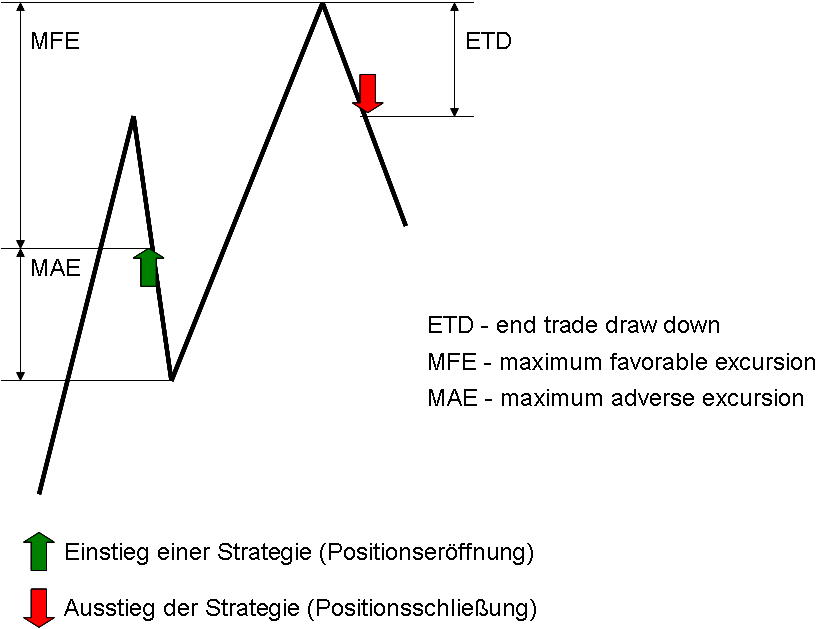
[Next ](https://agenatrader.github.io/AgenaScript-documentation/keywords/)[ Previous](https://agenatrader.github.io/AgenaScript-documentation/events/)
***
Built with [MkDocs](https://www.mkdocs.org/) using a [theme](https://github.com/snide/sphinx_rtd_theme) provided by [Read the Docs](https://readthedocs.org/).
# Keywords
### AddOutput()
### AddLine()
#### Description
The add method allows you to add plots or line objects to the chart. When a new plot object is added using Add(), this automatically creates a data series of the type DataSeries, which is attached to this object. The value collection allows you to reference and access this data series. Add() can be used with the OnInit() and the OnCalculate() methods.
#### Parameter
plot – a *OutputDescriptor* object line – a *LevelLine* object
#### Usage
```csharp
AddOutput(new OutputDescriptor(Color.FromKnownColor(KnownColor.Black), "MyPlot1"));
Add(LevelLine line)
```
#### Example
```csharp
#region Usings
using System;
using System.Collections.Generic;
using System.ComponentModel;
using System.Drawing;
using System.Linq;
using System.Xml;
using System.Xml.Serialization;
using AgenaTrader.API;
using AgenaTrader.Custom;
using AgenaTrader.Plugins;
using AgenaTrader.Helper;
#endregion
namespace AgenaTrader.UserCode
{
[Description("Enter the description for the new custom indicator here")]
public class MyIndicator : UserIndicator
{
protected override void OnInit()
{
// Two blue lines will be placed into the chart, one at 70 and the other at 30
AddLine(new LevelLine(Color.Blue, 70, "UpperLine"));
AddLine(new LevelLine(Color.Blue, 30, "LowerLine"));
// Add 2 plots
AddOutput(new OutputDescriptor(Color.FromKnownColor(KnownColor.Red), "FastSMA"));
AddOutput(new OutputDescriptor(Color.FromKnownColor(KnownColor.Blue), "SlowSMA"));
}
protected override void OnCalculate()
{
//The set method is assigned to the value of the current bar
FastSMA.Set( SMA(8)[0] ); // is identical with Outputs[0].Set( SMA(8)[0] );
SlowSMA.Set( SMA(50)[0] ); // is identical with Outputs[1].Set( SMA(50)[0] );
}
// Two data series are made available here
// These are not necessary for the display of the indicator // With the help of these series, one indicator can access the other
// For example: double d = MyIndicator.FastSMA[0] - MyIndicator.SlowSMA[0];
[Browsable(false)]
[XmlIgnore()]
public DataSeries FastSMA
{
get { return Outputs[0]; }
}
[Browsable(false)]
[XmlIgnore()]
public DataSeries SlowSMA
{
get { return Outputs[1]; }
}
}
}
```
### AllowRemovalOfChartDrawings
#### Description
"AllowRemovalOfChartDrawings" is a property of indicators that can be set under [*OnInit()*](#oninit).
**AllowRemovalOfChartDrawings = true**
Drawing objects that are drawn by an indicator or a strategy can be manually removed from the chart.
**AllowRemovalOfChartDrawings = false (default)**
Drawing objects that have been created by a strategy or indicator CANNOT be manually removed from the chart. They are removed once the indicator or strategy is removed.
This property can be queried and will return "true" or "false".
#### Usage
```csharp
AllowRemovalOfChartDrawings
```
#### Example
```csharp
protected override void OnInit()
{
AddOutput(new OutputDescriptor(Color.FromKnownColor(KnownColor.Black), "MyPlot1"));
//Drawing objects can be manually removed from the chart
AllowRemovalOfChartDrawings = true;
}
```
### Attribute
Attribute is a component of the C# language. Within AgenaScript, indicators, and strategies, you can use these attributes in the same manner as you would in C#. Information regarding the usage of attributes can be found here:
The most commonly used attributes in AgenaScript are:
* [*Browsable*](#browsable)
* [*Category*](#category)
* [*ConditionalValue*](#conditionalvalue)
* [*Description*](#description_2)
* [*DisplayName*](#displayname)
* [*TimeFrameRequirements*](#timeframerequirements)
* [*XmlIgnore*](#xmlignore)
### Browsable
Browsable is an [Attribute](#attribute) within AgenaScript.
AgenaScript uses public variables for entering parameters for indicators (such as periods for the SMA) and for outputting events and calculations within indicators (for example, data series). Variables used for entering parameters must be displayed in the properties dialog. Data series are exempt from this. Public variables with the browsable attribute set to false are not displayed within the properties dialog.
By default, browsable is set to true. Therefore, within a variable containing an entry parameter, the attribute does not need to be specified.
**Example for a parameter:**
The parameter should be displayed and queried in the properties window. Therefore browsable should be set to true.
```csharp
[Description("Numbers of bars used for calculations")]
[Category("InputParameter")]
public int Period
{
get { return period; }
set { period = Math.Max(1, value); }
}
```
**Example for a data series:**
```csharp
[Browsable(false)]
[DisplayName("Lower band")]
[XmlIgnore]
public DataSeries Lower
{
get { return Outputs[0]; }
}
```
### Category
Category is an [Attribute](#attribute) in AgenaScript and can be used on properties and classes.
The category attribute on properties defines under which category in the properties dialog the parameter is shown. If this attribute is missing, the parameters category is accepted as the standard.
The following example shows how to create the new category "My InputParameter" in the properties dialog:
```csharp
[Category("My InputParameter")]
[DisplayName("Period number")]
public double _period
{
get { return _period; }
set { _period = value; }
}
```
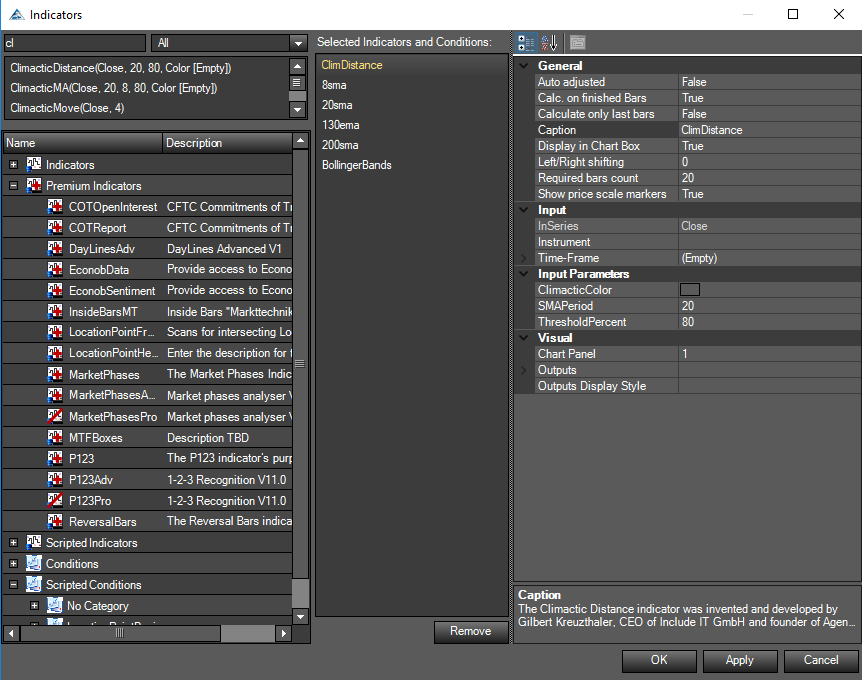
If you use the category [Attribute](#attribute) on classes you are able to create subcategories for your scripts and group them all in one category. This is pretty useful if you are creating a package and you want to group a few indicators in a group with one name.
The following example shows how to create a subfolder "My Package":
```csharp
namespace AgenaTrader.UserCode
{
[Description("Description what this indicator doing.")]
[Category("My Package")]
public class MyHolyGrail_Indicator : UserIndicator
{
/* your code here */
}
}
```
### ConditionalValue
Conditional value is an [Attribute](#attribute) in AgenaScript.
Normally, when making comparisons within the ConditionEscort, the data series generated by indicators are used. One such example would be checking whether a moving average lies above or below a specific price value. An indicator can also yield values that are not contained within data series, such as values of the type int, double, char, Boolean, string, etc. To use these values within the scanner or ConditionEscort, they have to be labeled with the conditional value attribute.
```csharp
[Browsable(false)]
[XmlIgnore]
[ConditionalValue]
public int PublicVariable
{
get
{
Update();
return _internVariable;
}
}
```
### Description
Description is an [Attribute](#attribute) in AgenaScript.
The description attribute is used in AgenaScript for classes and public variables. As an attribute of the class, the text is a description of the function of the entire indicator.
```csharp
[Description("Displays the tick count of a bar.")]
public class TickCounter : UserIndicator
{
//As an attribute of a public variable, the text is a description of the function of the parameter.
[Description("Number of standard deviations")]
[DisplayName("# of std. dev.")]
public double NumStdDev
{
get { return numStdDev; }
set { numStdDev = Math.Max(0, value); }
}
}
```
The descriptions are displayed in the relevant properties dialog.
### DisplayName
Display name is an [Attribute](#attribute) in AgenaScript.
The display name attribute defines the text shown in the properties dialog for the parameter.
If this attribute is not specified, the name of the public variable is used.
```csharp
[Description("Number of standard deviations")]
[DisplayName("# of std. dev.")]
public double NumStdDev
{
get { return numStdDev; }
set { numStdDev = Math.Max(0, value); }
}
```
### TimeFrameRequirements
Timeframe requirements is an [Attribute](#attribute) in AgenaScripts.
If you want a script to use data from various timeframes, the class requires the attribute „TimeFrameRequirements". You can specify multiple timeframes here:
```csharp
[TimeFrameRequirements("1 day")]
[TimeFrameRequirements("15 minutes", "1 day", "1 week")]
```
The amount of data provided for the other timeframes will always be the same as the number of actual candles loaded into the chart. If there are 500 candles for a 5-minute chart, then 500 candles of another timeframe will also be loaded. In the first example above, 500 daily candles will be loaded. In the second example, 500 15-minute candles, 500 daily candles and 500 weekly candles will be loaded. The amount of data can become rather large very quickly, thus you should take precautions when using this attribute.
See [*MultiBars*.](/handling-bars-and-instruments/multibars#multibars)
**Important:**
If a class uses a different indicator that requires one or more secondary timeframes, then the "TimeFrameRequirements" attribute must be set for the class retrieving the data. An example for this can be seen here: *GetDayBar*.
### XMLIgnore
XML ignore is an [Attribute](#attribute) in AgenaScript.
AgenaTrader saves all parameter settings for the indicators in a template. The template files are saved in an XML format. In order to avoid a parameter being saved as part of the template, the attribute XML ignore can be set.
To save parameters in an XML file, the values must be serialized. Under most circumstances, AgenaTrader performs this automatically. Self-defined data types cannot be serialized automatically, so in this case the programmer is responsible for the correct serialization. In the following example, the color and font are used as parameters of an indicator. AgenaTrader has two methods for serializing color and font information (TextColorSerialize and TextFontSerialize). Both parameters – TextColor and TextFont – thus need to be marked with the XML ignore parameter.
```csharp
private Color _textColor = Color.Blue;
private Font _textFont = new Font("Arial", 12, FontStyle.Bold);
[XmlIgnore]
[Description("Textcolor")]
public Color TextColor
{
get { return _textColor; }
set { _textColor = value; }
}
[Browsable(false)]
public string TextColorSerialize
{
get { return SerializableColor.ToString(_textColor); }
set { _textColor = SerializableColor.FromString(value); }
}
[XmlIgnore()]
[Description("TextFont")]
public Font TextFont
{
get { return _textFont; }
set { _textFont = value; }
}
[Browsable(false)]
public string TextFontSerialize
{
get { return SerializableFont.ToString(_textFont); }
set { _textFont = SerializableFont.FromString(value); }
}
```
### CalculateOnClosedBar
#### Description
The property "CalculateOnClosedBar" determines the events for which AgenaTrader can call up the OnCalculate() method.
```csharp
CalculateOnClosedBar = true
```
**OnCalculate()** is called up when a bar is closed and the next incoming tick creates a new bar.
```csharp
CalculateOnClosedBar = false
```
OnCalculate() is called up for each new incoming tick. If you are running AgenaTrader on older hardware, this may cause performance issues with instruments that are highly liquid. The property can be queried in the script and will return a value of the type Boolean (true or false). CalculateOnClosedBar can be used within OnInit() and also within OnCalculate(). OnCalculate() is only called up for the closing price of each bar with historical data, even if CalculateOnClosedBar is set to false. When an indicator is called up by another indicator, the CalculateOnClosedBar property of the retrieved indicator overwrites the indicator performing the retrieving.
The default value of this property is true so in default setup your script does not use tick data.
#### Usage
CalculateOnClosedBar
#### More Information
See [*Bars*.](/handling-bars-and-instruments/bars)
#### Example
```csharp
protected override void OnInit()
{
//Indicator calculation should only occur when a bar has closed/finished
CalculateOnClosedBar = true;
}
```
### Chart
Chart control is an object that provides reading access of various properties for the chart.
The important properties are:
* ChartFontColor, BackColor
* UpColor, DownColor
* Font
* BarMarginLeft, BarMarginRight
* BarSpace, BarWidth
* BarsPainted
* FirstBarPainted, LastBarPainted
* BarsVisible
* FirstBarVisible, LastBarVisible
* GetXByBarIdx, GetYByValue
An example can be seen here: [*PlotMethod*](#plotmethod).
**BarsPainted und BarsVisible:**
BarsPainted contains the number of bars that a chart *could* display from the left to right border with the current width and distance of the candles. BarsVisible contains the number of bars actually visible.
**FirstBarPainted und FirstBarVisible:**
FirstBarPainted contains the number of the bar that *would* be displayed on the left border of the chart.
FirstBarVisible contains the number of the bar that is actually shown as the first bar on the left side of the chart area.
Example: the chart has been moved so that the first bar of the chart is now in the middle of the chart.
FirstBarPainted would be negative.
FirstBarVisible would be 0.
**LastBarPainted und LastBarVisible:**
LastBarPainted contains the number of the bar that *would* be displayed on the right border of the chart.
LastBarVisible contains the number of the bar that is actually displayed on the right side of the chart.
Example: the chart has been moved so that the last bar of the chart is displayed in the middle section.
LastBarPainted would be larger than Bars.Count.
LastBarVisible would be Bars.Count -1.
### ClearTraceWindow()
#### Description
The ClearTraceWindow() method empties the output window. The method can be used within OnInit() as well as within OnCalculate(). The output window contains all outputs that have been created with the [*Print()*](#print) command. Using the output window is a great method for code debugging.
#### Usage
```csharp
ClearTraceWindow()
```
#### Parameter
none
#### Return Value
none
#### Example
```csharp
protected override void OnInit()
{
// Delete the content of the output window
ClearTraceWindow();
}
```
### Colors
AgenaScript provides you with the following commands for defining colors and making color changes to the chart:
[*BarColor*](#barcolor) Color of a bar
[*BackColor*](#backcolor) Background color of the chart
[*BackColorAll*](#backcolorall) Background color of the chart and all panels
Chart.UpColor Color of up ticks (up bars) Chart.DownColor Color of down ticks (down bars)
For each bar, its colors are saved in the following data series. If these data series are written in, the color of the referenced bar will change.
[*BarColorSeries*](#barcolorseries)
[*CandleOutlineColorSeries*](#candleoutlinecolorseries)
[*BackColorSeries*](#backcolorseries)
[*BackColorAllSeries*](#backcolorallseries)
### BackColor
#### Description
Back color changes the background color of a bar or gives the current background color of a bar when queried.
See [*Colors*](#colors), [*BarColor*](#barcolor), [*BackColor*](#backcolor),[ *BackColorAll*](#backcolorall), [*BarColorSeries*](#barcolorseries),[ *BackColorAll*](#backcolorall), [*CandleOutlineColor*](#candleoutlinecolor).
#### Parameter
A color object of the type "public struct color"
#### Usage
BackColor
#### Example
```csharp
// Every Monday, change the bar background color to blue
if (Time[0].DayOfWeek == DayOfWeek.Monday)
BackColor = Color.Blue;
```
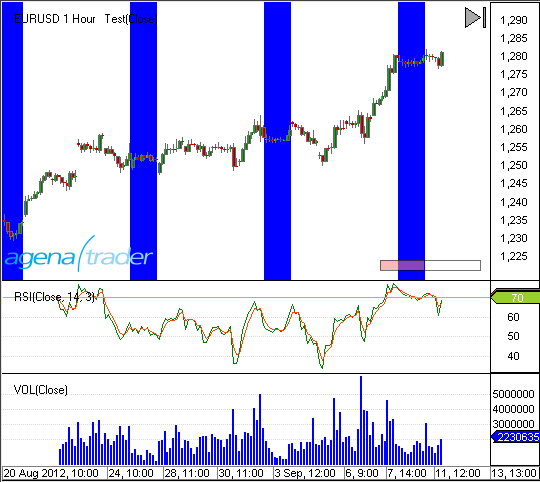
```csharp
// Changing the bar background color depending on a smoothing average
// Market price above the SMA(14) to green
// Market price below the SMA(14) to maroon
BackColor = SMA(14)[0] >= Close[0] ? Color.Maroon : Color.LimeGreen;
```
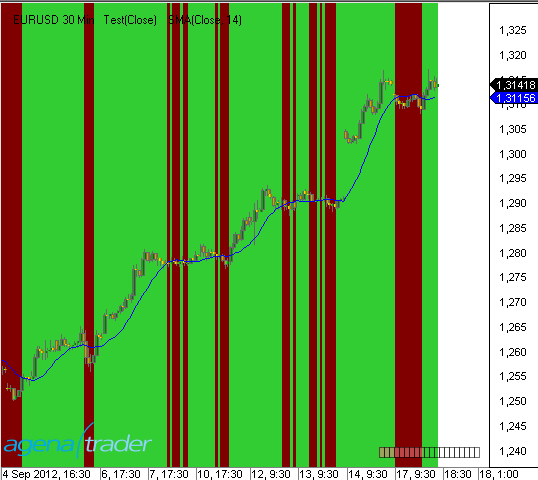
### BackColorAll
#### Description
Back color all changes the background color of a bar within the chart window and in all subcharts.
See [*Colors*](#colors), [*BarColor*](#barcolor), [*BackColor*](#backcolor),[ *BackColorAll*](#backcolorall), [*BarColorSeries*](#barcolorseries),[ *BackColorAll*](#backcolorall), [*CandleOutlineColor*](#candleoutlinecolor).
#### Parameter
A color object of the type "public struct color"
#### Usage
BackColorAll
#### Example
```csharp
// Every Monday, change the bar background color to blue
if (Time[0].DayOfWeek == DayOfWeek.Monday)
BackColorAll = Color.Blue;
```
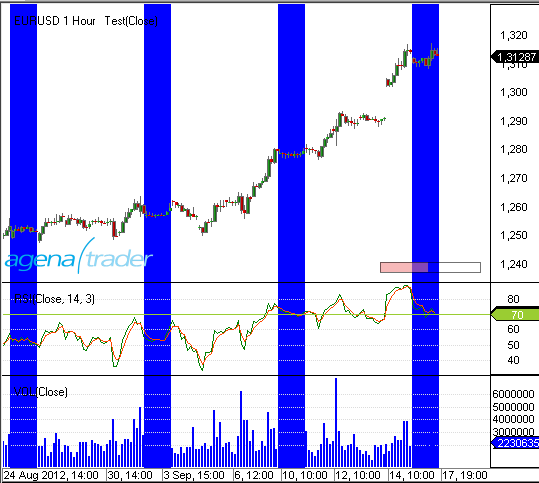
### BackColorAllSeries
#### Description
Back color all series is a data series containing the background color for each bar. The difference to BackColorSeries is that the background color of the subchart is included.
See [*Colors*](#colors), [*BarColor*](#barcolor), [*BackColor*](#backcolor),[ *BackColorAll*](#backcolorall), [*BarColorSeries*](#barcolorseries),[ *BackColorAll*](#backcolorall), [*CandleOutlineColor*](#candleoutlinecolor).
#### Parameter
a color object of the type "public struct color"
int barsAgo
#### Usage
```csharp
BackColorAllSeries
BackColorAllSeries[int barsAgo]
```
When using the method with an index \[**int** barsAgo] the background color for the referenced bar will be changed or returned.
#### Example
See [*BackColorSeries*](#backcolorseries).
### BackColorSeries
#### Description
Back color series is a data series containing the background color for each bar. If the background color for the subcharts is to be included, please use "BackColorAllSeries" instead.
See [*Colors*](#colors), [*BarColor*](#barcolor), [*BackColor*](#backcolor),[ *BackColorAll*](#backcolorall), [*BarColorSeries*](#barcolorseries),[ *BackColorAll*](#backcolorall), [*CandleOutlineColor*](#candleoutlinecolor).
#### Parameter
a color object of the type "public struct color"
int barsAgo
#### Usage
```csharp
BackColorSeries
BackColorSeries[int barsAgo]
```
When using this method with an index \[**int** barsAgo] the background color for the referenced bar will be outputted.
#### Example
```csharp
// Which background color does the current bar have?
Print (BackColorSeries[0]);
// Set the current bar’s background color to blue
// This is identical to BackColor = Color.Blue
BackColorSeries[3] = Color.Blue;
// Set background color for the previous bar to green
BackColorSeries[1] = Color.Green;
```
### BarColor
#### Description
Bar color changes the color of a bar.
See [*Colors*](#colors), [*BarColor*](#barcolor), [*BackColor*](#backcolor),[ *BackColorAll*](#backcolorall), [*BarColorSeries*](#barcolorseries),[ *BackColorAll*](#backcolorall), [*CandleOutlineColor*](#candleoutlinecolor).
#### Parameter
a color object of the type "public struct color"
#### Usage
BarColor
#### Example
```csharp
// If the closing price is above the SMA(14), color the bar orange
if (Close[0] > SMA(14)[0]) BarColor = Color.Orange;
```
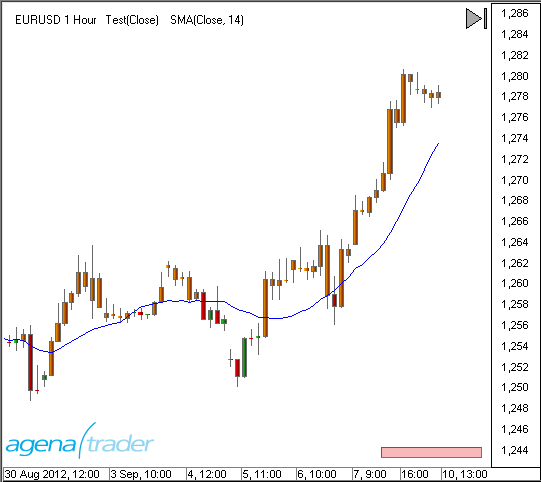
### BarColorSeries
#### Description
Bar color series is a data series containing the color for each bar.
See [*Colors*](#colors), [*BarColor*](#barcolor), [*BackColor*](#backcolor),[ *BackColorAll*](#backcolorall), [*BarColorSeries*](#barcolorseries),[ *BackColorAll*](#backcolorall), [*CandleOutlineColor*](#candleoutlinecolor).
#### Parameter
a color object of the type "public struct color"
int barsAgo
#### Usage
BarColorSeries
BarColorSeries\[**int** barsAgo]
When using the method with an index \[**int** barsAgo] the color for the referenced bar will be changed or returned.
**Caution: Only the color of a bar whose color has been explicitly changed beforehand will be returned. In all other cases, the "Color.Empty" value will be returned.**
#### Example
```csharp
protected override void OnCalculate()
{
if (ProcessingBarIndex == Bars.Count-1-(CalculateOnClosedBar?1:0))
{
// Color the current bar blue
// This is identical to BarColor = color.Blue
BarColorSeries[0] = Color.Blue;
// Color the previous bars green
BarColorSeries[1] = Color.Orange;
// Color the third bar yellow
BarColorSeries[2] = Color.Yellow;
}
}
```
### CandleOutlineColor
#### Description
Candle outline color changes the border/outline color (including the wick) of a bar.
If the color of the bar is changed using BarColor and the outline is not changed using CandleOutlineColor, the outline color is adjusted to match the color of the bar.
See [*Colors*](#colors), [*BarColor*](#barcolor), [*BackColor*](#backcolor),[ *BackColorAll*](#backcolorall), [*BarColorSeries*](#barcolorseries),[ *BackColorAll*](#backcolorall), [*CandleOutlineColor*](#candleoutlinecolor).
#### Parameter
a color object of the type "public struct color"
#### Usage
CandleOutlineColor
#### Example
```csharp
if (SMA(14)[0] > SMA(200)[0])
CandleOutlineColor = Color.LimeGreen;
else
CandleOutlineColor = Color.Red;
```
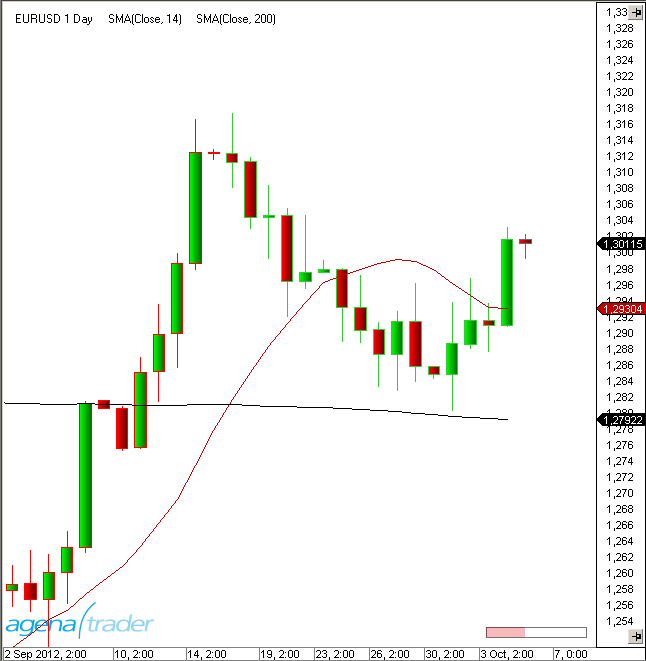
### CandleOutlineColorSeries
#### Description
Candle outline color series is a data series that saves the outline color for each bar.
See [*Colors*](#colors), [*BarColor*](#barcolor), [*BackColor*](#backcolor),[ *BackColorAll*](#backcolorall), [*BarColorSeries*](#barcolorseries),[ *BackColorAll*](#backcolorall), [*CandleOutlineColor*](#candleoutlinecolor).
#### Parameter
a color object of the type "public struct color"
int barsAgo
#### Usage
```csharp
CandleOutlineColorSeries
CandleOutlineColorSeries[int barsAgo]
```
When using this method with an index \[**int** barsAgo] the border color for the referenced bar will be outputted.
**Caution: Color.Empty will be outputted for a bar unless it has been previously changed.**
#### Example
```csharp
// Set the outline color of the current bar to blue
CandleOutlineColorSeries[0] = Color.Blue;
// Change the outline color to the chart default value
CandleOutlineColorSeries[0] = Color.Empty;
```
### CrossAbove()
#### Description
The CrossAbove() method allows you to check whether a crossing of two values has occurred (from bottom to top) within a predefined number of periods. The values can be a market price, an indicator, a data series or a constant value.
See [*CrossAbove()*](#crossabove), [*CrossBelow()*](#crossbelow), [*IsSerieRising()*](#isserierising), [*IsSerieFalling()*](#isseriefalling).
#### Usage
```csharp
CrossAbove(IDataSeries series1, double value, int lookBackPeriod)
CrossAbove(IDataSeries series1, IDataSeries series2, int lookBackPeriod)
```
#### Return Value
**true** a cross has occurred **false** a cross has not occurred
#### Parameter
| | |
| ------------------- | -------------------------------------------------------- |
| lookBackPeriod | Number of bars within which a cross will be searched for |
| series1 und series2 | A data series such as an indicator, close, high, etc. |
| value | A constant value of the type double |
#### Example
```csharp
// Puts out a notice if the SMA(20) crosses above the SMA(50)
if (CrossAbove(SMA(20), SMA(50), 1))
Print("SMA(20) has risen above SMA(50)!");
// Puts out a notice if the SMA(20) crosses above the value of 40
if (CrossAbove(SMA(20), 40, 1))
Print("SMA(20) has risen above 40!");
// Put out a notice for a long entry if the SMA(20) has crossed above the SMA(50) within the last 5 bars.
if (CrossAbove(SMA(20), SMA(50), 1) && Close[0] > Close[1])
Print("Long entry !!!");
```
### CrossBelow()
#### Description
Using the CrossBelow() method, you can test whether or not a cross below has occurred within a predefined number of periods. The values can be the market price, an indicator, any data series, or a constant value.
See [*CrossAbove()*](#crossabove), [*CrossBelow()*](#crossbelow), [*IsSerieRising()*](#isserierising), [*IsSerieFalling()*](#isseriefalling).
#### Usage
```csharp
CrossBelow(IDataSeries series1, double value, int lookBackPeriod)
CrossBelow(IDataSeries series1, IDataSeries series2, int lookBackPeriod)
```
#### Return Value
**true** a cross has occurred **false** a cross has not occurred
#### Parameter
| | |
| ------------------- | -------------------------------------------------------- |
| lookBackPeriod | Number of Bars within which a cross will be searched for |
| series1 und series2 | A data series such as an indicator, close, high etc. |
| value | A constant value of the type double |
#### Example
```csharp
// Puts out a notice if the SMA(20) crosses below the SMA(50)
if (CrossBelow(SMA(20), SMA(50), 1))
Print("SMA(20) has fallen below SMA(50)!");
// Puts out a notice if the SMA(20) falls below the value of 40
if (CrossBelow(SMA(20), 40, 1))
Print("SMA(20) has fallen below 40!");
// Puts out a notice for a short entry if a crossing of the SMA(20) below the SMA(50) has occurred within the last 5 bars.
.
if (CrossBelow(SMA(20), SMA(50), 1)
&& Instrument.Compare(Close[1], Close[0]) > 1)
Print("Short entry !!!");
```
### DatafeedHistoryPeriodicity
#### Description
Datafeed history periodicity is a data type.
#### Definition
public enum DatafeedHistoryPeriodicity - DatafeedHistoryPeriodicity.Tick - DatafeedHistoryPeriodicity.Second - DatafeedHistoryPeriodicity.Minute - DatafeedHistoryPeriodicity.Hour - DatafeedHistoryPeriodicity.Day - DatafeedHistoryPeriodicity.Week - DatafeedHistoryPeriodicity.Month - DatafeedHistoryPeriodicity.Volume - DatafeedHistoryPeriodicity.Range - DatafeedHistoryPeriodicity.Quarter - DatafeedHistoryPeriodicity.Year - DatafeedHistoryPeriodicity.HeikinAshi - DatafeedHistoryPeriodicity.Renko - DatafeedHistoryPeriodicity.LineBreak - DatafeedHistoryPeriodicity.Kagi - DatafeedHistoryPeriodicity.PointAndFigure - DatafeedHistoryPeriodicity.Custom
See *TimeFrame*, *TimeFrames*.
### DataSeries
#### Description
Data series (data rows) are an easy yet powerful method of saving additional values for individual bars. For example, when calculating the smoothing average, each bar is assigned the value calculated for this bar. A data series is an array that contains as many elements as there are bars displayed in a chart. AgenaTrader ensures that data series are correctly synchronized with the bars. Data series are used in exactly the same way as the close or time series. They can therefore also be used for the input data for various indicators. In the table below you will find 4 newly created data series (highlighted). Each data series has exactly one value of a special data type (int, bool, string) attached to it per bar. The indexing with barsAgo is thus identical to the data series provided by the system.
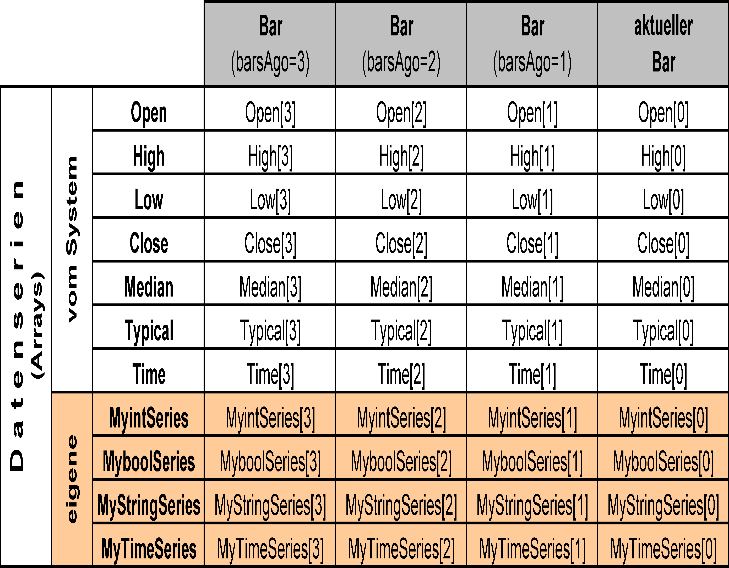
#### Usable Data Series in AgenaTrader
[*BoolSeries*](#boolseries)
[*DataSeries*](#dataseries)
[*DateTimeSeries*](#datetimeseries)
[*FloatSeries*](#floatseries)
[*IntSeries*](#intseries)
[*LongSeries*](#longseries)
[*StringSeries*](#stringseries)
In addition, there are also data series such as ColorSeries, although these are only used for internal purposes and should not be used directly. To change the color of plots, please use [*PlotColors*](https://agenatrader.github.io/AgenaScript-documentation/keywords/#plotcolors).
#### Set(), Reset() und ContainsValue()
Each data series contains a **Set()**, **Reset()** and **ContainsValue()** method. With Set(value) or Set(int barsAgo, value) you can place values into the data series for the current position, or in this case into the barsAgo position. With Reset() or Reset(int barsAgo) you can delete a value from the data series for the current position or for the barsAgo position. This has the result that no valid value exists at this position any more. Programming with the help of the reset method can simplify otherwise complex logic. This is especially true for Boolean series, where only "true" or "false" values can be included. The ContainsValue() checks whether a data series has a value for a specific position.
#### Information about Data Types
### BoolSeries
#### Description
Bool series is a data series that contains a Boolean value for each bar. The number of elements in this series correlates with the exact number of bars within the chart.
#### Create New Bool Series
In the area for the declaration of variables, simply declare a new variable:
```csharp
//Variable declaration
private BoolSeries myBoolSeries;
```
With the OnInit() method, this variable assigns a new instance of the Bool series:
```csharp
protected override void OnInit()
{
myBoolSeries = new BoolSeries(this);
CalculateOnClosedBar = true;
}
```
#### Assign Values
Assigning a value to the data series for the current position:
```csharp
myBoolSeries.Set(true);
```
Writing a value in the past into the data series:
```csharp
myBoolSeries.Set(int barsAgo, bool Value);
```
#### Delete Values
Removing the current value for the data series:
```csharp
myBoolSeries.Reset();
```
Removing a value in the past from the data series:
```csharp
myBoolSeries.Reset(int barsAgo);
```
#### Check Values for their Validity
```csharp
myBoolSeries.ContainsValue(int barsAgo);
```
#### Read Value
```csharp
Print ("For the bar of " + Time[0] + " ago the value of the data series is: " + myBoolSeries[0]);
```
#### Example
```csharp
protected override void OnCalculate()
{
if (Close[0] > Open[0])
myBoolSeries.Set(true);
else
myBoolSeries.Set(false);
}
```
### DataSeries
#### Description
Data series is a [*DataSeries*](#dataseries) that can contain a double value for each bar. The number of elements in this series corresponds to the exact number of bars within the charts.
Data series for double values are the data series most commonly used for indicators.
#### Create a New Data Series
In the declaration area for variables:
```csharp
//Variable declaration
private DataSeries myDataSeries;
```
With the OnInit() method, this variable is assigned a new instance:
```csharp
protected override void OnInit()
{
myDataSeries = new DataSeries(this);
CalculateOnClosedBar = true;
}
```
#### Assign Values
Assigning a value to the data series for the current position:
```csharp
myDataSeries.Set(Bars[0].Close);
```
Writing a value in the past into the data series:
```csharp
myDataSeries.Set(int barsAgo, double Value);
```
#### Delete Values
Removing the current value from the data series:
```csharp
myDataSeries.Reset();
```
Removing a value in the past from the data series:
```csharp
myDataSeries.Reset(int barsAgo);
```
#### Check Values for their Validity
```csharp
myDataSeries.ContainsValue(int barsAgo);
```
#### Read Value
```csharp
Print ("For the bar from " + Time[0] + " ago the value for the data series is: " + myDataSeries[0]);
```
#### Example
```csharp
//Saves the span between the high and low of a bar
myDataSeries.Set(Math.Abs(High[0]-Low[0]));
```
### DateTimeSeries
#### Description
Date time series is a [*DataSeries*](#dataseries) that can record a date time value for each bar. The number of elements in this series corresponds to the number of bars in the chart.
#### Create a New Data Series
Create a new variable in the declaration area:
```csharp
//Variable declaration
private DateTimeSeries myDataSeries;
```
Assign a new instance of DateTimeSeries for the variable with the OnInit() method:
```csharp
protected override void OnInit()
{
myDataSeries = new DateTimeSeries(this);
CalculateOnClosedBar = true;
}
```
#### Assign Values
Assigning a value to the current position of the data series:
```csharp
myDataSeries.Set(DateTime Value);
```
Writing a value from the past into the data series:
```csharp
myDataSeries.Set(int barsAgo, DateTime Value);
```
#### Delete Values
Removing the current value from the data series:
```csharp
myDataSeries.Reset();
```
Remove a past value from the data series:
```csharp
myDataSeries.Reset(int barsAgo);
```
#### Check Values for their Validity
```csharp
myDataSeries.ContainsValue(int barsAgo);
```
#### Read Value
```csharp
Print ("For the bar from " + Time[0] + " ago the value of the data series is: " + myDataSeries[0]);
```
#### Example
```csharp
//Saves the difference of -6 hours (eastern time, New York) for a time zone conversion
myDataSeries.Set(Time[0].AddHours(-6));
```
### FloatSeries
#### Description
Float series is a [*DataSeries*](#dataseries) that contains a float value for each bar in the chart. The number of elements in this series corresponds to the number of bars within the chart.
#### Create a New Data Series
Create a new variable in the declaration area:
```csharp
//Variable declaration
private FloatSeries myDataSeries;
```
Assign a new instance of the FloatSeries to the variable with the OnInit() method:
```csharp
protected override void OnInit()
{
myDatatSeries = new FloatSeries(this);
CalculateOnClosedBar = true;
}
```
#### Assign Values
Assigning a value to the current position of the data series
```csharp
myDataSeries.Set(float Value);
```
Writing a value from the past into the data series:
```csharp
myDataSeries.Set(int barsAgo, float Value);
```
#### Delete Values
Removing the current value from the data series:
```csharp
myDataSeries.Reset();
```
Removing a value located in the past from the data series:
```csharp
myDataSeries.Reset(int barsAgo);
```
#### Check Values for their Validity
```csharp
myDataSeries.ContainsValue(int barsAgo);
```
#### Read Value
```csharp
Print ("For the bar from " + Time[0] + " ago the value for the data series is: " + myDataSeries[0]);
```
#### Example
```csharp
//Saves the span between the high and the low of a bar
myDataSeries.Set(Math.Abs((float) High[0] - (float) Low[0]));
```
### IntSeries
#### Description
Int series is a [*DataSeries*](#dataseries) that can assign an integer value for each bar. The number of elements in this series corresponds to the number of bars within the chart.
#### Create a New Data Series
Create a new variable in the declaration area:
```csharp
//Variable declaration
private IntSeries myDataSeries;
```
Assign an instance of the int series to the variable with the OnInit() method:
```csharp
protected override void OnInit()
{
myDataSeries = new IntSeries(this);
CalculateOnClosedBar = true;
}
```
#### Assign Values
Assigning a value to the current position of the data series
```csharp
myDataSeries.Set(int Value);
```
Writing a value from the past into the data series:
```csharp
myDataSeries.Set(int barsAgo, int Value);
```
#### Delete Values
Removing the current value from the data series:
```csharp
myDataSeries.Reset();
```
Removing a value located in the past from the data series:
```csharp
myDataSeries.Reset(int barsAgo);
```
#### Check Values for their Validity
```csharp
myDataSeries.ContainsValue(int barsAgo);
```
#### Read Value
```csharp
Print (For the bar from + Time[0] + the value of the data series is:+ myDataSeries[0]);
```
#### Example
```csharp
//Saves the span in ticks between high and low for each bar
myDataSeries.Set((int) ((High[0] - Low[0]) / TickSize));
```
### LongSeries
#### Description
Long series is a [*DataSeries*](#dataseries) that can include an integer value for each bar. The number of elements in this series corresponds to the number of bars within the chart.
#### Create a New Data Series
Create a new variable in the declaration area:
```csharp
//Variable declaration
private LongSeries myDataSeries;
```
Assign a new instance of the long series to the variable with the OnInit() method:
```csharp
protected override void OnInit()
{
myDataSeries = new LongSeries(this);
CalculateOnClosedBar = true;
}
```
#### Assign Values
Assigning a value to the current position of the data series:
```csharp
myDataSeries.Set(long Value);
```
Writing a value from the past into the data deries:
```csharp
myDataSeries.Set(int barsAgo, long Value);
```
#### Delete Values
Removing the current value from the data series:
```csharp
myDataSeries.Reset();
```
Removing a value located in the past from the data series:
```csharp
myDataSeries.Reset(int barsAgo);
```
#### Check Values for their Validity
```csharp
myDataSeries.ContainsValue(int barsAgo);
```
#### Read Value
```csharp
Print (For the bar from + Time[0] + the value of the data series is:+ myDataSeries[0]);
```
#### Example
```csharp
//Saves the span of ticks between high and low for each bar
myDataSeries.Set((long) ((High[0] - Low[0]) / TickSize));
```
### StringSeries
#### Description
String series is a [*DataSeries*](#dataseries) for string values that are saved for each bar. The number of elements in this series corresponds to the number of bars within the chart.
#### Create a New Data Series
Create a new variable in the declaration area:
```csharp
//Variable declaration
private StringSeries myDataSeries;
```
Assign an instance of string series to the variable with the OnInit() method:
```csharp
protected override void OnInit()
{
myDataSeries = new StringSeries(this);
CalculateOnClosedBar = true;
}
```
#### Assign Values
Assigning a value to the current position of the data series:
```csharp
myDataSeries.Set(string Value);
```
Writing a value from the past into the data series:
```csharp
myDataSeries.Set(int barsAgo, string Value);
```
#### Delete Values
Remove the current value from the data series:
```csharp
myDataSeries.Reset();
```
Remove a value located in the past from the data series:
```csharp
myDataSeries.Reset(int barsAgo);
```
#### Check Values for their Validity
```csharp
myDataSeries.ContainsValue(int barsAgo);
```
#### Read Value
```csharp
Print (For the bar from + Time[0] + the value of the data series is:+ myDataSeries[0]);
```
#### Example
```csharp
//Save the current calendar day for each bar (Monday… Tuesday etc.)
myDataSeries.Set(string.Format("{0:dddd}", Time[0]));
```
### DayOfWeek
#### Description
"DayOfWeek" outputs the date-time value (such as a timestamp) for each bar.
Of course, all other methods defined within the C# language for usage of date-time objects are also available, such as day, month, year, hour, minute, second, day of week etc.
See
#### Definition
Property DayOfWeek
public enum DayOfWeek - DayOfWeek.Monday - DayOfWeek.Tuesday - DayOfWeek.Wednesday - DayOfWeek.Thursday - DayOfWeek.Friday - DayOfWeek.Saturday - DayOfWeek.Sunday
#### Example
```csharp
//Outputs the weekday for each bar
Print(Time[0].DayOfWeek);
//Do not execute trades on a Friday
if (Time[0].DayOfWeek == DayOfWeek.Friday)
return;
```
### Displacement
#### Description
By implementing "Displacement", you can shift a drawn indicator line right or left along the x-axis. This property can be queried within the script and will return an int value.
Blue line: Displacement = 0 (Original) Red line: Displacement = -5 Green line: Displacement = +5
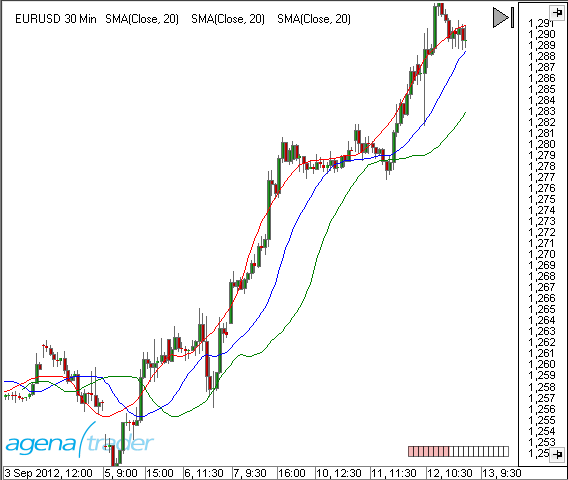
#### Usage
Displacement
#### Parameter
int Offset Number of bars by which the indicator is to be moved.
#### Example
```csharp
protected override void OnInit()
{
AddOutput(new OutputDescriptor(Color.FromKnownColor(KnownColor.Black), "MyPlot1"));
//Displacement of the plot by one bar to the right
Displacement = 1;
}
```
### Email function
#### Description
Override method which allows to send mail.
#### Parameter
None
#### Return value
string
#### Usage
used for complicated calculation on a last bar
#### Example
```csharp
protected override void OnOrderExecution(IExecution execution)
{
if (execution.Order != null && execution.Order.OrderState == OrderState.FilledQuantity)
{
if (oEnter != null && execution.Name == oEnter.Name)
{
// Enter-Order gefüllt
if (_sendMail) this.SendEmail(Core.AccountManager.Core.Settings.MailDefaultFromAddress, Core.PreferenceManager.DefaultEmailAddress,
execution.Instrument.Symbol + " order " + execution.Name + " executed.", "The order for " + execution.Instrument.Name + " was executed. Invest: " + (Trade.Quantity * Trade.AvgPrice).ToString("F2"));
}
else if (oTStop != null && execution.Name == oTStop.Name)
{
OrderStatus = 0; // Trend-Stopp-Order gefüllt
if (_sendMail) this.SendEmail(Core.AccountManager.Core.Settings.MailDefaultFromAddress, Core.PreferenceManager.DefaultEmailAddress,
execution.Instrument.Symbol +" order " + execution.Name + " executed.",
execution.Instrument.Symbol +" order " + execution.Name + " executed. Profit:" + Trade.ClosedProfitLoss.ToString("F2"));
}
}
}
```
### FirstTickOfBar
#### Description
FirstTickOfBar is a property of the type "bool" that returns "true" if the currently incoming tick is associated with a new bar. This means that this tick is the first tick of a new bar. This property can only be meaningfully applied when the indicator or strategy is running in the tick-by-tick mode, meaning that CalculateOnClosedBar = false and the data feed is able to output real-time values. When using end-of-day data in a daily chart, the "FirstTickOfBar" is always true for the last bar. FirstTickOfBar should not be used outside of the OnCalculate() method. See [*Bars.TicksCountForLastBar*.](/handling-bars-and-instruments/bars#barstickscountforlastbar)
#### Usage
FirstTickOfBar
#### Example
```csharp
// Within a tick-by-tick strategy, execute one part bar-by-bar only
if (FirstTickOfBar)
{
if (CCI(20)[1] < -250)
OpenLong();
return;
}
```
### FirstTickOfBarMtf
#### Description
FirstTickOfBarMtf is the **multi-time frame** variant of the [*FirstTickOfBar* ](#firsttickofbar)property.
The setting of CalculateOnClosedBar only affects the primary timeframe (chart timeframe). When working with multi-bars, the ticks of the secondary timeframes are provided on a tick-by-tick basis independently of the CalculateOnClosedBar setting. With the help of FirstTickOfBarMtf, it is possible to determine when a new bar has begun in a secondary timeframe.
#### Usage
FirstTickOfBarMtf(ProcessingBarSeriesIndex)
#### Parameter
FirstTickOfBarMtf(ProcessingBarSeriesIndex).
See [*ProcessingBarSeriesIndex*.](#processingbarindex)
#### Example
```csharp
if (FirstTickOfBarMtf(ProcessingBarSeriesIndex))
Print("A new bar has begun.");
```
### GetCurrentAsk()
#### Description
The GetCurrentAsk() method returns the current value of the ask side of the order book. If no level 1 data is available to AgenaTrader, then this function simply outputs the last trade value.
See [*GetCurrentBid()*](#getcurrentbid) and [*OnLevel1()*](/events#onlevel1).
#### Usage
GetCurrentAsk()
#### Return Value
double value
#### Parameter
none
#### Example
```csharp
If an entry condition is fulfilled, then 1 contract should be sold at the current ask price:
private IOrder entryOrder = null;
protected override void OnCalculate()
{
// Entry condition
if (Close[0] < SMA(20)[0] && entryOrder == null)
// Sell 1 contract at the current ask price
SubmitOrder(new StrategyOrderParameters
{
Direction = OrderDirection.Sell,
Type = OrderType.Limit,
Mode = OrderMode.Direct,
Price = GetCurrentAsk(),
Quantity = 1,
SignalName = "Enter short",
Instrument = Instrument,
TimeFrame = TimeFrame,
LiveUntilCancelled = true
});
}
```
### GetCurrentAskVolume()
#### Description
The GetCurrentAskVolume () method returns the current volume on the Ask page of the order book. This function is only executable if the data provider provides level 2 data.
See [*GetCurrentBidVolume()*](#getcurrentbidvolume), [*GetCurrentBid()* ](#getcurrentbid)and [*OnLevel1()*](/events#onlevel1).
#### Usage
GetCurrentAskVolume()
#### Return Value
Long value
#### Parameter
none
#### Example
```csharp
protected override void OnCalculate()
{
if (GetCurrentAskVolume() < GetCurrentBidVolume())
Print("AskVolume {0} < BidVolume {1}", GetCurrentAskVolume(), GetCurrentBidVolume());
}
```
### GetCurrentBid()
#### Description
The GetCurrentBid() method returns the current value of the bid side of the order book. If no level 1 data is available to AgenaTrader, then the function outputs the last traded price.
See [*GetCurrentAsk()*](#getcurrentask) and [*OnLevel1()*](/events#onlevel1).
#### Usage
GetCurrentBid()
#### Return Value
double value
#### Parameter
none
#### Example
If an entry condition is fulfilled, then 1 contract should be sold at the current bid price:
```csharp
private IOrder entryOrder = null;
protected override void OnCalculate()
{
// Entry condition
if (Instrument.Compare(Close[0], SMA(20)[0]) > 0 && entryOrder == null)
// Sell 1 contract at the current bid price
SubmitOrder(new StrategyOrderParameters
{
Direction = OrderDirection.Buy,
Type = OrderType.Limit,
Mode = OrderMode.Direct,
Price = GetCurrentBid(),
Quantity = 1,
SignalName = "Enter long",
Instrument = Instrument,
TimeFrame = TimeFrame,
LiveUntilCancelled = true
});
}
```
### GetCurrentBidVolume()
#### Description
The GetCurrentBidVolume () method returns the current volume on the Bid page of the order book. This function is only executable if the data provider provides level 2 data.
See [*GetCurrentAskVolume*](#getcurrentaskvolume), [*GetCurrentBid()*](#getcurrentbid) and [*OnLevel1()*](/events#onlevel1).
#### Usage
GetCurrentBidVolume()
#### Return Value
Long value
#### Parameter
none
#### Example
```csharp
protected override void OnCalculate()
{
if (GetCurrentAskVolume() < GetCurrentBidVolume())
Print("AskVolume {0} < BidVolume {1}", GetCurrentAskVolume(), GetCurrentBidVolume());
}
```
### GetCurrentPrice()
#### Description
The GetCurrentPrice() method returns the current price (Latest). If AgenaTrader does not have Level1 data, the function returns the price of the last sales
See [*GetCurrentAsk*](#getcurrentask), [*GetCurrentBid()*](#getcurrentbid) and [*OnLevel1()*](/events#onlevel1).
#### Usage
GetCurrentPrice()
#### Return Value
none
#### Parameter
double
#### Example
If an initial condition is fulfilled, 1 contract should be purchased at the current exchange rate.
```csharp
private IOrder entryOrder = null;
protected override void OnCalculate()
{
.....
// Einstiegsbedingung
if (Instrument.Compare(Close[0], SMA(20)[0]) > 0 && entryOrder == null)
// Kauf 1 Kontrakt zum aktuellen BidKurs
entryOrder = SubmitOrder(new StrategyOrderParameters
{
Direction = OrderDirection.Buy,
Type = OrderType.Limit,
Mode = OrderMode.Direct,
Price = GetCurrentBid(),
Quantity = 1,
SignalName = "EntryLong",
Instrument = Instrument,
TimeFrame = TimeFrame,
LiveUntilCancelled = true
});
}
```
### GetCurrentSpread()
#### Description
The GetCurrentSpare () method returns the current spread.
See [*GetCurrentAsk*](#getcurrentask), [*GetCurrentBid()*](#getcurrentbid) and [*OnLevel1()*](/events#onlevel1).
#### Usage
GetCurrentSpread()
#### Return Value
none
#### Parameter
double
#### Example
If an initial condition is fulfilled, 1 contract should be purchased at the current exchange rate.
```csharp
protected override void OnCalculate()
{
Print("Der aktuelle Spread ist {0}", GetCurrentSpread());
}
```
### GetDayAsInt()
#### Description
To day is a method specifically suited for inexperienced programmers who have problems with the potentially complex .net date-time structure of C#. Experienced programmers can continue using the date-time function directly.
To day outputs an int representation in the format of yyyymmdd. (yyyy = year, mm = month, dd = day)
13.08.2012 would thus be 20120813.
See [*GetTimeAsInt*.](#gettimeasint)
Help with date-time:
#### Usage
GetDayAsInt(DateTime time)
#### Example
```csharp
// Do not trade on the 11th of September
if (GetDayAsInt(Time[0]) = 20130911)
return;
```
### GetSeriesHighestValue
#### Description
The GetSeriesHighestValue() method searches within a predetermined number of periods for the highest bar and outputs how many bars ago it can be found.
See [*GetSeriesLowestValue()*.](#getserieslowestvalue)
#### Parameter
period Number of bars within which the bar is searched for
series Every data series, such as close, high, low, etc.
#### Return Value
```csharp
int barsAgo How many bars ago the high occurred
```
#### Usage
```csharp
GetSeriesHighestValue(IDataSeries series, int period)
```
#### Example
```csharp
// How many bars ago was the highest high for the current session?
Print(GetSeriesHighestValue(High, Bars.BarsCountForSession - 1));
// What value did the market price have at the highest high of the session?
Print("The highest price for the session was: " + Open[GetSeriesHighestValue(High, Bars.BarsCountForSession - 1)]);
```
### GetSeriesLowestValue
#### Description
The GetSeriesLowestValue() method attempts to find the lowest bar within a predefined number of periods.
See [*GetSeriesHighestValue()*.](#getserieshighestvalue)
#### Parameter
period Number of bars that will be searched for the lowest bar
series Every data series, such as close, high, low etc.
#### Return Value
**int** barsAgo How many bars ago the low occurred
#### Usage
```csharp
GetSeriesLowestValue(IDataSeries series, int period)
```
#### Example
```csharp
// How many bars ago was the lowest low of the session?
Print(GetSeriesLowestValue(Low, Bars.BarsCountForSession - 1));
// Which price did the lowest open of the current session have?
Print("The lowest open price of the current session was: " + Open[GetSeriesLowestValue(Low, Bars.BarsCountForSession - 1)]);
```
### GetTimeAsInt()
#### Description
To time is a method specifically suited for inexperienced programmers who have problems with the potentially complex .net date-time structure of C#.
To time outputs an int representation in the format hhmmss. (hh = hour, mm = minute, ss = seconds)
The time 07:30 will be displayed as 73000 and 14:15:12 will become 141512.
See [*GetDayAsInt*](#getdayasint).
Help with date-time: [*http://msdn.microsoft.com/de-de/library/system.datetime.aspx*](http://msdn.microsoft.com/de-de/library/system.datetime.aspx)
#### Usage
GetTimeAsInt(DateTime time)
#### Example
```csharp
// Only enter trades between 08:15 and 16:35
if (GetTimeAsInt(Time[0]) >= 81500 && GetTimeAsInt(Time[0]) <= 163500)
{
// Any trading technique
}
```
### Historical
#### Description
Historical allows you to check whether AgenaScript is working with historical or real-time data. As long as OnCalculate() is called up for historical data, then historical = true. As soon as live data is being used, then historical = false. During a backtest, historical is always true.
#### Usage
Historical
#### Return Value
**true** when using historical data **false** when using real-time data
#### Example
```csharp
protected override void OnCalculate()
{
// only execute for real-time data
if (IsHistoricalMode) return;
// Trading technique
}
```
### InputPriceType
#### Description
The input price type property determines which price series is used by default when calculating an indicator, if no other data series is explicitly stated. InputPriceType can be set with the OnInit() method; this specification is then valid for all further calculations. If InputPriceType is in OnCalculate(), these changes are only valid starting with the next instruction. Every further appearance of InputPriceType will be ignored!
See [*PriceType*](#pricetype)
#### Usage
```csharp
InputPriceType
```
#### Example1
```csharp
protected override void OnInit()
{
ClearTraceWindow();
InputPriceType = PriceType.Low;
}
protected override void OnCalculate()
{
// The input data series for the indicator (InSeries) is low
Print(Low[0] + " " + InSeries[0] + " " + InputPriceType);
}
```
#### Example2
```csharp
protected override void OnCalculate()
{
// These values are identical
// since close is used as the input data series by default
Print(SMA(20)[0] + " " + SMA(Close, 20)[0]);
InputPriceType = PriceType.Low;
// From here on out, low is used instead of close
// Both values are identical
Print(SMA(20)[0] + " " + SMA(Low, 20)[0]);
InputPriceType = PriceType.High;
// The instructions will be ignored
// InSeries = low is still in effect
}
```
### Instrument
#### Description
With "instrument", information concerning the trading instrument (stock, future etc.) is made available.
Detailed information can be found here: *Instruments*.
### IsAddDrawingsToPricePanel
#### Description
The property "IsAddDrawingsToPricePanel" determines the panel in which the drawing objects are drawn.
```csharp
IsAddDrawingsToPricePanel = true (default)
```
Drawing objects are shown in the price chart
```csharp
IsAddDrawingsToPricePanel = false
```
Drawing objects are drawn in the panel (subchart) assigned to the indicator
If the indicator is already assigned to the price chart (overlay = true) then this property has no effect, meaning that no additional subchart is opened. The property can be queried within the script and returns a Boolean value.
#### Usage
IsAddDrawingsToPricePanel
#### Example
```csharp
protected override void OnInit()
{
// Indicator is drawn in a new subchart
IsOverlay = false;
AddOutput(new OutputDescriptor(Color.FromKnownColor(KnownColor.Black), "MyPlot1"));
// Drawing object is drawn in the price chart
IsAddDrawingsToPricePanel = true;
}
protected override void OnCalculate()
{
// Draws a vertical line in the price chart for the bar from 5 minutes ago
AddChartVerticalLine("MyVerticalLine", 5, Color.Black);
}
```
### IsAutoAdjustableScale
#### Description
IsAutoAdjustableScale is a property of indicators that can be set within the OnInit() method.
```csharp
IsAutoAdjustableScale = true (default)
```
The price axis (y-axis) of the chart is set so that all plots and lines of an indicator are visible.
```csharp
IsAutoAdjustableScale = false
```
Plots and lines of an indicator or strategy are not accounted for in the scaling of the y-axis. Therefore they may lie outside of the visible chart area.
This property can be queried and will return either "true" or "false".
#### Usage
IsAutoAdjustableScale
#### Example
```csharp
protected override void OnInit()
{
//Scale the chart so that all drawing objects are visible
IsAutoAdjustableScale = true;
}
```
### IsOverlay
#### Description
The overlay property defines whether the indicator outputs are displayed in the price chart above the bars or whether a separate chart window is opened below the charting area.
This property can be queried within the script and outputs a value of the type Boolean (true or false).
Please bear in mind that this property is only set once during the first OnInit() method. You are not able to change the value later in your script. So if you have disabled the indicator output box below the charting area using this property during OnInit() you need to enable it manually.
#### Usage
```csharp
IsOverlay = true // -> The indicator is drawn in front of the price (e.g. the SMA indicator)
```
```csharp
IsOverlay = false // -> A separate window below the chart is opened (e.g. the RSI indicator)
```
#### Example
```csharp
protected override void OnInit()
{
AddOutput(new OutputDescriptor(Color.FromKnownColor(KnownColor.Black), "MyPlot1"));
//The indicator should be displayed within a separate window
IsOverlay = false;
}
```
### IsProcessingBarIndexLast
#### Description
Indicates if current bar is last in calculation.
#### Parameter
None
#### Return value
Type bool
#### Usage
used for complicated calculation on a last bar
#### Example
```csharp
protected override void OnCalculate()
{
base.OnCalculate();
if (!IsProcessingBarIndexLast)
return;
bool isUpdated;
}
```
### IsSerieRising()
#### Description
With this method you can check if an uptrend exists, i.e. if the current value is bigger than the previous bar’s value.
See [*CrossAbove()*](#crossabove), [*CrossBelow()*](#crossbelow), [*IsSerieRising()*](#isserierising), [*IsSerieFalling()*](#isseriefalling).
#### Usage
```csharp
IsSerieRising(IDataSeries series)
```
#### Return Value
**true** If the data series is rising **false** If the data series is not rising
#### Parameter
series A data series such as an indicator, close, high etc.
#### Example
```csharp
// Check if SMA(20) is rising
if (IsSerieRising(SMA(20)))
Print("The SMA(20) is currently rising.");
```
### IsSerieFalling()
#### Description
The IsSerieFalling() method allows you to test whether an "is falling" condition exists, i.e. whether the current value is smaller than the value of the previous bar.
See [*CrossAbove()*](#crossabove), [*CrossBelow()*](#crossbelow), [*IsSerieRising()*](#isserierising), [*IsSerieFalling()*](#isseriefalling).
#### Usage
```csharp
IsSerieFalling(IDataSeries series)
```
#### Return Value
**true** If the data series is falling **false** If the data series is not falling
#### Parameter
series a data series such as an indicator, close, high etc.
#### Example
```csharp
// Check whether SMA(20) is falling
if (IsSerieFalling(SMA(20)))
Print("The SMA(20) is currently falling.");
```
### IsShowChartVerticalGrid
#### Description
The property IsShowChartVerticalGrid defines whether or not the regularly spaced vertical lines (the so-called grid) are shown within the charting area.
**IsShowChartVerticalGrid = true (default)**
Vertical grid lines are shown
**IsShowChartVerticalGrid = false**
Vertical grid lines are not shown
This property can be queried within the script and returns a value of the type Boolean (true or false).
#### Usage
IsShowChartVerticalGrid
#### Example
```csharp
protected override void OnInit()
{
AddOutput(new OutputDescriptor(Color.FromKnownColor(KnownColor.Black), "MyPlot1"));
// Vertical grid lines shall not be shown within the chart
IsShowChartVerticalGrid = false;
}
```
### IsShowInDataBox
#### Description
The property "IsShowInDataBox" states whether the value of an indicator is contained in the data box of the chart or not.
The property can be queried in the script and returns a value of the type Boolean (true or false).
```csharp
IsShowInDataBox = true (default)
```
The indicator values are displayed in the data box.
```csharp
IsShowInDataBox = false
```
The indicator values are not displayed in the data box.
The following image displays the values of 3 smoothed averages in the data box.
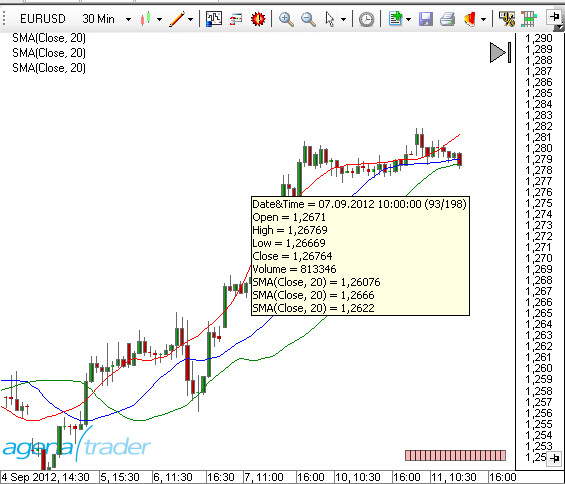
#### Usage
IsShowInDataBox
#### Example
```csharp
protected override void OnInit()
{
AddOutput(new OutputDescriptor(Color.FromKnownColor(KnownColor.Black), "MyPlot1"));
//Values will not be shown in the data box
IsShowInDataBox = false;
}
```
### IsShowPriceMarkers
#### Description
The paint price markers property defines whether the so-called price markers for the indicator outputs are displayed on the right-hand chart border (in the price axis) or not. In some cases it makes sense to switch these off for a better overview in the chart. **IsShowPriceMarkers = true (default)**
Price markers are shown in the price axis
**IsShowPriceMarkers = false**
Price markers are not shown in the price axis
This property can be queried within the script and returns a value of the type Boolean (true or false).
#### Usage
IsShowPriceMarkers
#### Example
```csharp
protected override void OnInit()
{
AddOutput(new OutputDescriptor(Color.FromKnownColor(KnownColor.Black), "MyPlot1"));
//Do not show price markers in the price axis
IsShowPriceMarkers = false;
}
```
### Level1Args
#### Description
The data type Level1Args represents a change in the level 1 data and is used as a parameter of the OnLevel1() function.
| | |
| -------------- | -------------------------------------------------------------------------------------------------------------------------------------------------------- |
| AskSize | Current order volume on the ask side |
| AskPrice | Current ask price |
| BidSize | Current order volume on the bid side |
| BidPrice | Current bid price. |
| Instrument | An object of the type instrument that contains the trading instrument for which the level 1 data is outputted. See *Instruments* |
| LastPrice | Last traded price |
| MarketDataType | Potential values are: MarketDataType.Ask, MarketDataType.AskSize, MarketDataType.Bid, MarketDataType.BidSize, MarketDataType.Last, MarketDataType.Volume |
| Price | This is equal to last price. This field only exists for compatability reasons |
| Time | A date-time value containing the timestamp of the change |
| Volume | A long value that shows the volume |
#### Example
See [*OnLevel1()*](/events#onlevel1).
### Level2Args
#### Description
The data type Level2Args represents a change in the level 2 data (market depth) and is used as a parameter within OnLevel2().
| | |
| -------------- | ------------------------------------------------------------------------------------------------------------------------------- |
| MarketDataType | Potential values are: MarketDataType.Ask, MarketDataType.Bid |
| MarketMaker | A string value containing the market maker ID |
| Position | An int value that defines the position within the market depth |
| Operation | Represents the action caused by a change in the order book. Values can be: Operation.Insert, Operation.Remove, Operation.Update |
| Price | A double value that displays the bid/ask price |
| Time | A date-time value containing the timestamp of the change |
| Volume | A long value that shows the volume |
#### Example
See [*OnLevel2()*](/events#onlevel2).
### LevelLine()
#### Description
A line object is used for drawing a horizontal line in the chart. Usually, these are upper and lower trigger lines for indicators such as the RSI (70 and 30). The lines described here are not to be confused with lines from the drawing objects (see "AddChartHorizontalLine"). LevelLine objects can be added to an indicator with the help of the Add() method, and with this, added to the lines collection.
See [*OutputDescriptor*](#outputdescriptor).
#### Parameter
| | |
| ----- | ------------------------------------------------------------ |
| Color | LevelLine color |
| Name | Description |
| Pen | A pen object |
| Value | Defines which value on the y-axis the line will be drawn for |
#### Usage
```csharp
LevelLine(Color color, double value, string name)
LevelLine(Pen pen, double value, string name)
```
#### More Information
Information on the pen class:
#### Example
```csharp
// Example 1
// A new line with standard values drawn at the value of 70
Add(new LevelLine(Color.Black, 70, "Upper"));
// Example 2
// A new line with self-defined values
private LevelLine line;
private Pen pen;
protected override void OnInit()
{
// Define a red pen with the line strength 1
pen = new Pen(Color.Red, 1);
// Define a horizontal line at 10
line = new LevelLine(pen, 10, "MyLine");
// add the defined line to the indicator
Add(line);
}
// Example 3
// Short form for the line in example 2
Add(new LevelLine(new Pen(Color.Red, 1), 10, "MyLine"));
```
### Log()
#### Description
Log() allows you to write outputs in the AgenaTrader log file (log tab). 5 different log levels are supported.
Note: If the log tab is not viewable, it can be displayed using the tools log.
#### Usage
```csharp
**Log**(string message, LogLevel logLevel)
```
#### Parameter
| | |
| -------- | ------------------------------------------------------------------------------------------------------------------------------ |
| message | Text (message) |
| logLevel | Possible values are: InfoLogLevel.Info, InfoLogLevel.Message, InfoLogLevel.Warning, InfoLogLevel.ShowAlert, InfoLogLevel.Error |
#### Example
```csharp
//Tab protocol
Log("This is information.", InfoLogLevel.Info); //white
Log("This is a message.", InfoLogLevel.Message); // white
Log("This is a warning.", InfoLogLevel.Warning); // blue
Log("This is an alarm.", InfoLogLevel. ShowAlert); //green
Log("This is a mistake.", InfoLogLevel.Error); // red
//Tab messags
Log("This is a message (messages).", InfoLogLevel.Message); //white
//PopUp & protocoll
Log("This is an alert popup window.", InfoLogLevel.ShowAlert); //green
//Output-Tab:
//InfoLogLevel.Message = send to Tab "Messages" not "Log"
//Action:
/*
InfoLogLevel.Error: also the AT-Status-Line is red and flashes
InfoLogLevel.ShowAlert: opens also a modeless messagebox
*/
/*
Summary: * - InfoLogLevel.ShowAlert Color: green Tab: Log Action: modeless Messagebox * - InfoLogLevel.Warning Color: blue Tab: Log * - InfoLogLevel.Info Color: white Tab: Log * - InfoLogLevel.Error Color: red Tab: Log Action: AT-Status-Line: red + flashing (Error) * - InfoLogLevel.Message Color: white Tab: Messages
*/
```
Crossreference: a crossreference to Print() and ShowAlert()
### Occurred
#### Description
This DataSeries is used in conditions and indicates if signal occurred (1-long, -1 short, 0- no signal )
#### Parameter
None
#### Return value
Int
#### Usage
In scripted condition for short, long, none signal indication
#### Example
```csharp
protected override void OnCalculate()
{
if ( ProcessingBarIndex %2 == 0 )
Occurred.Set(1); // Long
else if ( ProcessingBarIndex %3 == 0 )
Occurred.Set(-1); // Short
else
Occurred.Set(0);
}
```
### OnBarsRequirements()
#### Description
The OnBarsRequirements() method is called up once at the beginning of an indicator and/or strategy calculation. This method is only necessary when using multi-bars. Within OnBarsRequirements, no other programming commands are executed. For initializing, the OnInit() or OnStart() method should be used.
#### Parameter
none
#### Return Value
none
#### Example
```csharp
protected override void OnBarsRequirements()
{
Add(DatafeedHistoryPeriodicity.Day, 1);
Add(DatafeedHistoryPeriodicity.Week, 1);
}
```
### OnInit()
#### Description
The OnInit() method is called up once at the beginning of an indicator or strategy calculation. This method can be used to set indicator properties, initialize your own variables, or add plots.
#### Parameter
none
#### Return Value
none
#### Usage
```csharp
protected override void OnInit()
```
#### Important Keywords
* [*Add()*](#addoutput)
* [*AllowRemovalOfChartDrawings*](#allowremovalofchartdrawings)
* *IsAutoScale*
* [*RequiredBarsCount*](#requiredbarscount)
* [*CalculateOnClosedBar*](#calculateonclosedbar)
* [*ClearTraceWindow()*](#cleartracewindow)
* [*Displacement*](#displacement)
* [*IsShowInDataBox*](#isshowindatabox)
* [*IsAddDrawingsToPricePanel*](#isadddrawingstopricepanel)
* [*InputPriceType*](#inputpricetype)
* [*IsOverlay*](#isoverlay)
* [*IsShowPriceMarkers*](#isshowpricemarkers)
* [*IsShowChartVerticalGrid*](#isshowchartverticalgrid)
**Additional Keywords for Strategies**
* [*DefaultOrderQuantity*](/strategy-programming#defaultorderquantity)
* *EntriesPerDirection*
* [*SetUpStopLoss()*](/strategy-programming#setupstoploss)
* [*SetUpProfitTarget()*](/strategy-programming#setupprofittarget)
* [*SetUpTrailStop()*](/strategy-programming#setuptrailstop)
* [*TimeInForce*](/strategy-programming#timeinforce)
* [*TraceOrders*](/strategy-programming#traceorders)
#### More Information
**Caution:** The OnInit() method is not only called up at the beginning of an indicator or strategy calculation, but also if the chart is reloaded unexpectedly or if the properties dialog of indicators is opened and so on. Developers of custom AgenaScripts should NOT use this method for running their own routines, opening forms, performing license checks, etc. The OnStart() method should be used for these kind of tasks.
#### Example
```csharp
protected override void OnInit()
{
AddOutput(new OutputDescriptor(Color.FromKnownColor(KnownColor.Orange), "Output1"));
ClearTraceWindow();
IsAutoScale = false;
IsOverlay = true;
IsShowPriceMarkers = false;
IsShowInDataBox = false;
CalculateOnClosedBar = true;
}
```
### OutputDescriptor()
#### Description
A plot (drawing) is used to visually display indicators in a chart. OutputDescriptor objects are assigned to an indicator with the help of the Add() method and attached to the plots collection. See [*LevelLine*](#levelline).
#### Parameter
| | |
| ------------------------ | -------------------------------------------------------------------------------------------------------------------------------------------------------------------------------------------------------------------------------------------------------------------------------------------------------------------------- |
| Color | Drawing color |
| Pen | Pen object |
| OutputSeriesDisplayStyle | LevelLine type: OutputSeriesDisplayStyle.Bar, OutputSeriesDisplayStyle.Block, OutputSeriesDisplayStyle.Cross, OutputSeriesDisplayStyle.Dot, OutputSeriesDisplayStyle.Hash, OutputSeriesDisplayStyle.LevelLine, OutputSeriesDisplayStyle.Square, OutputSeriesDisplayStyle.TriangleDown, OutputSeriesDisplayStyle.TriangleUp |
| Name | Description |
#### Usage
```csharp
OutputDescriptor(Color color, string name)
OnPOutputDescriptoraint(Pen pen, string name)
OutputDescriptor(Color color, OutputSeriesDisplayStyle plotStyle, string name)
OutputDescriptor(Pen pen, OutputSeriesDisplayStyle plotStyle, string name)
```
#### More Information
Information on the pen class: [*http://msdn.microsoft.com/de-de/library/system.drawing.pen.aspx*](http://msdn.microsoft.com/de-de/library/system.drawing.pen.aspx)
#### Example
```csharp
// Example 1
// OutputDescriptor with standard values (line with line strength 1)
AddOutput(new OutputDescriptor(Color.FromKnownColor(KnownColor.Orange), "Output1"));
// Example 2
// user-defined values for pen and plot style
private OutputDescriptor plot;
private Pen pen;
protected override void OnInit()
{
// a red pen with the line strength of 6 is defined
pen = new Pen(Color.Blue, 6);
// a point line with a thick red pen from above is defined
paint = new OutputDescriptor(pen, OutputSeriesDisplayStyle.Dot, "MyPlot");
// The defined plot is to be used as a representation for an indicator
Add(paint);
}
// Example 3
// Abbreviation of example 2
protected override void OnInit()
{
Add(new OutputDescriptor(new Pen(Color.Blue, 6), OutputSeriesDisplayStyle.Dot, "MyPlot"));
}
```
### InputParameter()
#### Description
Attribute which used for indicator customization
#### Return Value
None
#### Parameter
None
#### Example
```csharp
[Description("Period for the medium mean average")]
[InputParameter]
[DisplayName("MA Medium")]
public int MA_Medium
{
get
{
return _ma_medium;
}
set
{
_ma_medium = value;
}
}
```
### PlaySound()
#### Description
This method allows you to play a wav file.
#### Usage
**PlaySound**(wavFile)
#### Return Value
none
#### Parameter
wavFile File name of the wav file to be played
#### Example
```csharp
using System.IO;
string path = Environment.GetFolderPath(Environment.SpecialFolder.MyDocuments);
string file = "\\\\AgenaTrader\\\\Sounds\\\\Alert1.wav";
PlaySound(path + file);
```
### PlotMethod
#### Description
In each indicator, the plot method can be overridden in order to add your own graphics (GDI+) to the price chart with the help of the graphics class (System.Drawing).
See [*http://msdn.microsoft.com/de-de/library/system.drawing.graphics.aspx*](http://msdn.microsoft.com/de-de/library/system.drawing.graphics.aspx).
The *Chart* object offers several parameters.
More examples: *Bar Numbering*, *PlotSample*, *Chart Background Image*.
#### Parameter
graphics The graphics object of the price chart (context)
rectangle The size of the drawing area (type "public struct rectangle")
double min The smallest price in the y-axis
double max The biggest price in the y-axis
#### Return Value
none
#### Usage
```csharp
public override void OutputDescriptor(Graphics graphics, Rectangle r, double min, double max)
```
#### Example
```csharp
using System;
using System.Collections.Generic;
using System.ComponentModel;
using System.Drawing;
using System.Drawing.Drawing2D;
using AgenaTrader.API;
using AgenaTrader.Custom;
using AgenaTrader.Plugins;
namespace AgenaTrader.UserCode
{
[Description("Example for the usage of the plot method.")]
public class PlotSample : UserIndicator
{
private StringFormat stringFormat = new StringFormat();
private SolidBrush brush = new SolidBrush(Color.Black);
private Font font = new Font("Arial", 10);
protected override void OnInit()
{
IsChartOnlyIndicator = true;
IsOverlay = true;
}
protected override void OnCalculate()
{}
protected override void OnDispose()
{
brush.Dispose();
stringFormat.Dispose();
}
public override void OutputDescriptor(Graphics graphics, Rectangle r, double min, double max)
{
// Fill a rectangle
SolidBrush tmpBrush = new SolidBrush(Color.LightGray);
graphics.FillRectangle(tmpBrush, new Rectangle (0, 0, 300, 300));
tmpBrush.Dispose();
// Draw a red line from top left to bottom right
Pen pen = new Pen(Color.Red);
graphics.AddChartLine(pen, r.X, r.Y, r.X + r.Width, r.Y + r.Height);
// Draw a red line from bottom left to top right
// Use anti-alias (the line appears smoother)
// The current settings for the smoothing are saved
// Restore after drawing
SmoothingMode oldSmoothingMode = graphics.SmoothingMode; //Save settings
graphics.SmoothingMode = SmoothingMode.AntiAlias; // Use higher smoothing settings
graphics.AddChartLine(pen, r.X, r.Y + r.Height, r.X + r.Width, r.Y);
graphics.SmoothingMode = oldSmoothingMode; // Settings restored
pen.Dispose();
// Text in the upper left corner (position 10,35)
stringFormat.Alignment = StringAlignment.Near; // Align text to the left
brush.Color = Color.Blue;
graphics.DrawString("Hello world!", font, brush, r.X + 10, r.Y + 35, stringFormat);
// Text in the left lower corner and draw a line around it
brush.Color = Color.Aquamarine;
graphics.FillRectangle(brush, r.X + 10, r.Y + r.Height - 20, 140, 19);
// Draw outside line
pen = new Pen(Color.Black);
graphics.AddChartRectangle(pen, r.X + 10, r.Y + r.Height - 20, 140, 19);
pen.Dispose();
// Write text
brush.Color = Color.Red;
graphics.DrawString("Here is bottom left!", font, brush, r.X + 10, r.Y + r.Height - 20, stringFormat);
}
}
}
```
### PriceType
#### Description
Price type describes a form of price data.
See [*InputPriceType*](#inputpricetype)
Following variables are available: - PriceType.Close - PriceType.High - PriceType.Low - PriceType.Median - PriceType.Open - PriceType.Typical - PriceType.Volume - PriceType.Weighted
#### Usage
PriceType
#### Example
See [*InputPriceType*](#inputpricetype)
### Print()
#### Description
The Print() method writes outputs in the AgenaTrader output window. See [*ClearTraceWindow()*](#cleartracewindow).
#### Usage
```csharp
Print(string message)
Print(bool value)
Print(double value)
Print(int value)
Print(DateTime value)
Print(string format, string message)
```
#### Parameter
string Text an individual message text
#### Return Value
none
#### More Information
Information regarding output formatting: *Formatting numbers*.
Hints about the String.Format() method: [*http://msdn.microsoft.com/de-de/library/fht0f5be%28v=vs.80%29.aspx*](http://msdn.microsoft.com/de-de/library/fht0f5be%28v=vs.80%29.aspx)
#### Example
```csharp
// "Quick&Dirty" formatting of a number with 2 decimal points
Print(Close[0].ToString("0.00"));
// Output day of the week from the timestamp for the bar
Print(string.Format("{0:dddd}", Time[0]));
// An additional empty row with an escape sequence
Print("One empty row afterwards \\n");
```
### ProcessingBarIndex
#### Description
Current bar is a method of indexing bars used in the OnCalculate() method. If a chart contains 500 bars and an indicator is to be calculated on the basis of these, then AgenaTrader will begin calculating from the oldest bar. The oldest bar receives the number 0. Once the calculation for this bar has been completed, the OnCalculate() method is called up for the next bar, which in turn receives the number 1. This continues until the last bar, which receives a value of 500.
#### Parameter
none
#### Return Value
Current bar is a variable of the type int, which always contains the number of the bar currently being used.
#### Usage
ProcessingBarIndex
#### More Information
The OnCalculate() method uses numbering different from that of ProcessingBarIndex in terms of the [*Barindex*](#processingbarindex) and [*Bars*](/handling-bars-and-instruments/bars). Understanding this difference is of great importance, which is why we ask you to please read the following paragraph carefully:
ProcessingBarIndex numbers continuously from the oldest to youngest bar starting with 0. The BarIndex for the youngest bar is always 0. In the example referenced below this paragraph, Time\[0] stands for the timestamp of the current bar. The index of the oldest bar always has 1 added to it. Thus a logical numbering of barsAgo is possible. The timestamp for the bar of 5 periods ago is Time\[5]. For using multiple timeframes (multi-bars) in an indicator, see ProcessingBarIndexes.
#### Example
```csharp
protected override void OnCalculate()
{
Print("Call of OnCalculate for bar nr. " + ProcessingBarIndex + " of " + Time[0]);
}
```
### RemoveChartDrawing()
#### Description
The RemoveChartDrawing() method removes a specific drawing object from the chart based on a unique identifier (tag). See [*RemoveChartDrawings()*](#removechartdrawings).
#### Usage
RemoveChartDrawings(string tag)
#### Return Value
none
#### Parameter
string tag The clearly identifiable name for the drawing object
#### Example
```csharp
RemoveChartDrawings("My line");
```
### RemoveChartDrawings()
#### Description
This method removes all drawings from the chart See [*RemoveChartDrawings()*](#removechartdrawings)*.*
#### Usage
RemoveChartDrawings()
#### Return Value
none
#### Example
```csharp
//Delete all drawings from the chart
RemoveChartDrawings();
```
### RequiredBarsCount
#### Description
The property "RequiredBarsCount" determines how many historical bars are required for an indicator or a strategy to call up the OnCalculate() method for the first time and thus begin the calculations. Bars required should be set within the OnInit() method. The setting should be chosen carefully. If you require 100 days for the calculation of a moving average, then you should ensure that at least 100 days of historical data are loaded. The property can be queried in the script and will return an int value.
When OnCalculate is called up for the first time, the ProcessingBarIndex property is 0 regardless of the value of RequiredBarsCount.
#### Usage
RequiredBarsCount
#### Example
```csharp
protected override void OnInit()
{
//The indicator requires a minimum of 50 bars loaded into the history
RequiredBarsCount = 50;
}
```
### ShowAlert()
#### Description
The ShowAlert method creates an acoustic and/or visual alarm.
#### Usage
```csharp
ShowAlert(string message, bool showMessageBox, string soundLocation);
//Due to compatability reasons, an old signature is still used here. When using this method, the color settings and the "re-arm seconds" parameter are ignored.
ShowAlert(string id, AlertPriority priority, string message, string soundLocation, int rearmSeconds, Color backColor, Color forColor);
```
#### Return Value
None
#### Parameter
| | |
| -------------- | ------------------------------------------------------------------------------------------------------------------ |
| message | Alert text displayed within the messages tab |
| soundLocation | Name of a sound file in the \*.wav format. If no path is specified, then "My Documents\AgenaTrader\Sounds\ is used |
| showMessageBox | If set to "true", a message box will be displayed in addition to the sound |
#### Example
```csharp
// Message will be outputted if the SMA(20) crosses below the SMA(50)
if (CrossBelow(SMA(20), SMA(50), 1))
Alert("Check short signal!", true, "Alert4.wav");
```
To use music files in a different path, you need to specify the path:
```csharp
string pathOfSoundfile = Environment.GetFolderPath(Environment.SpecialFolder.MyDocuments)+@"\\MyAlertSounds\\";
string nameOfSoundFile = "MyAlertSoundFile.wav";
Alert("Message text", true, pathOfSoundfile + nameOfSoundFile);
```
### TickSize
A tick is the smallest possible price change of a financial instrument within an exchange. If, for example, the trading prices are specified to 2 decimal places, then a tick equals 0.01. You can expect Forex instruments to be specified to within 4 or 5 decimal places. A tick is called a pip in Forex trading and usually equals 0.0001 or 0.00001. The tick value is usually predefined by the exchange and does not (usually) change. See [*Instrument.TickSize*](/handling-bars-and-instruments/instruments#instrumentticksize).
Usually, a tick is displayed as a decimal number. Historically speaking (especially in American exchanges) stocks have been noted with tick sizes of 1/16 of a dollar. This notation is still widespread within commodities. Corn futures (ZC) are noted in ¼ US cents/bushel (usually equals 12.50 US$ per contract). US treasury bonds are noted in a tick size of 1/32 points, which equals 31.25$. Notations are usually made with apostrophes, for example:
149'00 equals exactly 149, 149'01 equals 149 1/32 (meaning 149.03125), 149'31 equals 149 31/32 (149.96875), and the next value after this is 150’00
In the so-called T-Bond intermonth spreads, notations are specified in quarters of 1/32, resulting in point values of 7.8125 per contract.
Notations have a dash:
17-24 equals 17 24/32 points, 17-242 equals 17 24.25/32 points, 17-245 equals 17 24.5/32 points and 17-247 equals 17 24.75/32 points. The next notation after 17-247 is 17-25 and then 17-252, 17-255 etc. After 17-317 comes 18.
The individual contract specifications can be found on the websites of the respective exchanges.
CME: [*http://www.cmegroup.com*](http://www.cmegroup.com/) under Products & Trading Eurex (FDAX): [*http://www.eurexchange.com/exchange-en/products/idx/dax/17206/*](http://www.eurexchange.com/exchange-en/products/idx/dax/17206/)
See [*Instrument.TickSize*](https://agenatrader.github.io/AgenaScript-documentation/keywords/#instrumentticksize).
### TimeFrame
See [*Bars.TimeFrame*](/handling-bars-and-instruments/bars#barstimeframe).
When using multiple timeframes ([*Multibars*](/handling-bars-and-instruments/multibars#multibars)) in an indicator, please see [*TimeFrames*.](#timeframe)
### Update()
#### Description
The Update() method calls up the OnCalculate method in order to recalculate the indicator values.
Update() is to be used with caution and is intended for use by experienced programmers.
#### Usage
```csharp
Update()
```
#### Return Value
none
#### Parameter
none
#### Example
The effect of update can be illustrated with the help of 2 indicators. The first indicator, Ind1, uses a public variable from the indicator Ind2.
**Code from Ind1:**
```csharp
public class Ind1 : UserIndicator
{
protected override void OnCalculate()
{
Print( Ind2().MyPublicVariable );
}
}
```
**Code from Ind2:**
```csharp
private double myPublicVariable = 0;
protected override void OnCalculate()
{
myPublicVariable = 1;
}
public double MyPublicVariable
{
get
{
Update();
return myPublicVariable;
}
}
```
**Without Update() - Wrong** If Ind2 is called up by Ind1, the get-method of MyPublicVariable is called up in Ind2. Without Update(), the value of MyPublicVariable would be returned. In this case it would be 0.
**With Update() - Correct** By calling up Update(), OnCalculate() is initially executed by Ind2. This sets MyPublicVariable to 1. Lastly, the value 1 is passed on to the requesting indicator.
### Value
#### Description
Value is a data series object containing the first data series of an indicator.
When the Add() method is called up, a value object is automatically created and added to the values collection.
Value is identical to Values\[0].
#### Usage
Value
Value\[**int** barsAgo]
#### More Information
The methods known for a collection, Set(), Reset(), and Count(), can be used for values.
#### Example
See [*Values*](#value).
# DrawingObjects
### AddChartAndrewsPitchfork()
#### Description
This drawing object draws an Andrew’s Pitchfork.
Information concerning its usage: - [*vtad.de*](http://vtadwiki.vtad.de/index.php/Andrews_Pitchfork) - [*hvolumen-analyse.de*](http://www.volumen-analyse.de/blog/?p=917) - [*Godmode-Trader.de*](http://www.godmode-trader.de/wissen/index.php/Chartlehrgang:Andrews_Pitchfork)
#### Usage
```csharp
AddChartAndrewsPitchfork(string name, bool autoScale, int start1BarsBack, double start1Y, int start2BarsBack, double start2Y, int start3BarsBack, double start3Y, Color color, DashStyle dashStyle, int width)
AddChartAndrewsPitchfork(string name, bool autoScale, DateTime start1Time, double start1Y, DateTime start2Time, double start2Y, DateTime start3Time, double start3Y, Color color, DashStyle dashStyle, int width)
```
#### Return Value
A drawing object of the type IAndrewsPitchfork (interface)
#### Parameter
| | |
| -------------- | --------------------------------------------------------------------------------------- |
| name | A clearly identifiable name for the drawing object |
| autoScale | Adjusts the scale of the y-axis so that drawing objects can be viewed in their entirety |
| start1BarsBack | Number of bars ago for start point 1 (x-axis) |
| start1Time | Date/time for start point 1 (x-axis) |
| start1Y | y-value for start point 1 |
| start2BarsBack | Number of bars ago for start point 2 (x-axis) |
| start2Time | Date/time for start point 2 (x-axis) |
| start2Y | y-value for start point 2 |
| start3BarsBack | Number of bars ago for start point 3 (x-axis) |
| start3Time | Date/time for start point 3 (x-axis) |
| start3Y | y-value for start point 3 |
| color | Color of the object |
| dashStyle | LevelLine styles: |
| | DashStyle.Dash |
| | DashStyle.DashDot |
| | DashStyle.DashDotDot |
| | DashStyle.Dot |
| | DashStyle.Solid |
| | |
| | You may have to integrate: using System.Drawing.Drawing2D; |
| width | LevelLine strength in points |
#### Example
```csharp
// Draw the Andrew’s Pitchfork (“MyAPF”)
AddChartAndrewsPitchfork("MyAPF-" + ProcessingBarIndex, true, 4, Low[4], 3, High[3], 1, Low[1], Color.Black, DashStyle.Solid, 2);
```
### AddChartArc()
#### Description
AddChartArc() draws a circular arc.
#### Usage
```csharp
AddChartArc(string name, int barsBackStart, double startY, int barsBackEnd, double endY, Color color)
AddChartArc(string name, bool isAutoScale, int barsBackStart, double startY, int barsBackEnd, double endY, Color color, DashStyle dashStyle, int width)
AddChartArc(string name, bool isAutoScale, double startX, double startY,double endX,double endY, double middleX, double middleY, Color color, DashStyle dashStyle, int width, showOnTop);
```
#### Return Value
A drawing object of the type IArc (interface)
#### Parameter
| | |
| ---------------- | --------------------------------------------------------------------------------------- |
| name | A clearly identifiable name for the drawing object |
| IsAutoScale | Adjusts the scale of the y-axis so that drawing objects can be viewed in their entirety |
| startX, startY | Beginning of the arch line |
| middleX, middleY | Top arc coordinate |
| endX, endY | end of the arch line |
| barsBackEnd | Number of bars ago for the end point |
| endTime | Date/time for the end point |
| endY | y-value for the end point |
| color | Color of the drawing object |
| dashStyle | LevelLine style: |
| | DashStyle.Dash |
| | DashStyle.DashDot |
| | DashStyle.DashDotDot |
| | DashStyle.Dot |
| | DashStyle.Solid |
| | |
| | You may have to integrate: using System.Drawing.Drawing2D; |
| width | LevelLine strength in points |
#### Example
```csharp
// AddChart a blue arc
AddChartArc("MyArc-" + ProcessingBarIndex, true, 10, 10, 0, 20, Color.Blue, DashStyle.Solid, 3);
//Add Arc
AddChartArc("test", true, first.Time, 1854, last.Time, 1854, mid.Time, 1938, Color.Black, DashStyle.Custom, 1, true);
```
### AddChartArrowDown()
#### Description
AddChartArrowDown() draws an arrow pointing downwards:

See [*AddChartArrowUp()*](#addchartarrowup), [*AddChartArrowDown()*](#addchartarrowdown), [*AddChartDiamond()*](#addchartdiamond),[ *AddChartDot()*](#addchartdot), [*AddChartSquare()*](#addchartsquare), [*AddChartTriangleUp()*](#addcharttriangleup), [*AddChartTriangleDown()*](#addcharttriangledown).
#### Usage
```csharp
AddChartArrowDown(string name, bool autoScale, int barsAgo, double y, Color color)
AddChartArrowDown(string name, bool autoScale, DateTime time, double y, Color color)
```
#### Return Value
A drawing object of the type IArrowDown (interface)
#### Parameter
| | |
| --------- | --------------------------------------------------------------------------------------- |
| name | A clearly identifiable name for the drawing object |
| autoScale | Adjusts the scale of the y-axis so that drawing objects can be viewed in their entirety |
| barsAgo | Sets the preceding bar on which the arrow should be drawn (0 = current bar) |
| time | Date/time of the bar on which the arrow should be drawn |
| y | y-value for the arrow |
| color | Color of the drawing object |
#### Example
```csharp
// Draws a red arrow 3 ticks above the high for the current bar
AddChartArrowDown("MyArrow-" + ProcessingBarIndex, true, 0, High[0] + 3*TickSize, Color.Red);
// Draws a red arrow on a three-bar reversal pattern
if(High[2] > High[3] && High[1] > High[2] && Close[0] < Open[0])
AddChartArrowDown(ProcessingBarIndex.ToString(), true, 0, High[0] + 3*TickSize, Color.Red);
```
### AddChartArrowLine()
#### Description
AddChartArrowLine() draws an arrow:
#### Usage
```csharp
AddChartArrowLine (string name, int barsBackStart, double startY, int barsBackEnd, double endY, Color color)
AddChartArrowLine (string name, bool autoScale, int barsBackStart, double startY, int barsBackEnd, double endY, Color color, DashStyle dashStyle, int width)
AddChartArrowLine (string name, bool autoScale, DateTime startTime, double startY, DateTime endTime, double endY, Color color, DashStyle dashStyle, int width)
```
#### Return Value
A drawing object of the type IArrowLine (interface)
#### Parameter
| | |
| ------------- | --------------------------------------------------------------------------------------- |
| name | A clearly identifiable name for the drawing object |
| autoScale | Adjusts the scale of the y-axis so that drawing objects can be viewed in their entirety |
| barsBackStart | Sets the preceding bar at which the arrow should start (0 = current bar) |
| startTime | Date/time of the bar at which the arrow should start |
| startY | y-value for the starting point of the arrow |
| barsBackEnd | Sets the preceding bar at which the arrow should end (0 = current bar) |
| endTime | Date/time at which the arrow should end |
| endY | y-value at which the arrow should end |
| color | Color of the drawing object |
| dashStyle | LevelLine style: |
| | DashStyle.Dash |
| | DashStyle.DashDot |
| | DashStyle.DashDotDot |
| | DashStyle.Dot |
| | DashStyle.Solid |
| | |
| | You may have to integrate: using System.Drawing.Drawing2D; |
| width | LevelLine strength in points |
#### Example
```csharp
// Draws a black arrow
AddChartArrowLine("MyArrow-" + ProcessingBarIndex, false, 10, 10, 0, 5, Color.Black, DashStyle.Solid, 4);
```
### AddChartArrowUp()
#### Description
AddChartArowUp() draws an arrow pointing upwards:

See [*AddChartArrowUp()*](#addchartarrowup), [*AddChartArrowDown()*](#addchartarrowdown), [*AddChartDiamond()*](#addchartdiamond),[ *AddChartDot()*](#addchartdot), [*AddChartSquare()*](#addchartsquare), [*AddChartTriangleUp()*](#addcharttriangleup), [*AddChartTriangleDown()*](#addcharttriangledown).
#### Usage
```csharp
AddChartArrowUp(string name, bool autoScale, int barsAgo, double y, Color color)
AddChartArrowUp(string name, bool autoScale, DateTime time, double y, Color color)
```
#### Return Value
A drawing object of the type IArrowUp (interface)
#### Parameter
| | |
| --------- | --------------------------------------------------------------------------------------- |
| name | A clearly identifiable name for the drawing object |
| autoScale | Adjusts the scale of the y-axis so that drawing objects can be viewed in their entirety |
| barsAgo | Sets the preceding bar on which the arrow should be drawn (0 = current bar) |
| time | Date/time at which the arrow should be drawn |
| y | y-value for the arrow |
| color | Color of the drawing object |
#### Example
```csharp
// Draws a green arrow for the current bar 3 ticks below the low
AddChartArrowUp("MyArrow-" + ProcessingBarIndex, true, 0, Low[0] - 3*TickSize, Color.Green);
```
### AddChartDiamond()
#### Description
AddChartDiamond() draws a diamond:

See [*AddChartArrowUp()*](#addchartarrowup), [*AddChartArrowDown()*](#addchartarrowdown), [*AddChartDiamond()*](#addchartdiamond),[ *AddChartDot()*](#addchartdot), [*AddChartSquare()*](#addchartsquare), [*AddChartTriangleUp()*](#addcharttriangleup), [*AddChartTriangleDown()*](#addcharttriangledown).
#### Usage
```csharp
AddChartDiamond(string name, bool autoScale, int barsAgo, double y, Color color)
AddChartDiamond(string name, bool autoScale, DateTime time, double y, Color color)
```
#### Return Value
A drawing object of the type IDiamond (interface)
#### Parameter
| | |
| --------- | --------------------------------------------------------------------------------------- |
| name | A clearly identifiable name for the drawing object |
| autoScale | Adjusts the scale of the y-axis so that drawing objects can be viewed in their entirety |
| barsAgo | Defines the preceding bar on which the diamond should be drawn |
| time | Date/time of the bar on which the diamond should be drawn |
| y | y-value on which the diamond should be drawn |
| color | Color of the drawing object |
#### Example
```csharp
// Draws a light blue diamond for the current bar 5 ticks below the low
AddChartDiamond("MyDiamond-" + ProcessingBarIndex, true, 0, Low[0] - 5*TickSize, Color.SteelBlue);
```
### AddChartDot()
#### Description
AddChartDot() draws a dot:

See [*AddChartArrowUp()*](#addchartarrowup), [*AddChartArrowDown()*](#addchartarrowdown), [*AddChartDiamond()*](#addchartdiamond),[ *AddChartDot()*](#addchartdot), [*AddChartSquare()*](#addchartsquare), [*AddChartTriangleUp()*](#addcharttriangleup), [*AddChartTriangleDown()*](#addcharttriangledown).
#### Usage
```csharp
AddChartDot(string name, bool autoScale, int barsAgo, double y, Color color)
AddChartDot(string name, bool autoScale, DateTime time, double y, Color color)
```
#### Return Value
A drawing object of the type IDot (interface)
#### Parameter
| | |
| --------- | --------------------------------------------------------------------------------------- |
| name | A clearly identifiable name for the drawing object |
| autoScale | Adjusts the scale of the y-axis so that drawing objects can be viewed in their entirety |
| barsAgo | Defines the preceding bar on which the dot should be drawn (0 = current bar) |
| time | The date/time at which the dot should be drawn |
| y | y-value at which the dot should be drawn |
| color | Color of the drawing object |
#### Example
```csharp
// Draws an orange dot for the current bar 5 ticks above the high
AddChartDot("MyDot-" + ProcessingBarIndex, true, 0, High[0] + 5*TickSize, Color.Orange);
```
### AddChartEllipse()
#### Description
AddChartEllipse() draws an ellipse.
#### Usage
```csharp
AddChartEllipse(string name, int barsBackStart, double startY, int barsBackEnd, double endY, Color color)
AddChartEllipse(string name, bool autoScale, int barsBackStart, double startY, int barsBackEnd, double endY, Color color, Color areaColor, int areaOpacity)
AddChartEllipse(string name, bool autoScale, DateTime startTime, double startY, DateTime endTime, double endY, Color color, Color areaColor, int areaOpacity)
```
#### Return Value
A drawing object of the type IEllipse (interface)
#### Parameter
| | |
| ------------- | ------------------------------------------------------------------------------------------------------------- |
| name | A clearly identifiable name for the drawing object |
| autoScale | Adjusts the scale of the y-axis so that drawing objects can be viewed in their entirety |
| barsBackStart | Sets the preceding bar at which the ellipse should start |
| startTime | Date/time at which the ellipse should start |
| startY | y-value for the start of the ellipse |
| barsBackEnd | Sets the preceding bar at which the ellipse should end (0 = current bar) |
| endTime | Date/time at which the ellipse should end |
| endY | y-value for the end of the ellipse |
| color | Border color of the drawing object |
| areaColor | Fill color of the drawing object |
| areaOpacity | Transparency of the fill color value between 0 and 255 (0 = completely transparent , 255 = completely opaque) |
#### Example
```csharp
// Draws a yellow ellipse from the current bar to 5 bars ago
AddChartEllipse("MyEllipse-" + ProcessingBarIndex, true, 5, High[5], 0, Close[0], Color.Yellow, Color.Yellow, 1);
```
### AddChartExtendedLine()
#### Description
AddChartExtendedLine() draws a line with an infinite end point.
See [*AddChartLine()*](#addchartline), [*AddChartHorizontalLine()*](#addcharthorizontalline),[ *AddChartVerticalLine()*](#addchartverticalline), [*AddChartRay()*](#addchartray).
#### Usage
```csharp
AddChartExtendedLine(string name, int barsBackStart, double startY, int barsBackEnd, double endY, Color color)
AddChartExtendedLine(string name, bool autoScale, int barsBackStart, double startY, int barsBackEnd, double endY, Color color, DashStyle dashStyle, int width)
AddChartExtendedLine(string name, bool autoScale, DateTime startTime, double startY, DateTime endTime, double endY, Color color, DashStyle dashStyle, int width)
```
#### Return Value
A drawing object of the type IExtendedLine (interface)
#### Parameter
| | |
| ------------- | ------------------------------------------------------------------------------------------------------- |
| name | A clearly identifiable name for the drawing object |
| autoScale | Adjusts the scale of the y-axis so that drawing objects can be viewed in their entirety |
| barsBackStart | Number of bars ago for the start point |
| startTime | Date/time for the start point |
| startY | y-value for the start point |
| barsBackEnd | Number of bars ago for the second point (a true end point does not exist; the line extends to infinity) |
| endTime | Date/time for the end point |
| endY | y-value for the end point |
| color | Color of the drawing object |
| dashStyle | LevelLine styl : |
| | DashStyle.Dash |
| | DashStyle.DashDot |
| | DashStyle.DashDotDot |
| | DashStyle.Dot |
| | DashStyle.Solid |
| | |
| | You may have to integrate: using System.Drawing.Drawing2D; |
| width | LevelLine strength in points |
#### Example
```csharp
// Draws a line without an end point
AddChartExtendedLine("MyExt.LevelLine-" + ProcessingBarIndex, false, 10, Close[10], 0, Close[0], Color.Black, DashStyle.Solid, 1);
```
### AddChartFibonacciCircle()
#### Description
AddChartFibonacciCircle() draws a Fibonacci circle.
#### Usage
```csharp
AddChartFibonacciCircle(string name, bool autoScale, int barsBackStart, double startY, int barsBackEnd, double endY)
AddChartFibonacciCircle(string name, bool autoScale, DateTime startTime, double startY, DateTime endTime, double endY)
```
#### Return Value
A drawing object of the type IFibonacciCircle (interface)
#### Parameter
| | |
| ------------- | --------------------------------------------------------------------------------------- |
| name | A clearly identifiable name for the drawing object |
| autoScale | Adjusts the scale of the y-axis so that drawing objects can be viewed in their entirety |
| barsBackStart | Defines the starting point in terms of bars ago |
| startTime | Date/time of the bar for the starting point |
| startY | y-value for the start of the Fibonacci circle |
| barsBackEnd | Defines the end point in terms of bars ago |
| endTime | Date/time for the end of the Fibonacci circle |
| endY | y-value for the end point of the Fibonacci circle |
#### Example
```csharp
//Draws a Fibonacci circle
AddChartFibonacciCircle("MyFibCircle-" + ProcessingBarIndex, true, 5, Low[5], 0, High[0]);
```
### AddChartFibonacciExtensions()
#### Description
AddChartFibonacciExtensions() draws Fibonacci extensions.
#### Usage
```csharp
AddChartFibonacciExtensions(string name, bool autoScale, int start1BarsAgo, double start1Y, int start2BarsAgo, double start2Y, int start3BarsAgo, double start3Y)
AddChartFibonacciExtensions(string name, bool autoScale, DateTime start1Time, double start1Y, DateTime start2Time, double start2Y, DateTime start3Time, double start3Y)
```
#### Return Value
A drawing object of the type IFibonacciExtensions (interface)
#### Parameter
| | |
| ------------- | --------------------------------------------------------------------------------------- |
| name | A clearly identifiable name for the drawing object |
| autoScale | Adjusts the scale of the y-axis so that drawing objects can be viewed in their entirety |
| start1BarsAgo | Number of bars ago for start point 1 |
| start1Time | Date/time for start point 1 |
| start1Y | y-value for start point 1 |
| start2BarsAgo | Number of bars ago for start point 2 |
| start2Time | Date/time for start point 2 |
| start2Y | y-value for the start point 2 |
| start3BarsAgo | Number of bars ago for start point 3 |
| start3Time | Date/time for start point 3 |
| start3Y | y-value for start point 3 |
#### Example
```csharp
// Draws Fibonacci extensions
AddChartFibonacciExtensions("MyFibExt-" + ProcessingBarIndex, true, 4, Low[4], 3, High[3], 1, Low[1]);
```
### AddChartFibonacciProjections()
#### Description
Draw Fibonacci Projections () sketches Fibonacci Projections.
#### Usage
```csharp
AddChartFibonacciProjections(string name, bool autoScale, DateTime start1Time, double start1Y,DateTime start2Time, double start2Y, DateTime start3Time, double start3Y)
```
#### Return Value
A drawing object of the type IFibonacciProjections (Interface)
#### Parameter
| | |
| ---------- | --------------------------------------------------------------------------------------- |
| name | A clearly identifiable name for the drawing object |
| autoScale | Adjusts the scale of the y-axis so that drawing objects can be viewed in their entirety |
| start1Time | Date/time for start point 1 |
| start1Y | y-value for start point 1 |
| start2Time | Date/time for start point 2 |
| start2Y | y-value for the start point 2 |
| start3Time | Date/time for start point 3 |
| start3Y | y-value for start point 3 |
#### Example
```csharp
// zeichnet FibonacciProjections
AddChartFibonacciProjections("MyFibPro-" + ProcessingBarIndex, true, Low[4], 3, High[3], 1, Low[1], 2);
```
### AddChartFibonacciRetracements()
#### Description
AddChartFibonacciRetracements() draws Fibonacci retracements.
#### Usage
```csharp
AddChartFibonacciRetracements(string name, bool autoScale, int barsBackStart, double startY, int barsBackEnd, double endY)
AddChartFibonacciRetracements(string name, bool autoScale, DateTime startTime, double startY, DateTime endTime, double endY)
```
#### Return Value
A drawing object of the type IFibonacciRetracements (interface)
#### Parameter
| | |
| ------------- | --------------------------------------------------------------------------------------- |
| name | A clearly identifiable name for the drawing object |
| autoScale | Adjusts the scale of the y-axis so that drawing objects can be viewed in their entirety |
| barsBackStart | Defines how many bars ago the starting point of the Fibonacci retracement is located |
| startTime | Date/time of the bar at which the Fibonacci retracement should begin |
| startY | y-value at which the Fibonacci retracement will begin |
| barsBackEnd | Defines how many bars ago the end point of the Fibonacci retracement is located |
| endTime | Date/time at which the Fibonacci retracement should end |
| endY | y-value at which the Fibonacci retracement should end |
#### Example
```csharp
// Draws Fibonnaci retracements
AddChartFibonacciRetracements("MyFibRet-" + ProcessingBarIndex, true, 10, Low[10], 0, High[0]);
```
### AddChartFibonacciTimeExtensions()
#### Description
AddChartFibonacciTimeExtensions() draws Fibonacci time extensions.
#### Usage
```csharp
AddChartFibonacciTimeExtensions(string name, int barsBackStart, double startY, int barsBackEnd, double endY)
AddChartFibonacciTimeExtensions(string name, DateTime startTime, double startY, DateTime endTime, double endY)
```
#### Return Value
A drawing object of the type IFibonacciTimeExtensions (interface)
#### Parameter
| | |
| ------------- | ----------------------------------------------------- |
| name | A clearly identifiable name for the drawing object |
| barsBackStart | Defines how many bars ago the extensions should start |
| startTime | Date/time at which the extensions should start |
| startY | y-value at which the extensions should start |
| barsBackEnd | Defines how many bars ago the extensions should end |
| endTime | Date/time at which the extensions should end |
| endY | y-value at which the extensions should end |
#### Example
```csharp
// Draws Fibonacci time extensions
AddChartFibonacciTimeExtensions("MyFibTimeExt-" + ProcessingBarIndex, 10, Low[10], 0, High[0]);
```
### AddChartGannFan()
#### Description
AddChartGannFan() draws a Gann fan.
#### Usage
```csharp
AddChartGannFan(string name, bool autoScale, int barsAgo, double y)
AddChartGannFan(string name, bool autoScale, DateTime time, double y)
```
#### Return Value
A drawing object of the type IGannFan (interface)
#### Parameter
| | |
| --------- | --------------------------------------------------------------------------------------- |
| name | A clearly identifiable name for the drawing object |
| autoScale | Adjusts the scale of the y-axis so that drawing objects can be viewed in their entirety |
| barsAgo | Sets the preceding bar on which the Gann fan should be drawn |
| time | Date/time at which the Gann fan should start |
| y | y-value for the Gann fan |
#### Example
```csharp
// Shows a Gann fan at the low of the bar from 10 periods ago
AddChartGannFan("MyGannFan-" + ProcessingBarIndex, true, 10, Low[10]);
```
### AddChartHorizontalLine()
#### Description
AddChartHorizontalLine() draws a horizontal line in the chart.
See [*AddChartLine()*](#addchartline), [A*ddChartVerticalLine()*](#addchartverticalline),[ *AddChartVerticalLine()*](#addchartverticalline), [*AddChartRay()*](#addchartray).
#### Usage
```csharp
AddChartHorizontalLine(string name, double y, Color color)
AddChartHorizontalLine(string name, bool autoScale, double y, Color color, DashStyle dashStyle, int width)
```
#### Return Value
A drawing object of the type IHorizontalLine (interface)
#### Parameter
| | |
| --------- | --------------------------------------------------------------------------------------- |
| name | A clearly identifiable name for the drawing object |
| autoScale | Adjusts the scale of the y-axis so that drawing objects can be viewed in their entirety |
| y | Any double value of your choice |
| color | LevelLine color |
| dashStyle | LevelLine style: |
| | DashStyle.Dash |
| | DashStyle.DashDot |
| | DashStyle.DashDotDot |
| | DashStyle.Dot |
| | DashStyle.Solid |
| | |
| | You may have to integrate: using System.Drawing.Drawing2D; |
| width | LevelLine strength |
#### Example
```csharp
// Draws a horizontal line at y=10
AddChartHorizontalLine("MyHorizontalLine-" + ProcessingBarIndex, 10, Color.Black);
```
### AddChartLine()
#### Description
AddChartLine() draws a (trend) line.
See [*AddChartLine()*](#addchartline), [A*ddChartVerticalLine()*](#addchartverticalline),[ *AddChartVerticalLine()*](#addchartverticalline), [*AddChartExtendedLine()*](#addchartextendedline), [*AddChartRay()*](#addchartray).
#### Usage
```csharp
AddChartLine(string name, int barsBackStart, double startY, int barsBackEnd, double endY, Color color)
AddChartLine(string name, bool autoScale, int barsBackStart, double startY, int barsBackEnd, double endY, Color color, DashStyle dashStyle, int width)
AddChartLine(string name, bool autoScale, DateTime startTime, double startY, DateTime endTime, double endY, Color color, DashStyle dashStyle, int width)
```
#### Return Value
A drawing object of the type ITrendLine (interface).
#### Parameter
| | |
| ------------- | --------------------------------------------------------------------------------------- |
| name | A clearly identifiable name for the drawing object |
| autoScale | Adjusts the scale of the y-axis so that drawing objects can be viewed in their entirety |
| barsBackStart | Number of bars ago for the starting point |
| startTime | Date/time for the starting point |
| startY | y-value for the starting point |
| barsBackEnd | Number of bars ago for the end point |
| endTime | Date/time for the end point |
| endY | y-value for the end point |
| color | Color of the drawing object |
| dashStyle | LevelLine style: |
| | DashStyle.Dash |
| | DashStyle.DashDot |
| | DashStyle.DashDotDot |
| | DashStyle.Dot |
| | DashStyle.Solid |
| | |
| | You may have to integrate: using System.Drawing.Drawing2D; |
| width | LevelLine strength in points |
#### Example
```csharp
// Draws a line
AddChartLine("MyLine-" + ProcessingBarIndex, false, 10, Close[10], 0, Close[0], Color.Black, DashStyle.Solid, 1);
```
### AddChartRay()
#### Description
AddChartRay() draws a (trend) line and extends it to infinity.
See [*AddChartLine()*](#addchartline), [*AddChartHorizontalLine()*](#addcharthorizontalline),[ *AddChartVerticalLine()*](#addchartverticalline), [*AddChartExtendedLine()*](#addchartextendedline), [*AddChartRay()*](#addchartray).
#### Usage
```csharp
AddChartRay(string name, int start1BarsAgo, double start1Y, int start2BarsAgo, double start2Y, Color color)
AddChartRay(string name, bool autoScale, int start1BarsAgo, double start1Y, int start2BarsAgo, double start2Y, Color color, DashStyle dashStyle, int width)
AddChartRay(string name, bool autoScale, DateTime start1Time, double start1Y, DateTime start2Time, double start2Y, Color color, DashStyle dashStyle, int width)
```
#### Return Value
A drawing object of the type IRay (interface)
#### Parameter
| | |
| ------------- | --------------------------------------------------------------------------------------- |
| name | A clearly identifiable name for the drawing object |
| autoScale | Adjusts the scale of the y-axis so that drawing objects can be viewed in their entirety |
| start1BarsAgo | Number of bars ago for start point 1 |
| start1Time | Date/time for anstartchor point 1 |
| start1Y | y-value for start point 1 |
| start2BarsAgo | Number of bars ago for start point 2 |
| start2Time | Date/time for start point 2 |
| start2Y | y-value for start point 2 |
| color | Color of the drawing object |
| dashStyle | LevelLine style |
| | DashStyle.Dash |
| | DashStyle.DashDot |
| | DashStyle.DashDotDot |
| | DashStyle.Dot |
| | DashStyle.Solid |
| | |
| | You may have to integrate: using System.Drawing.Drawing2D; |
| width | LevelLine strength |
#### Example
```csharp
// Draws a line from the bar from 10 periods ago to the current bar (x-axis)
// --> line is extended to the right
// from y=3 to y=7
AddChartRay("MyRay-" + ProcessingBarIndex, 10, 3, 0, 7, Color.Green);
// Draws a line from the current bar to the bar from 10 periods ago
// --> line is extended to the left
// from y=3 to y=7
AddChartRay("MyRay-" + ProcessingBarIndex, 0, 3, 10, 7, Color.Green);
```
### AddChartRectangle()
#### Description
AddChartRectangle() draws a rectangle.
#### Usage
```csharp
AddChartRectangle(string name, int barsBackStart, double startY, int barsBackEnd, double endY, Color color)
AddChartRectangle(string name, bool autoScale, int barsBackStart, double startY, int barsBackEnd, double endY, Color color, Color areaColor, int areaOpacity)
AddChartRectangle(string name, bool autoScale, DateTime startTime, double startY, DateTime endTime, double endY, Color color, Color areaColor, int areaOpacity)
```
#### Return Value
A drawing object of the type IRectangle (interface)
#### Parameter
| | |
| ------------- | ------------------------------------------------------------------------------------------------------------- |
| name | A clearly identifiable name for the drawing object |
| autoScale | Adjusts the scale of the y-axis so that drawing objects can be viewed in their entirety |
| barsBackStart | Sets the preceding bar at which the one corner of the rectangle should be located (0 = current bar) |
| startTime | Date/time at which the start of the one rectangle corner should be located |
| startY | y-value at which the one corner of the rectangle should be located |
| barsBackEnd | Sets the preceding bar at which the second corner of the rectangle should be located (0 = current bar) |
| endTime | Date/time of the second rectangle corner |
| endY | y-value of the second rectangle corner |
| color | Color of the drawing object |
| areaColor | Fill color of the drawing object |
| areaOpacity | Transparency of the fill color. Value between 0 and 255 (0 = completely transparent, 255 = completely opaque) |
#### Example
```csharp
// Draws a green rectangle from the low of 10 periods ago to the high of 5 periods ago
// with a fill color of pale green and a transparency of 2
AddChartRectangle("MyRect-" + ProcessingBarIndex, true, 10, Low[10], 5, High[5], Color.PaleGreen, Color.PaleGreen, 2);
```
### AddChartRegion()
#### Description
AddChartRegion() fills a specific area on a chart.
#### Usage
```csharp
AddChartRegion(string name, int barsBackStart, int barsBackEnd, IDataSeries series, double y, Color outlineColor, Color areaColor, int areaOpacity)
AddChartRegion(string name, int barsBackStart, int barsBackEnd, IDataSeries series1, IDataSeries series2, Color outlineColor, Color areaColor, int areaOpacity)
AddChartRegion(string name, DateTime startTime, DateTime endTime, IDataSeries series, double y, Color outlineColor, Color areaColor, int areaOpacity)
AddChartRegion(string name, DateTime startTime, DateTime endTime, IDataSeries series1, IDataSeries series2, Color outlineColor, Color areaColor, int areaOpacity)
```
#### Return Value
A drawing object of the type IRegion (interface)
#### Parameter
| | |
| ---------------- | ---------------------------------------------------------------------------------------------------------------------------------------------------------- |
| name | A clearly identifiable name for the drawing object |
| barsBackStart | Sets the preceding bar at which the drawing should begin (0 = current bar) |
| startTime | Start time for the drawing |
| barsBackEnd | Sets the preceding bar at which the drawing should end (0 = current bar) |
| endTime | End time for the drawing |
| series1, series2 | Every data series, for example an indicator, close, high, low and so on. The respective value of the data series for the current bar is used as a y-value. |
| y | Any double value |
| outlineColor | Color for the border |
| areaColor | Fill color for the area |
| areaOpacity | Transparency of the fill color. Value between 0 and 255 (0 = completely transparent, 255 = completely opaque) |
#### Example
```csharp
// Fills the area between the upper and lower Bollinger Bands
AddChartRegion("MyRegion-" + ProcessingBarIndex, ProcessingBarIndex, 0, Bollinger(2, 14).Upper, Bollinger(2, 14).Lower, Color.Empty, Color.Lime, 100);
```
### AddChartRegressionChannel()
#### Description
AddChartRegressionChannel() draws a regression channel.
#### Usage
```csharp
AddChartRegressionChannel(string name, int barsBackStart, int barsBackEnd, Color color)
AddChartRegressionChannel(string name, bool autoScale, int barsBackStart, int barsBackEnd, Color upperColor, DashStyle upperDashStyle, int upperWidth, Color middleColor, DashStyle middleDashStyle, int middleWidth, Color lowerColor, DashStyle lowerDashStyle, int lowerWidth)
AddChartRegressionChannel(string name, bool autoScale, DateTime startTime, DateTime endTime, Color upperColor, DashStyle upperDashStyle, int upperWidth, Color middleColor, DashStyle middleDashStyle, int middleWidth, Color lowerColor, DashStyle lowerDashStyle, int lowerWidth)
```
#### Return Value
A drawing object of the type IRegressionChannel (interface)
#### Parameter
| | |
| ----------------------------------------------- | --------------------------------------------------------------------------------------- |
| name | A clearly identifiable name for the drawing object |
| autoScale | Adjusts the scale of the y-axis so that drawing objects can be viewed in their entirety |
| barsBackStart | Sets the preceding bar at which the regression channel should start (0 = current bar) |
| startTime | Start time for the regression channel |
| barsBackEnd | Sets the preceding bar at which the regression channel should end (0 = current bar) |
| endTime | End time for the regression channel |
| color | Color of the drawing object |
| upperDashStyle, middleDashStyle, lowerDashStyle | LevelLine style: |
| | DashStyle.Dash |
| | DashStyle.DashDot |
| | DashStyle.DashDotDot |
| | DashStyle.Dot |
| | DashStyle.Solid |
| | |
| | You may have to integrate: using System.Drawing.Drawing2D; |
| upperColor, middleColor, lowerColor | LevelLine color |
| | |
| upperWidth, middleWidth, lowerWidth | LevelLine strength |
| | |
#### Example
```csharp
// Draws a regression channel from the low of the bar from 10 days ago to the high of the bar from 5 days ago.
AddChartRegressionChannel("MyRegChannel-" + ProcessingBarIndex, 10, 0, Color.Black);
```
### AddChartSquare()
#### Description
AddChartSquare() draws a square:

See [*AddChartArrowUp()*](#addchartarrowup), [*AddChartArrowDown()*](#addchartarrowdown), [*AddChartDiamond()*](#addchartdiamond),[ *AddChartDot()*](#addchartdot), [*AddChartSquare()*](#addchartsquare), [*AddChartTriangleUp()*](#addcharttriangleup), [*AddChartTriangleDown()*](#addcharttriangledown).
#### Usage
```csharp
DrawSqare(string name, bool autoScale, int barsAgo, double y, Color color)
DrawSqare(string name, bool autoScale, DateTime time, double y, Color color)
```
#### Return Value
A drawing object of the type ISquare (interface)
#### Parameter
| | |
| --------- | --------------------------------------------------------------------------------------- |
| name | A clearly identifiable name for the drawing object |
| autoScale | Adjusts the scale of the y-axis so that drawing objects can be viewed in their entirety |
| barsAgo | Sets the preceding bar at which the square should be drawn (0 = current bar) |
| Time | Date/time of the bar at which the square should be drawn |
| Y | y-value for the square |
| color | Color of the drawing object |
#### Example
```csharp
// Draws a dark red square at the current bar 10 ticks above the high
AddChartSquare("MySquare-" + ProcessingBarIndex, true, 0, High[0] + 10*TickSize, Color.DarkRed);
```
### AddChartText()
#### Description
AddChartText() writes whatever text you want onto the chart using price and datetime coordinates.
See [*AddChartTextFixed()*.](#addcharttextfixed)
#### Usage
```csharp
AddChartText(string tag, string text, int barsAgo, double y, Color color);
AddChartText(string tag, string text, TextPosition textPosition, Color textColor, Font font, Color outlineColor, Color areaColor, int areaOpacity);
AddChartText(string tag, string text, int barsAgo, double y, Color textColor, Font font, StringAlignment alignment, Color outlineColor, Color areaColor, int areaOpacity);
AddChartText(string tag, bool autoScale, string text, int barsAgo, double y, int yPixelOffset, Color textColor, Font font, StringAlignment alignment, Color outlineColor, Color areaColor, int areaOpacity);
AddChartText(string tag, bool autoScale, string text, DateTime x, double y, int yPixelOffset, Color textColor, Font font, StringAlignment alignment, Color outlineColor, Color areaColor, int areaOpacity);
AddChartText(string tag, bool autoScale, string text, DateTime x, double y, int pixelOffset, Color textColor, Font font, StringAlignment alignment, HorizontalAlignment hAlign, VerticalAlignment vAlign, Color outlineColor, Color areaColor);
AddChartText(string tag, bool autoScale, string text, int barsAgo, double y, int yPixelOffset, Color textColor, Font font, StringAlignment alignment, HorizontalAlignment hAlign, VerticalAlignment vAlign, Color outlineColor, Color areaColor, int areaOpacity);
AddChartText(string tag, bool autoScale, string text, DateTime x, double y, int pixelOffset, Color textColor, Font font, StringAlignment alignment, HorizontalAlignment hAlign, VerticalAlignment vAlign, Color outlineColor, Color areaColor);
```
**Important note:** When using signatures that contain horizontal alignment and vertical alignment, you need to add the following lines:
```csharp
using System.Windows.Forms;
using System.Windows.Forms.VisualStyles;
```
#### Return Value
A drawing object of the type IText (interface)
#### Parameter
| | |
| ------------ | ------------------------------------------------------------------------------------------------------------- |
| name | A clearly identifiable name for the drawing object |
| autoScale | Adjusts the scale of the y-axis so that drawing objects can be viewed in their entirety |
| Text | Text to be displayed (may contain escape sequences) |
| barsAgo | Sets how many bars ago the text should be displayed |
| Time | Date/time of the bar at which the text should begin |
| Y | y-value at which the text should be written |
| yPixelOffset | Vertical offset of the text; positive numbers move it up, and negative numbers move it down |
| textColor | Text color |
| Font | Font |
| Alignment | Possible values are: StringAlignment.Center, StringAlignment.Far, StringAlignment.Near |
| HAlign | Possible values are: HorizontalAlign.Left, HorizontalAlign.Center, HorizontalAlign.Right |
| VAlign | Possible values are: VerticalAlign.Top, VerticalAlign.Center, VerticalAlign.Bottom |
| outlineColor | Border color around the text (for no border, select Color.Empty) |
| areaColor | Fill color for the text box |
| areaOpacity | Transparency of the fill color. Value between 0 and 255 (0 = completely transparent, 255 = completely opaque) |
#### Example
```csharp
// writes text at y=3.0
AddChartText("MyText-" + ProcessingBarIndex, "This is sample text.", 10, 3, Color.Black);
// writes red text in the font Arial 7
AddChartText("MyText-" + ProcessingBarIndex, false, "This is sample text.", Time[0], Close[0]+50*TickSize, 0,
Color.Red, new Font("Arial",7), StringAlignment.Center, Color.Blue, Color.DarkOliveGreen, 10);
```
This leads to the following result:
```csharp
AddChartText("MyTag-" + ProcessingBarIndex,true,"Text",1,
// barsAgo
High[1], // y
10, // yPixelOffset
Color.Blue, // Text color
new Font("Arial", 10, FontStyle.Bold),
StringAlignment.Center,
HorizontalAlignment.Center,
VerticalAlignment.Bottom,
Color.Red, // Outline color
Color.Yellow, // Fill color
100); // Opacity
```
### AddChartTextFixed()
#### Description
AddChartTextFixed() writes text into one of 5 predetermined locations on the chart.
See [*AddChartText()*](#addcharttext).
#### Usage
```csharp
AddChartTextFixed(string tag, string text, TextPosition textPosition);
AddChartTextFixed(string tag, string text, TextPosition textPosition, Color textColor, Font font, Color outlineColor, Color areaColor);
AddChartTextFixed(string tag, string text, TextPosition textPosition, Color textColor, Font font, Color outlineColor, Color areaColor, int areaOpacity);
```
#### Return Value
A drawing object of the type ITextFixed (interface)
#### Parameter
| | |
| ------------ | ------------------------------------------------------------------------------------------------------------------- |
| name | A clearly identifiable name for the drawing object |
| text | The text to be displayed |
| TextPosition | TextPosition.BottomLeft, TextPosition.BottomRight, TextPosition.Center, TextPosition.TopLeft, TextPosition.TopRight |
| textColor | Text color |
| font | Font |
| outlineColor | Color for the border around the text. For no border color, use Color.Empty |
| areaColor | Fill color of the text box. For no fill color, use Color.Empty |
| areaOpacity | Transparency of the fill color. Value between 0 and 255 (0 = completely transparent, 255 = completely opaque) |
#### Example
```csharp
// Writes text into the middle of the chart
AddChartTextFixed("MyText", "This is sample text.", TextPosition.Center);
// Writes red text with a blue border into the middle of the chart
AddChartTextFixed("MyText", "This is sample text.", TextPosition.Center, Color.Red, new Font("Arial",35), Color.Blue, Color.Empty, 10);
```
### AddChartTrendChannel()
#### Description
AddChartTrendChannel() draws a trend channel.
#### Usage
```csharp
AddChartTrendChannel(string name, bool autoScale, int start1BarsAgo, double start1Y, int start2BarsAgo, double start2Y, int start3BarsAgo, double start3Y)
AddChartTrendChannel(string name, bool autoScale, DateTime start1Time, double start1Y, DateTime start2Time, double start2Y, DateTime start3Time, double start3Y)
```
#### Return Value
A drawing object of the type ITrendChannel (interface)
#### Parameter
| | |
| ------------- | --------------------------------------------------------------------------------------- |
| name | A clearly identifiable name for the drawing object |
| autoScale | Adjusts the scale of the y-axis so that drawing objects can be viewed in their entirety |
| start1BarsAgo | Number of bars ago for start point 1 (x-axis) |
| start1Time | Date/time for start point 1 (x-axis) |
| start1Y | y-value for start point 1 |
| start2BarsAgo | Number of bars ago for start point 2 (x-axis) |
| start2Time | Date/time for start point 2 (x-axis) |
| start2Y | y-value for start point 2 |
| start3BarsAgo | Number of bars ago for start point 3 (x-axis) |
| start3Time | Date/time for start point 3 (x-axis) |
| start3Y | y-value for start point 3 |
#### Example
```csharp
// Draws a trend channel
AddChartTrendChannel("MyTrendChannel-" + ProcessingBarIndex, true, 10, Low[10], 0, High[0], 10, High[10] + 5 * TickSize);
```
### AddChartTriangle()
#### Description
AddChartTriangle() draws a triangle.
#### Usage
```csharp
AddChartTriangle(string name, int start1BarsAgo, double start1Y, int start2BarsAgo, double start2Y, int start3BarsAgo, double start3Y, Color color)
AddChartTriangle(string name, bool autoScale, int start1BarsAgo, double start1Y, int start2BarsAgo, double start2Y, int start3BarsAgo, double start3Y, Color color, Color areaColor, int areaOpacity)
AddChartTriangle(string name, bool autoScale, DateTime start1Time, double start1Y, DateTime start2Time, double start2Y, DateTime start3Time, double start3Y, Color color, Color areaColor, int areaOpacity)
```
#### Return Value
A drawing object of the type ITriangle (interface)
#### Parameter
| | |
| ------------- | ------------------------------------------------------------------------------------------------------------- |
| name | A clearly identifiable name for the drawing object |
| autoScale | Adjusts the scale of the y-axis so that drawing objects can be viewed in their entirety |
| start1BarsAgo | Number of bars ago for start point 1 (x-axis) |
| start1Time | Date/time for start point 1 (x-axis) |
| start1Y | y-value for start point 1 |
| start2BarsAgo | Number of bars ago for start point 2 (x-axis) |
| start2Time | Date/time for start point 2 (x-axis) |
| start2Y | y-value for start point 2 |
| start3BarsAgo | Number of bars ago for start point 3 (x-axis) |
| start3Time | Date/time for start point 3 (x-axis) |
| start3Y | y-value for start point 3 |
| color | Color of the drawing object |
| areaColor | Fill color of the drawing object |
| areaOpacity | Transparency of the fill color. Value between 0 and 255 (0 = completely transparent, 255 = completely opaque) |
#### Example
```csharp
// Draws a green triangle
AddChartTriangle("tag1-" + ProcessingBarIndex, 4, Low[4], 3, High[3], 1, Low[1], Color.Green);
```
### AddChartTriangleDown()
#### Description
AddChartTriangleDown() draws a small downwards-pointing triangle:

See [*AddChartArrowUp()*](#addchartarrowup), [*AddChartArrowDown()*](#addchartarrowdown), [*AddChartDiamond()*](#addchartdiamond),[ *AddChartDot()*](#addchartdot), [*AddChartSquare()*](#addchartsquare), [*AddChartTriangleUp()*](#addcharttriangleup), [*AddChartTriangleU*p()](#addcharttriangleup).
#### Usage
```csharp
AddChartTriangleDown(string name, bool autoScale, int barsAgo, double y, Color color)
AddChartTriangleDown(string name, bool autoScale, DateTime time, double y, Color color)
```
#### Return Value
A drawing object of the type ITriangleDown (interface)
#### Parameter
| | |
| --------- | --------------------------------------------------------------------------------------- |
| name | A clearly identifiable name for the drawing object |
| autoScale | Adjusts the scale of the y-axis so that drawing objects can be viewed in their entirety |
| barsAgo | Sets how many bars ago the triangle should be drawn |
| time | Date/time for the bar at which the triangle should be drawn |
| Y | y-value at which the triangle should be drawn |
| color | Color of the drawing object |
#### Example
```csharp
// Draws a small red triangle at the current bar 10 ticks above the high
AddChartTriangleDown("MyTriangleDown-" + ProcessingBarIndex, true, 0, High[0] + 10*TickSize, Color.Red);
```
### AddChartTriangleUp()
#### Description
AddChartTriangleUp() draws a small upwards-pointing triangle:

See [*AddChartArrowUp()*](#addchartarrowup), [*AddChartArrowDown()*](#addchartarrowdown), [*AddChartDiamond()*](#addchartdiamond),[ *AddChartDot()*](#addchartdot), [*AddChartSquare()*](#addchartsquare), [*AddChartTriangleUp()*](#addcharttriangleup), [*AddChartTriangleDown()*](#addcharttriangledown).
#### Usage
```csharp
AddChartTriangleUp(string name, bool autoScale, int barsAgo, double y, Color color)
AddChartTriangleUp(string name, bool autoScale, DateTime time, double y, Color color)
```
#### Return Value
A drawing object of the type ITriangleUp (interface)
#### Parameter
| | |
| --------- | --------------------------------------------------------------------------------------- |
| name | A clearly identifiable name for the drawing object |
| autoScale | Adjusts the scale of the y-axis so that drawing objects can be viewed in their entirety |
| barsAgo | Sets how many bars ago the triangle should be drawn |
| time | Date/time for the bar at which the triangle should be drawn |
| y | y-value at which the triangle should be drawn |
| color | Color of the drawing object |
#### Example
```csharp
// Draws a small light green triangle at the current bar 10 ticks below the low
AddChartTriangleUp("MyTriangleUp-" + ProcessingBarIndex, true, 0, Low[0] - 10*TickSize, Color.LightGreen);
```
### AddChartVerticalLine()
#### Description
AddChartVerticalLine() draws a vertical line in the chart.
See [*AddChartLine()*](#addchartline), [*AddChartHorizontalLine()*](#addcharthorizontalline), [*AddChartExtendedLine()*](#addchartextendedline),[ *AddChartRay()*](#addchartray).
#### Usage
```csharp
AddChartVerticalLine(string name, int barsAgo, Color color)
AddChartVerticalLine(string name, int barsAgo, Color color, DashStyle dashStyle, int width)
AddChartVerticalLine(string name, DateTime time, Color color, DashStyle dashStyle, int width)
```
#### Return Value
A drawing object of the type IVerticalLine (interface)
#### Parameter
| | |
| --------- | -------------------------------------------------------------------------- |
| name | A clearly identifiable name for the drawing object |
| barsAgo | Sets how many bars ago the vertical line should be drawn (0 = current bar) |
| time | Date/time of the bar at which the vertical line should be drawn |
| color | LevelLine color |
| dashStyle | LevelLine style |
| | DashStyle.Dash |
| | DashStyle.DashDot |
| | DashStyle.DashDotDot |
| | DashStyle.Dot |
| | DashStyle.Solid |
| width | LevelLine strength |
#### Example
```csharp
// Draws a vertical line at the bar from 10 periods ago
AddChartVerticalLine("MyVerticalLine-" + ProcessingBarIndex, 10, Color.Black);
```
# TradersYard Social Trading
### **GetSharingSourceForTY(Action\, Exception> callback)**
**Description**
This method is used to get the user TraderYard groups list where post can be shared. Can be used in OnInit() and OnCalculate()
**Usage**
```csharp
GetSharingSourceForTY(Action, Exception> callback);
```
**Parameter**
callback - method which will be called when will get a list of the user group in ISocialChannel and if some error will\
arise Exception will contain an explanation.
**Return Value**\
none
**Example**
```csharp
protected override void OnInit()
{
GetSharingSourceForTY(GetChenalDes);
}
private void GetChenalDes(IEnumerable channels, Exception exception)
{
if (exception == null)
{
foreach (var channel in channels)
if (channel.DisplayName.Equals("My Account"))
Log(string.Format("You can share post to {0}", channel.DisplayName),InfoLogLevel.Info);
}
else
{
Log(string.Format("You cant get TY channels list because: {0}", exception.Message), InfoLogLevel.Alert);
}
}
```
### **GetPost()**
**Description**
This method is used to get post from the current chart. Which will contain a chart image and message with instrument and timeframe.
**Usage**
```csharp
Chart.GetPost();
```
**Parameter**
none
**Return Value**\
SocialNetworkPost - post from the current chart which will contain chart image and message with instrument and timeframe.
**Example**
```csharp
protected override void OnCalculate()
{
var post = Chart?.GetPost();
}
```
### **GetChartPostWithAnalytics**
**Description**
This method is used to get post from the current chart with drawings. Which will contain a chart image(with displayed drawings) and a message with instrument and timeframe. This method also can throw “TradersYardException“ exceptions when chart doesn't have a drawing.
**Usage**
```csharp
Chart.GetChartPostWithAnalytics();
```
**Parameter**
none
**Return Value**\
SocialNetworkPost - post from the current chart which will contain chart image with drawings and message with instrument and timeframe.
**Example**
```csharp
protected override void OnCalculate()
{
var post = Chart?.GetChartPostWithAnalytics();
}
```
### **GetChartPostWithOrdersSetup**
**Description**
This method is used to get post from the current chart with orders. Which will contain a chart image(include orders) and message with instrument and timeframe. This method also can throw “KeyNotFoundException“ exceptions when the chart doesn't have an open order.
**Usage**
```csharp
Chart.GetChartPostWithOrdersSetup();
```
**Parameter**
none
**Return Value**\
SocialNetworkPost - post from the current chart which will contain chart image with orders and message with instrument and timeframe.
**Example**
```csharp
protected override void OnCalculate()
{
var post = Chart?.GetChartPostWithOrdersSetup();
}
```
### **GetChartPostWithAtPlusPlusSetupTool**
**Description**
This method is used to get post from the current chart with drawings. Which will contain a chart image(with displayed orders), a message with instrument and timeframe, and AT Analysis as attached file. This method also can throw “KeyNotFoundException“ exceptions when the chart doesn't have an open order or “TradingAtPlusPlusSetupSharedContent“ when ATpp not running currently.
**Usage**
```csharp
Chart.GetChartPostWithAtPlusPlusSetupTool();
```
**Parameter**
none
**Return Value**\
SocialNetworkPost - post from the current chart which will contain chart image with orders and message with instrument and timeframe.
**Example**
```csharp
protected override void OnCalculate()
{
var post = Chart?.GetChartPostWithAtPlusPlusSetupTool();
}
```
### **SharePostToTY(SocialNetworkPost post, ISocialChannel source)**
**Description**
This method uses for sharing posts to TradersYard. For this method, there is a restriction that it can be performed no more than once every 0.5s. Otherwise, the OverflowException will be throw.
**Usage**
```csharp
SharePostToTY(post, source);
```
**Parameter**
post - a post to be published in TradersYard. One of the fields ImageFunc, Message, Document mast is set it is also possible to set all fields.
source - a group where post will be created. Can be empty if the field Channels of the post are set.
**Return Value**\
none
**Example**
```csharp
private bool _messageNotSend = true;
private ISocialChannel chanelToShare;
protected override void OnInit()
{
GetShearingSourceForTY(GetChenalDes);
}
protected override void OnCalculate()
{
if (_messageNotSend && chanelToShare != null)
{
var post = Chart.GetChartPostWithAnalytics();
SharePostToTY(post, chanelToShare);
_messageNotSend = false;
}
}
private void GetChenalDes(IEnumerable channels, Exception exception)
{
if (exception == null)
{
foreach (var channel in channels)
if (channel.DisplayName.Equals("My Account"))
chanelToShare = channel;
}
else
{
Log(string.Format("You cant get TY channels list because: {0}", exception.Message), InfoLogLevel.Alert);
}
}
```
# Hints & Advice
## Hints & Advice
**Note:** Code changes made in self-scripted indicators are automatically applied to conditions in which this indicators are used if the changes were made in the "body" of e.g. "OnCalculate/OnBarUpdate. Changes of parameters, outputs series, etc. require a manual edit of the conditions.
### Bar Numbering Within the Chart
The following example demonstrates the usage of the plot method and the properties of the [*Chart*](/keywords#chart) object.
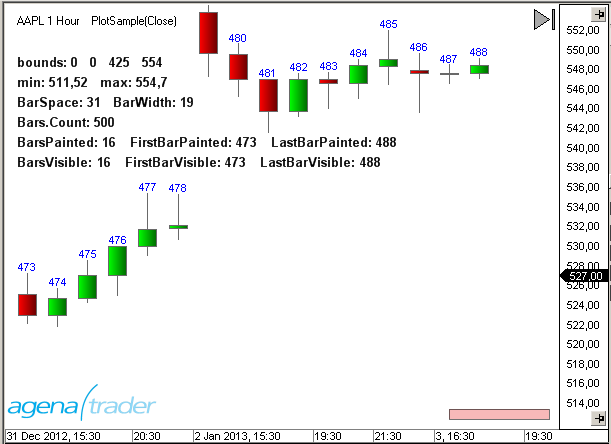
**Note:** For demonstration purposes, each time Paint is called up within the "Bar Numbering" section, "New" and "Dispose" will also be called up multiple times. From a performance point of view, this solution can be better implemented by using constant variable declarations and calling up "Dispose" within the OnDispose statement.
```csharp
using System;
using System.Collections.Generic;
using System.ComponentModel;
using System.Drawing;
using System.Drawing.Drawing2D;
using System.Linq;
using System.Xml;
using System.Xml.Serialization;
using AgenaTrader.API;
using AgenaTrader.Custom;
using AgenaTrader.Plugins;
using AgenaTrader.Helper;
namespace AgenaTrader.UserCode
{
[Description("PlotSample")]
public class PlotSample : UserIndicator
{
Pen pen = new Pen(Color.Blue);
StringFormat sf = new StringFormat();
SolidBrush brush = new SolidBrush(Color.Black);
Font font = new Font("Arial", 10, FontStyle.Bold);
protected override void OnInit()
{
IsOverlay = true;
}
protected override void OnDispose()
{
if (pen!=null) pen.Dispose();
if (sf!=null) sf.Dispose();
if (brush!=null) brush.Dispose();
if (font!=null) font.Dispose();
}
protected override void OnCalculate()
{}
public override void OnPaint(Graphics g, Rectangle r, double min, double max)
{
if (Bars == null || Chart == null) return;
// Properties of Chart
string s;
s = "bounds: "+r.X.ToString()+" "+r.Y.ToString()+" "+r.Height.ToString()+" "+r.Width.ToString();
g.DrawString(s, font, brush, 10, 50, sf);
s = "min: "+Instrument.Round2TickSize(min).ToString()+" max: "+Instrument.Round2TickSize(max).ToString();
g.DrawString(s, font, brush, 10, 70, sf);
s = "BarSpace: "+Chart.BarSpace.ToString()+" BarWidth: "+Chart.BarWidth.ToString();
g.DrawString(s, font, brush, 10, 90, sf);
s = "Bars.Count: "+Bars.Count.ToString();
g.DrawString(s, font, brush, 10, 110, sf);
s = "BarsPainted: "+Chart.BarsPainted.ToString() + " FirstBarPainted: "+Chart.FirstBarPainted.ToString() + " LastBarPainted: "+Chart.LastBarPainted.ToString();
g.DrawString(s, font, brush, 10, 130, sf);
s = "BarsVisible: "+Chart.BarsVisible.ToString() + " FirstBarVisible: "+Chart.FirstBarVisible.ToString() + " LastBarVisible: "+Chart.LastBarVisible.ToString();
g.DrawString(s, font, brush, 10, 150, sf);
// Bar numbering
StringFormat _sf = new StringFormat();
SolidBrush _brush = new SolidBrush(Color.Blue);
Font _font = new Font("Arial", 8);
SizeF _stringSize = new SizeF();
_sf.Alignment = StringAlignment.Center;
for (int i=Chart.FirstBarVisible; i<=Chart.LastBarVisible; i++)
{
string text = i.ToString();
_stringSize = g.MeasureString(text, _font);
int x = Chart.GetXByBarIdx(Bars, i);
int y = Chart.GetYByValue(this, High[Abs2Ago(i)] + 3*TickSize) - (int) _stringSize.Height;
g.DrawString(text, _font, _brush, x, y, _sf);
}
_sf.Dispose();
_brush.Dispose();
_font.Dispose();
}
private int Abs2Ago(int idx)
{
return Math.Max(0,Bars.Count-idx-1-(CalculateOnClosedBar?1:0));
}
}
}
```
### Custom Chart Background Image
The plot method allows you to add a background image to the chart. The following example uses an image with the JPG format located in the main directory on the hard drive (C:).
```csharp
using System;
using System.Drawing;
using AgenaTrader.Custom;
using AgenaTrader.Plugins;
namespace AgenaTrader.UserCode
{
public class BackgroundPicture : UserIndicator
{
Image img;
protected override void OnStart()
{
try { img = Image.FromFile("C:\\\\MyCar.jpg"); } catch {}
}
public override void OnPaint(Graphics g, Rectangle r, double min, double max)
{
if (Chart == null || img == null) return;
g.DrawImage(img,r);
}
}
}
```
### File Selection in the Properties
To enable file selection within the properties dialog of an indicator, you will need a type converter. The following example displays how a selection of WAV files can be programmed for an alert:
```csharp
using System;
using System.IO;
using System.Collections;
using System.ComponentModel;
using AgenaTrader.Custom;
using AgenaTrader.Plugins;
namespace AgenaTrader.UserCode
{
[Description("File Picker Example.")]
public class FilePicker : UserIndicator
{
private string _soundFile = "Alert4.wav";
private static string _dir = Environment.GetFolderPath(Environment.SpecialFolder.MyDocuments) + @"\\AgenaTrader\\Sounds\\";
internal class MyConverter : TypeConverter
{
public override bool GetStandardValuesSupported(ITypeDescriptorContext context)
{
return true;
}
public override StandardValuesCollection GetStandardValues(ITypeDescriptorContext context)
{
if (context == null) return null;
ArrayList list = new ArrayList();
DirectoryInfo dir = new DirectoryInfo(_dir);
FileInfo[] files = dir.GetFiles("*.wav");
foreach (FileInfo file in files) list.Add(file.Name);
return new TypeConverter.StandardValuesCollection(list);
}
}
protected override void OnStart()
{
PlaySound(_soundFile);
}
[Description("Choose file to play.")]
[Category ("Sound")]
[TypeConverter(typeof(MyConverter))]
public string SoundFile
{
get { return _soundFile; }
set { _soundFile = value; }
}
}
}
```
### Formatting of Numbers
#### Formatting of Numbers
**General information on formatting in C#**
```csharp
double d = 123.4567890;
Print("Without formatting : " + d.ToString()); // 123.456789
Print("As a currency : " + d.ToString("C")); // 123.46 €
Print("Exponential : " + d.ToString("E")); // 1.234568E+002
Print("As a fixed point : " + d.ToString("F2")); // 123.46
Print("General : " + d.ToString("G")); // 123.456789
Print("As a percentage : " + d.ToString("P0")); // 12.346%
Print("To 2 decimal places : " + d.ToString("N2")); // 123.45
Print("To 3 decimal places : " + d.ToString("N3")); // 123.457
Print("To 4 decimal places : " + d.ToString("N4")); // 123.4568
```
#### Useful Functions
Returns the currency symbol for the current instrument:
```csharp
public string getWaehrungssymbol() {
string s = "";
switch (Instrument.Currency) {
case Currencies.USD : s = "$"; break;
case Currencies.EUR : s = "€"; break;
case Currencies.CHF : s = "CHF"; break;
case Currencies.GBP : s = ((char)163).ToString(); break;
case Currencies.JPY : s = ((char)165).ToString(); break;
}
return s;
}
```
Converts a number into a currency with a thousands separator and 2 decimal places. The block separation per 1000 units can be set in "Culture".
```csharp
public string getWaehrungOhneSymbol(double d) {
// Separate 1000s and two decimal points
return d.ToString("\#,\#\#0.00");
}
```
Converts a number into a currency with a thousands separator and 2 decimal places and a currency symbol:
```csharp
public string getWaehrungMitSymbol(double d) {
// Dollar is prefixed, everything else is added afterwards
string s=getWaehrungOhneSymbol(d);
string w=getWaehrungssymbol();
if (w=="$") s=w+" "+s; else s+=" "+w;
return s;
}
```
Converts a number into a currency with a thousands separator and 2 decimal places as well as a currency symbol, and fills up to a fixed length with empty spaces. The function is great for outputting values into a table.
```csharp
public string getWaehrungMitSymbol(double d, int Laenge) {
// Leading spaces until a fixed length has been reached
string s=getWaehrungMitSymbol(d);
for (int i=s.Length; i0)?"+":""; // Leading plus sign
return s+d.ToString("0.0")+"%";
}
```
Formats the market price depending on the number of decimal places to which the currency is notated. This includes a thousands separator and fixed length, meaning that zeros are filled on the right hand side. Because Culture Info is being used, you must integrate the NameSpace **System.Globalization**.
```csharp
public string format(double d)
{
int tickLength = 0;
// ticksize.ToString() is for example 6J = "1E-06" and length is then 5
// and not 8 as it should be with "0.000001")
if (TickSize < 1) tickLength = TickSize.ToString("0.\#\#\#\#\#\#\#\#\#\#\#").Length - 2;
string f = "{0:n"+tickLength.ToString()+"}";
return string.Format(CultureInfo.CurrentCulture, f, d);
}
```
#### Example
```csharp
double profit = 1234.567890;
Print("getCurrencyWithoutSymbol ": + getWaehrungOhneSymbol(Gewinn)); // 1234.57
Print("getCurrencyWithSymbol :" + getWaehrungMitSymbol(Gewinn)); // $ 1,234.57
Print("getCurrencyWithSymbol :" + getWaehrungMitSymbol(Gewinn)); // $ 1,234.57
double percentage profit = 12.3456789;
Print("getPercent :" + getPercent(ProzGewinn)); // +12.3%
double price = 123.4567;
Print("getPrice :" + getKurs(Kurs)); // 123.46
```
### Index Conversion
There are two types of indexing in AgenaTrader.
1. The bars are numbered from youngest to oldest. This type is used in the OnCalculate() method. The last bar has an index of 0, while the oldest bar has the index Bars.Count-1.
2. The bars are numbered from oldest to youngest. This type is most commonly used in the OnPaint() method in "for" loops. The oldest Bbar receives an index of 0, while the youngest bar has the index Bars.Count-1. The following function can be used to recalculate the index types:
```csharp
private int Convert(int idx)
{
return Math.Max(0,Bars.Count-idx-1-(CalculateOnClosedBar?1:0));
}
```
### Overwriting Indicator Names
The name of an indicator (or a strategy) is displayed within the properties dialog and at the top edge of the chart. Use the ToString() method and DisplayName property to overwrite it.
```csharp
public override string ToString()
{
return "My Name";
}
```
```csharp
public override string DisplayName
{
get
{
return "My Name";
}
}
```
**Important tip:** Always use both override methods in your scripts to assure that your special name is used on all AgenaTrader forms.
### Rectangle with Rounded Corners
By using the graphics methods, you can create interesting forms and place them onto the chart. One example of this is the RoundedRectangle class, which is a rectangle with rounded corners.
```csharp
Example Code:
using System;
using System.Collections.Generic;
using System.ComponentModel;
using System.Drawing;
using System.Linq;
using System.Xml;
using System.Xml.Serialization;
using System.Drawing.Drawing2D;
using AgenaTrader.API;
using AgenaTrader.Custom;
using AgenaTrader.Plugins;
namespace AgenaTrader.UserCode
{
[Description("Demo of RoundedRectangles")]
public class DemoRoundedRectangle : UserIndicator
{
protected override void OnInit()
{
IsOverlay = true;
}
protected override void OnCalculate() {}
public override void OnPaint(Graphics g, Rectangle r, double min, double max)
{
GraphicsPath path;
// draws a rectangle with rounded corners
path = RoundedRectangle.Create(30, 50, 100, 100,8);
g.DrawPath(Pens.Black, path);
// draws a filled rectangle with a radius of 20
// only round the upper left and lower right corner
path = RoundedRectangle.Create(160, 50, 100, 100, 20,
RoundedRectangle.RectangleCorners.TopLeft|RoundedRectangle.RectangleCorners.BottomRight);
g.FillPath(Brushes.Orange, path);
}
}
public abstract class RoundedRectangle
{
public enum RectangleCorners
{
None = 0, TopLeft = 1, TopRight = 2, BottomLeft = 4, BottomRight = 8,
All = TopLeft | TopRight | BottomLeft | BottomRight
}
public static GraphicsPath Create(int x, int y, int width, int height, int radius, RectangleCorners corners)
{
Rectangle r = new Rectangle(x,y,width, height);
Rectangle tlc = new Rectangle(r.Left, r.Top,Math.Min(2 * radius, r.Width),Math.Min(2 * radius, r.Height));
Rectangle trc = tlc;
trc.X = r.Right - 2 * radius;
Rectangle blc = tlc;
blc.Y = r.Bottom - 2 * radius;
Rectangle brc = blc;
brc.X = r.Right - 2 * radius;
Point[] n = new Point[]
{
new Point(tlc.Left, tlc.Bottom), tlc.Location,
new Point(tlc.Right, tlc.Top), trc.Location,
new Point(trc.Right, trc.Top),
new Point(trc.Right, trc.Bottom),
new Point(brc.Right, brc.Top),
new Point(brc.Right, brc.Bottom),
new Point(brc.Left, brc.Bottom),
new Point(blc.Right, blc.Bottom),
new Point(blc.Left, blc.Bottom), blc.Location
};
GraphicsPath p = new GraphicsPath();
p.StartFigure();
//Top left corner
if ((RectangleCorners.TopLeft & corners) == RectangleCorners.TopLeft)
p.AddArc(tlc, 180, 90);
else
p.AddLines(new Point[] { n[0], n[1], n[2] });
//Top edge
p.AddLine(n[2], n[3]);
//Top right corner
if ((RectangleCorners.TopRight & corners) == RectangleCorners.TopRight)
p.AddArc(trc, 270, 90);
else
p.AddLines(new Point[] { n[3], n[4], n[5] });
//Right edge
p.AddLine(n[5], n[6]);
//Bottom right corner
if ((RectangleCorners.BottomRight & corners) == RectangleCorners.BottomRight)
p.AddArc(brc, 0, 90);
else
p.AddLines(new Point[] { n[6], n[7], n[8] });
//Bottom edge
p.AddLine(n[8], n[9]);
//Bottom left corner
if ((RectangleCorners.BottomLeft & corners) == RectangleCorners.BottomLeft)
p.AddArc(blc, 90, 90);
else
p.AddLines(new Point[] { n[9], n[10], n[11] });
//Left edge
p.AddLine(n[11], n[0]);
p.CloseFigure();
return p;
}
public static GraphicsPath Create(Rectangle rect, int radius, RectangleCorners c)
{ return Create(rect.X, rect.Y, rect.Width, rect.Height, Math.Max(1,radius), c); }
public static GraphicsPath Create(int x, int y, int width, int height, int radius)
{ return Create(x, y, width, height, Math.Max(1,radius), RectangleCorners.All); }
public static GraphicsPath Create(Rectangle rect, int radius)
{ return Create(rect.X, rect.Y, rect.Width, rect.Height, Math.Max(1,radius)); }
public static GraphicsPath Create(int x, int y, int width, int height)
{ return Create(x, y, width, height, 8); }
public static GraphicsPath Create(Rectangle rect)
{ return Create(rect.X, rect.Y, rect.Width, rect.Height); }
}
}
```